
You're using the API to create those DNS Records?
You're using the API to create those DNS Records?
 C
C LLC
LLC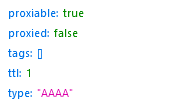 C
Cttlhttps://developers.cloudflare.com/api/operations/dns-records-for-a-zone-create-dns-record?schema_url=https%3A%2F%2Fraw.githubusercontent.com%2Fcloudflare%2Fapi-schemas%2Fmain%2Fopenapi.yaml
Time To Live (TTL) of the DNS record in seconds. Setting to 1 means 'automatic'. Value must be between 60 and 86400, with the minimum reduced to 30 for Enterprise zones.
LCLL formData.Add(new StringContent("true"), "proxied");
formData.Add(new StringContent("1"), "ttl"); CLvar client = new HttpClient();
client.DefaultRequestHeaders.Add("X-Auth-Email", "xx");
client.DefaultRequestHeaders.Add("X-Auth-Key", "xx");
var dnsFilePath = "dns.txt"; // DNS dosya yolu
var dnsRecords = File.ReadAllLines(dnsFilePath);
foreach (var record in dnsRecords)
{
var formData = new MultipartFormDataContent();
formData.Add(new StringContent(record), "file", dnsFilePath);
 formData.Add(new StringContent("true"), "proxied");
  formData.Add(new StringContent("1"), "ttl");
var request = new HttpRequestMessage
{
Method = HttpMethod.Post,
RequestUri = new Uri($"https://api.cloudflare.com/client/v4/zones/{zoneid}/dns_records/import"),
Content = formData
};
using (var response = await client.SendAsync(request))
{
if (response.IsSuccessStatusCode)
{
var body = await response.Content.ReadAsStringAsync();
MessageBox.Show("Success: " + body);
}
else
{
MessageBox.Show("Failed: " + response.StatusCode.ToString());
}
}
}C NCNCCLCCL
 LL
LL AA
AA K
K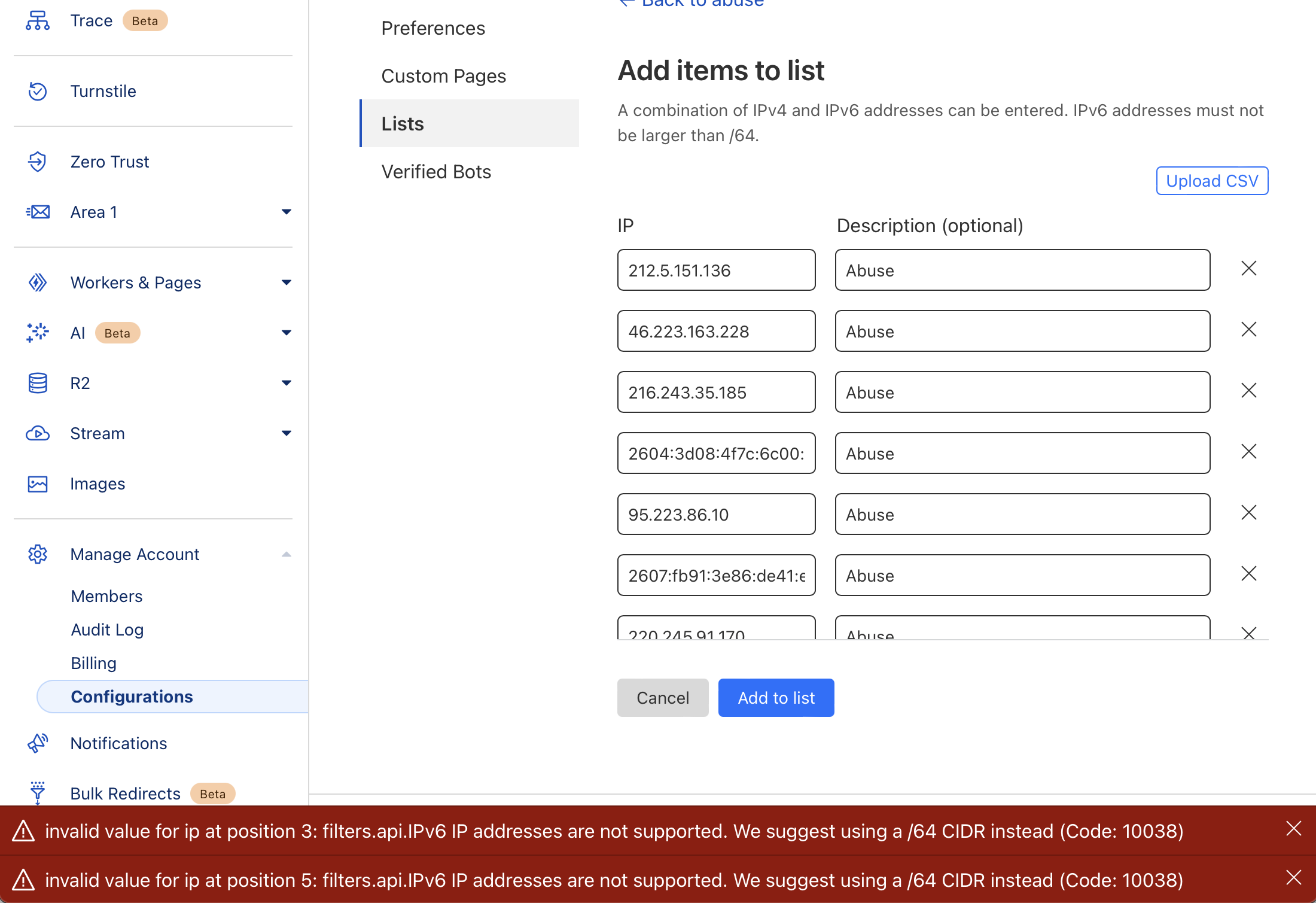
 KKKK
KKKKTo specify an IPv6 address, enter it as a CIDR range with a /64 prefix, the largest supported prefix for IPv6 CIDR ranges.
For example, instead of 2001:db8:6a0b:1a01:d423:43b9:13c5:2e8f, enter one of the following:
2001:db8:6a0b:1a01:0000:0000:0000:0000/64
2001:db8:6a0b:1a01::/64 (using the double colon notation
The IPv6 address topology describes the last 64 bits as the host identifier. Matching on a /128 prefix would identify a specific IPv6 address, but not the host in general. It would be possible for an attacker to change their specific IPv6 address from a single machine.
K
 A
A C
C A
A DDL
DDLYou are unable to access</span> api.openai.com</h2> and This website is using a security service to protect itself from online attacks. The action you just performed triggered the security solution. There are several actions that could trigger this block including submitting a certain word or phrase, a SQL command or malformed data. D
D
 H
H SHSHHS
api.openai.comH HH
HH formData.Add(new StringContent("true"), "proxied");
formData.Add(new StringContent("1"), "ttl"); var client = new HttpClient();
client.DefaultRequestHeaders.Add("X-Auth-Email", "xx");
client.DefaultRequestHeaders.Add("X-Auth-Key", "xx");
var dnsFilePath = "dns.txt"; // DNS dosya yolu
var dnsRecords = File.ReadAllLines(dnsFilePath);
foreach (var record in dnsRecords)
{
var formData = new MultipartFormDataContent();
formData.Add(new StringContent(record), "file", dnsFilePath);
 formData.Add(new StringContent("true"), "proxied");
  formData.Add(new StringContent("1"), "ttl");
var request = new HttpRequestMessage
{
Method = HttpMethod.Post,
RequestUri = new Uri($"https://api.cloudflare.com/client/v4/zones/{zoneid}/dns_records/import"),
Content = formData
};
using (var response = await client.SendAsync(request))
{
if (response.IsSuccessStatusCode)
{
var body = await response.Content.ReadAsStringAsync();
MessageBox.Show("Success: " + body);
}
else
{
MessageBox.Show("Failed: " + response.StatusCode.ToString());
}
}
}new-test.example.com. 1 IN AAAA 100::You are unable to access</span> api.openai.com</h2>This website is using a security service to protect itself from online attacks. The action you just performed triggered the security solution. There are several actions that could trigger this block including submitting a certain word or phrase, a SQL command or malformed data.api.openai.com


