Hello everyone. I am Dr. Furkan Gözükara. PhD Computer Engineer. SECourses is a dedicated YouTube channel for the following topics : Tech, AI, News, Science, Robotics, Singularity, ComfyUI, SwarmUI, ML, Artificial Intelligence, Humanoid Robots, Wan 2.2, FLUX, Krea, Qwen Image, VLMs, Stable Diffusion
Anyone having trouble using the provided class files? my Dreambooth tries to generate the class even though it already exists in the directory. I think its occouring only class 'man' for a 'girl' its ok.
is there any advice for training in kaggle when your input images are a variety of dimensions? A lot of my training images are larger than 512512 but smaller than 10241024, and not necesarily square. Resizing them can give them unrealistic/stretched proportions, not sure if that might impact the training? or is it not possible to train these?
like taking a 600x800 picture and resizing to 1024x1024 will require different stretching proportions and it can make a full body shot look strange when you force it into that size
Wish there was way to convert /downgrade lora.. But I think it will only take half time to train Lora. With 512 trained Lora, we can use with animatediff. Also by training it, we could have trained for all three models
I'm thinking upscale and crop may still pose a problem if the aspect ratio is not square on the original image. I'm thinking I may need to sacrifice some detail/body on those in order to get a square fit? Does your resizer script help with that or will it not cut out body parts to make it square?
I would also like to say a few words about the sample photos. I am currently training a Lora, where all the training photos are upper body shots. My training burned very fast and I just went down to a d_coef of 0.65 to get a good lora. So that's why it's good to take your sample shots from as many angles and distances as possible, because you can make a stronger and more flexible Lora. Just taking the same type of photos will quickly get stuck and the model will learn too much.
my provided dataset is 768x1024 for realistic and image processing is 1024 in max resolution parameter. I followed the tutorial, first I adjusted the aspect ratio with the cropped.py script then I pre-processed the image at 768x1024 in the train tab. I have provided class files in the same resolution, however, the images it generates in the directory are 880x1176. I think I'll have to use it at 512x512 with realistic_vision_v5.1.
You were right, the problem was that the dataset was 768x1024 and the classes were 1024x768, I adjusted the dataset to 1024x768 and now it has gone to the cache latents phase. I think it will work now.
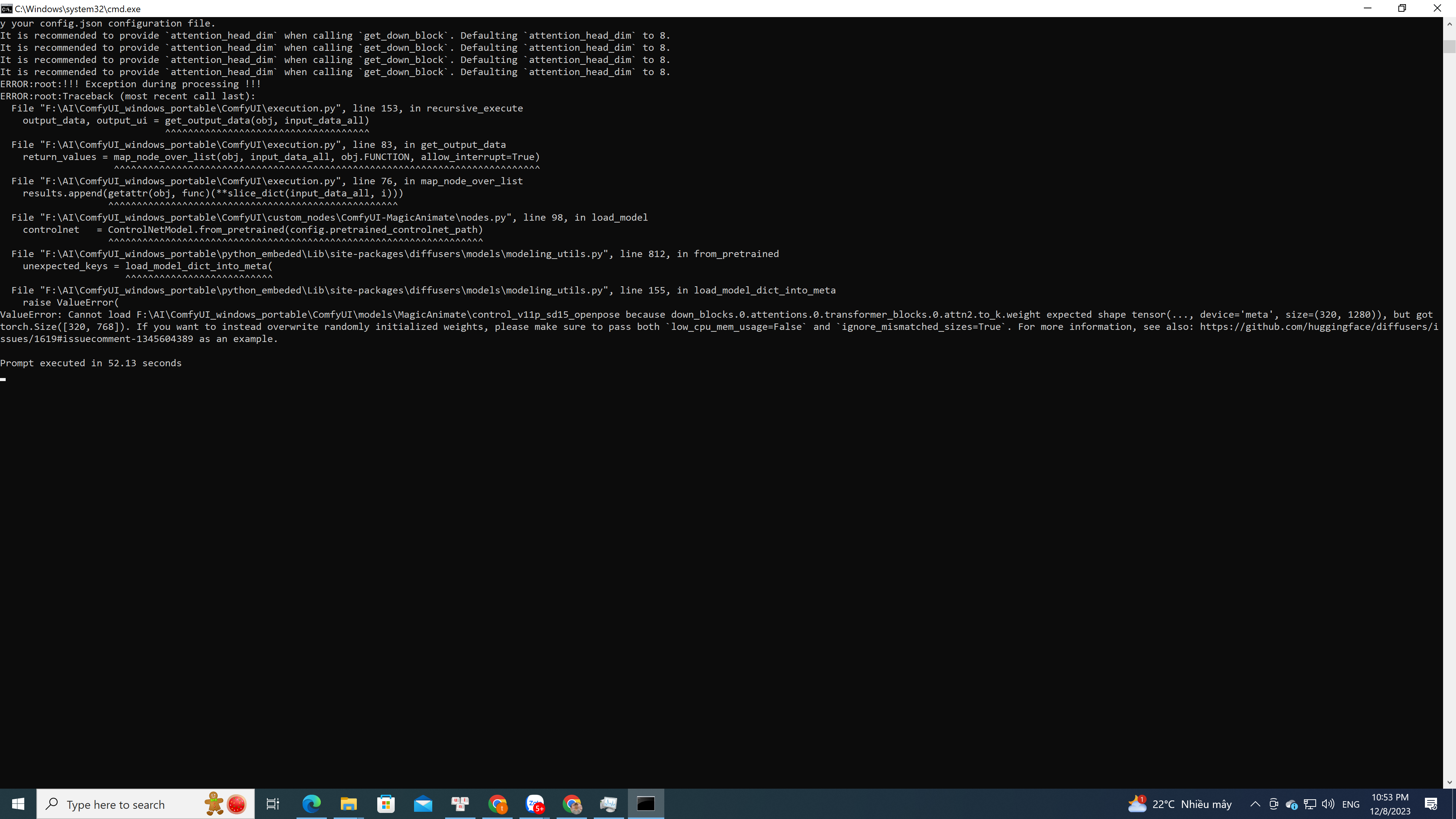
I haven't used ComfyUI yet, but the error is similar to the dreambooth save preview. If it uses transforms it could be the problem with the new versions in Torch 2.0. Try using an old version that used Torch before 2.0. Then if I have time and find out something about it I can share it. I have fixed many issues in my local version of dreambooth.
ValueError: Cannot load F:\AI\ComfyUI_windows_portable\ComfyUI\models\MagicAnimate\control_v11p_sd15_openpose because down_blocks.0.attentions.0.transformer_blocks.0.attn2.to_k.weight expected shape tensor(..., device='meta', size=(320, 1280)), but got torch.Size([320, 768]). If you want to instead overwrite randomly initialized weights, please make sure to pass both
Have scoured the docs for an answer to this, to no avail. Is it possible to add additional input channels to a model after initializing it using .from_pretrained. For example (taken from your Dream...