
 F
Ffixed
FGitHub
Stable Diffusion, SDXL, LoRA Training, DreamBooth Training, Automatic1111 Web UI, DeepFake, Deep Fakes, TTS, Animation, Text To Video, Tutorials, Guides, Lectures, Courses, ComfyUI, Google Colab, R...
Fstart a new session
 M
Mthank you so much. trying it out
Fyep working tried agian
Fit is also pretty fast
F1.3 it / s
Fsd 1.5 512px
F
 A
AWill you be doing an animation related tutorial anytime soon?
https://www.youtube.com/watch?v=RAoCWbUZ9Is
https://www.youtube.com/watch?v=RAoCWbUZ9Is
YouTubeNathan Shipley
An exploration in stylizing video using AnimateDiff and IPAdapter to create a cartoon look.
Created with #AnimateDiff and #IPAdapter to stylize input video.
Input video before/after in this short! https://youtube.com/shorts/PgjPULPGxV0?feature=share
Created with #AnimateDiff and #IPAdapter to stylize input video.
Input video before/after in this short! https://youtube.com/shorts/PgjPULPGxV0?feature=share
 F
Fyes i am planning
Fi got to go now see you later hopefully
Mthank you so much it really seems like it works
 B
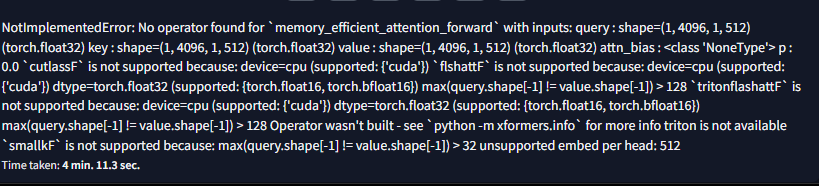
Bis there a way i can fix this? i think its cuda memory. I have AMD
 M
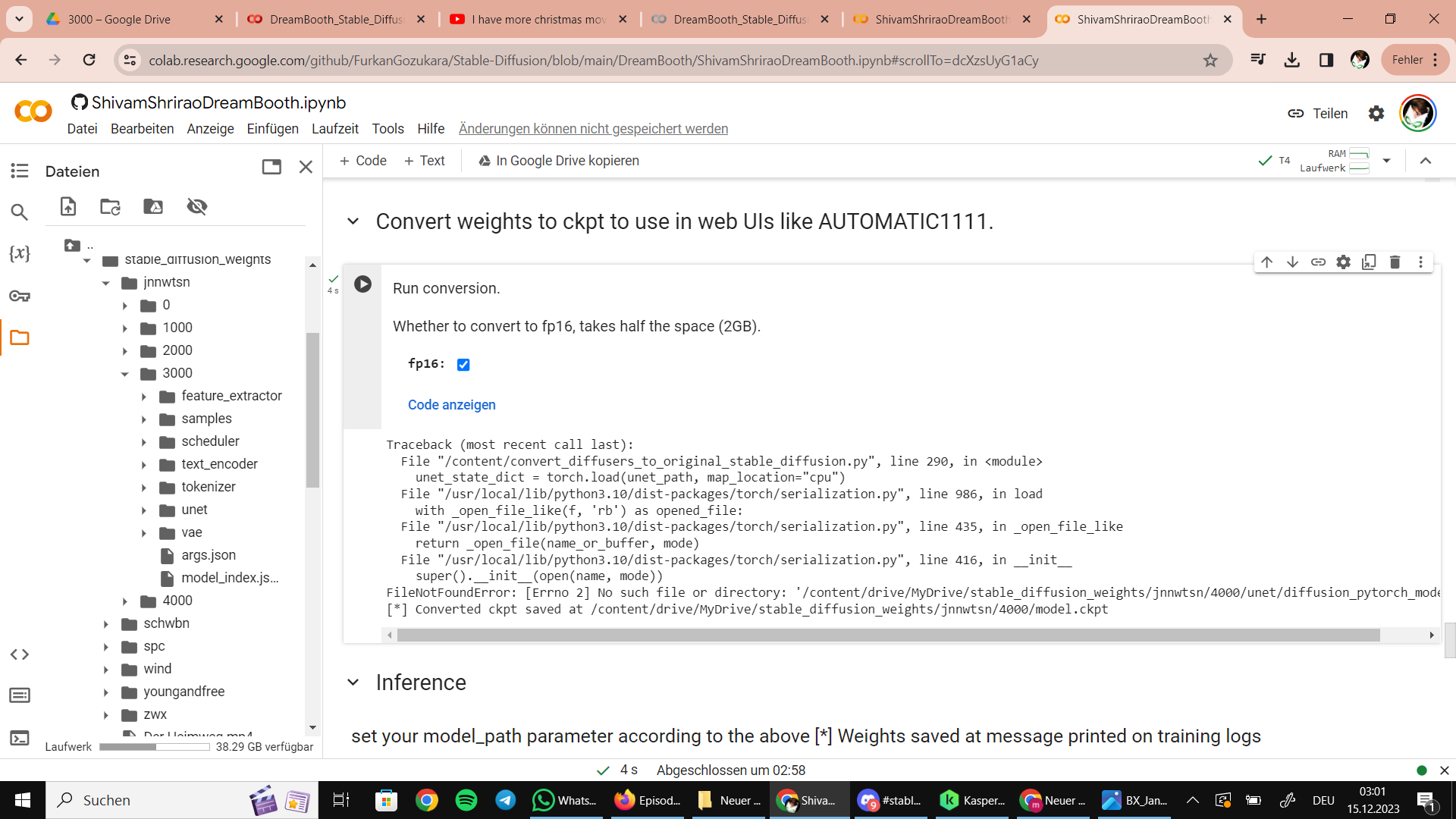
Mthe trainig worked, but the conversion into ckpt failed again
 K
KHello, kaggle blocked me white using SDXL, I am using the kaggle notebook for sfw renders, please help

 O
Ohow should I troubleshoot it?
 S
S@Dr. Furkan Gözükara downloading juggernautxl to workspace to make a LoRA on kaggle worked. however also learned that juggernautxl seems to respond better to a person LoRA made with SDXL than one trained on juggernautxl
 C
CWhich sampler is you favorite? 
 J
JWhat has better results for realism, drambooth or Lora?
 H
HI am using kaggle and I notice the default path to the model is stabilityai/stable-diffusion-xl-base-1.0 - I don't really know where this stabilityai folder is... if I use the huggingface API to upload a model from huggingface to kaggle should I save it under /kaggle/input/ folder and use that as the 'Pretrained model name or path' to the model in kohya GUI?
 B
B'stabilityai/stable-diffusion-xl-base-1.0' is not a local path, it points to huggingface for download
HI have moy model on huggingface, wondering how I can upload it, the info I have is I need to download it from hugging face into the kaggle as a dataset, or is there a better way to do this?
B'stabilityai/stable-diffusion-xl-base-1.0' is the official model from stabilityai, which is hosted on huggingface
Byou don't need to do anything, it will be automatically downloaded and used during training
HI see, if I have a private model on huggingface, whats the best way to import it to kaggle if I want to reference it in the kohya GUI? do I need to upload it as a dataset in Kaggle? is there a way to get the notebook to use huggingface API to download it to kaggle directly? I want to train my private model from huggingface not the default one
Bif you want to use it often it makes sense to upload it as a dataset in kaggle, as you don't need to redownload it all the time. I can't recall if I'm right, but I think used kaggle datasets are also not using storage from the kaggle disk.
Band then you simply copy the path from the file in your kaggle dataset and use it in 'Pretrained model name or path'
JWhat are json configs for text and no text encoder?
J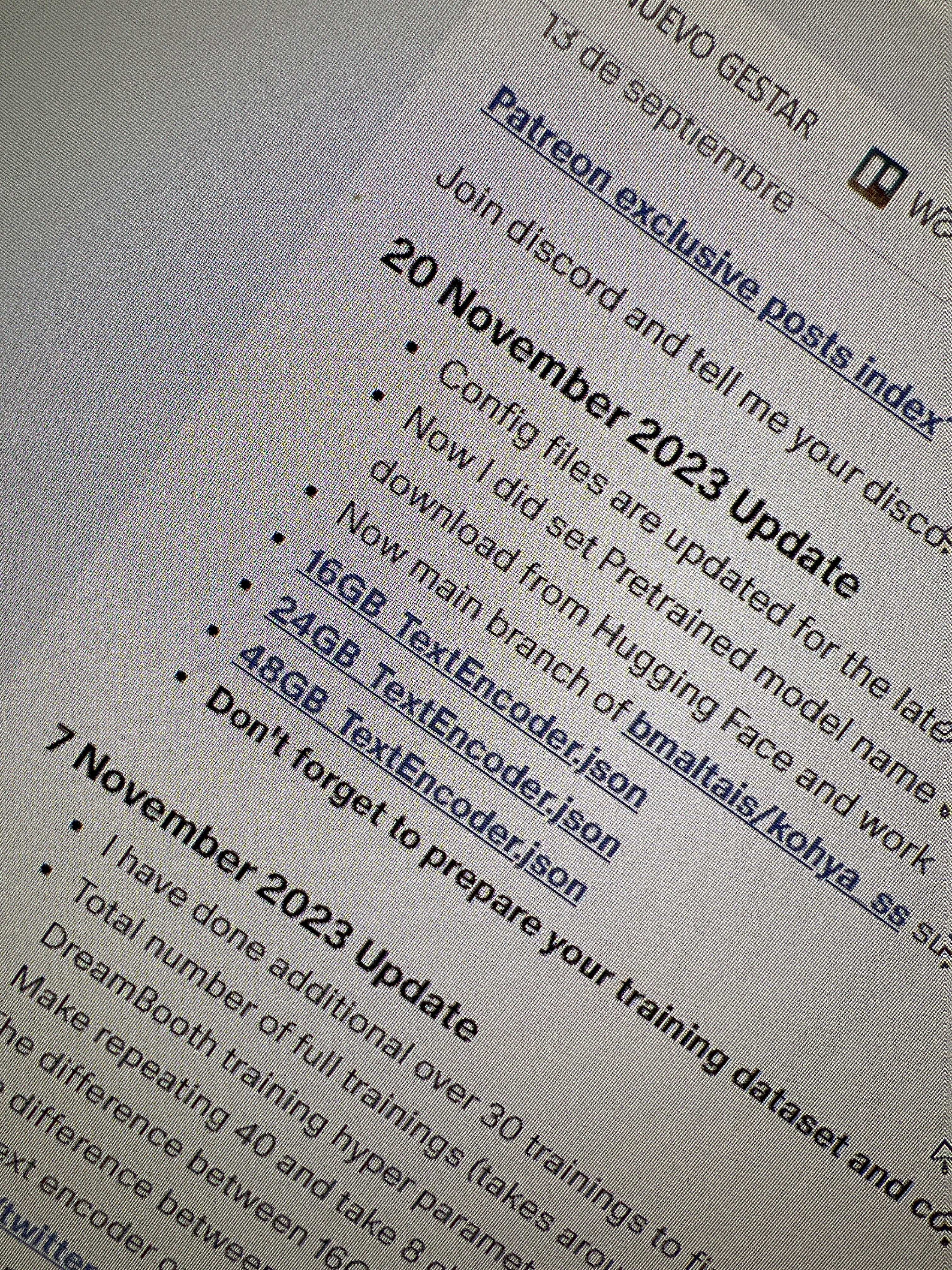 J
JI’m not sure wich one use if text or no text 
 B
Bhe removed the ones without TE, as he suggests to always train with them
JOk thanks
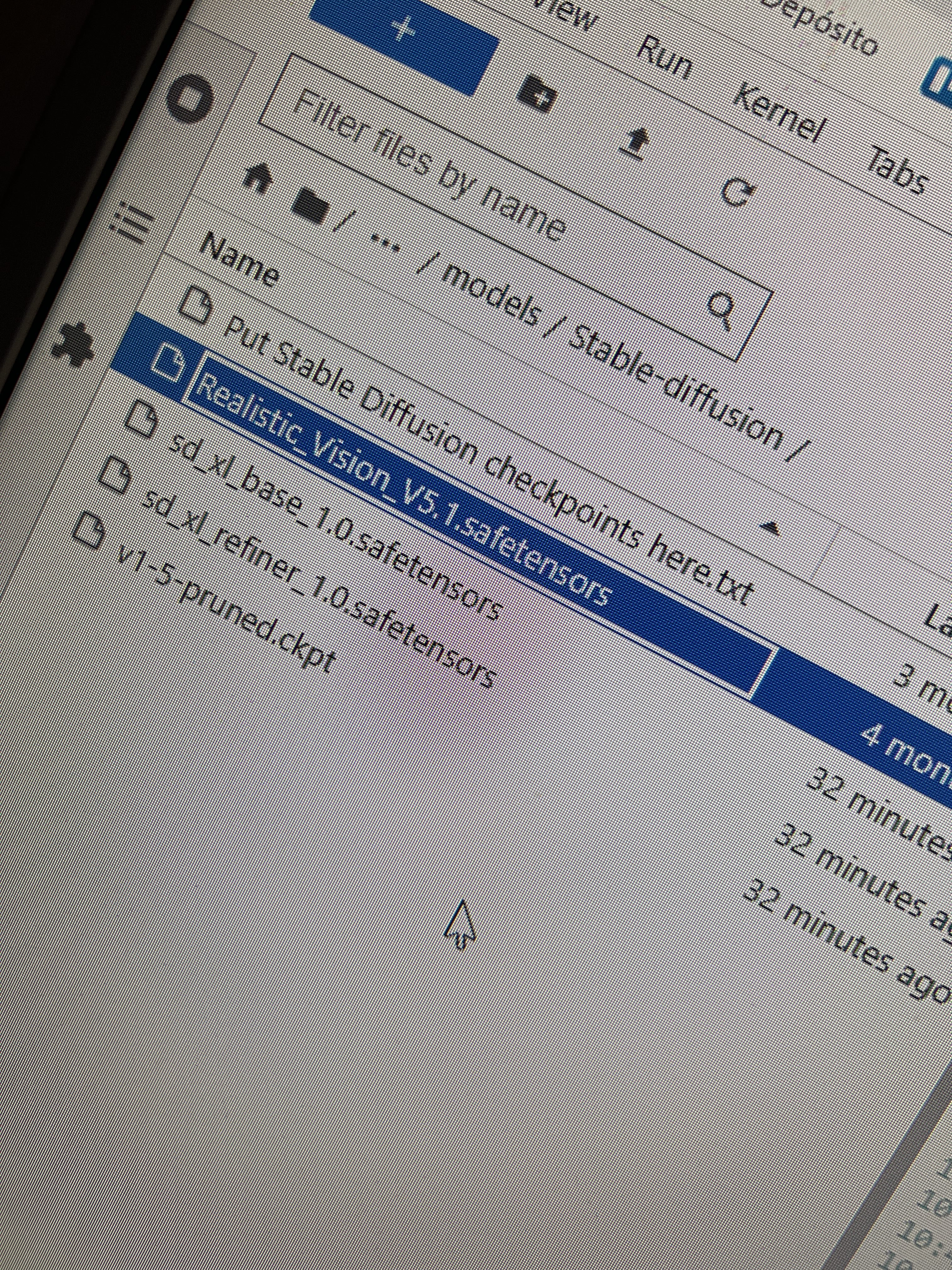
JAnd should I use realistic 5.1 or base 1.0 like always?
 J
JBecause always I used base 1 for realistic photos of persons
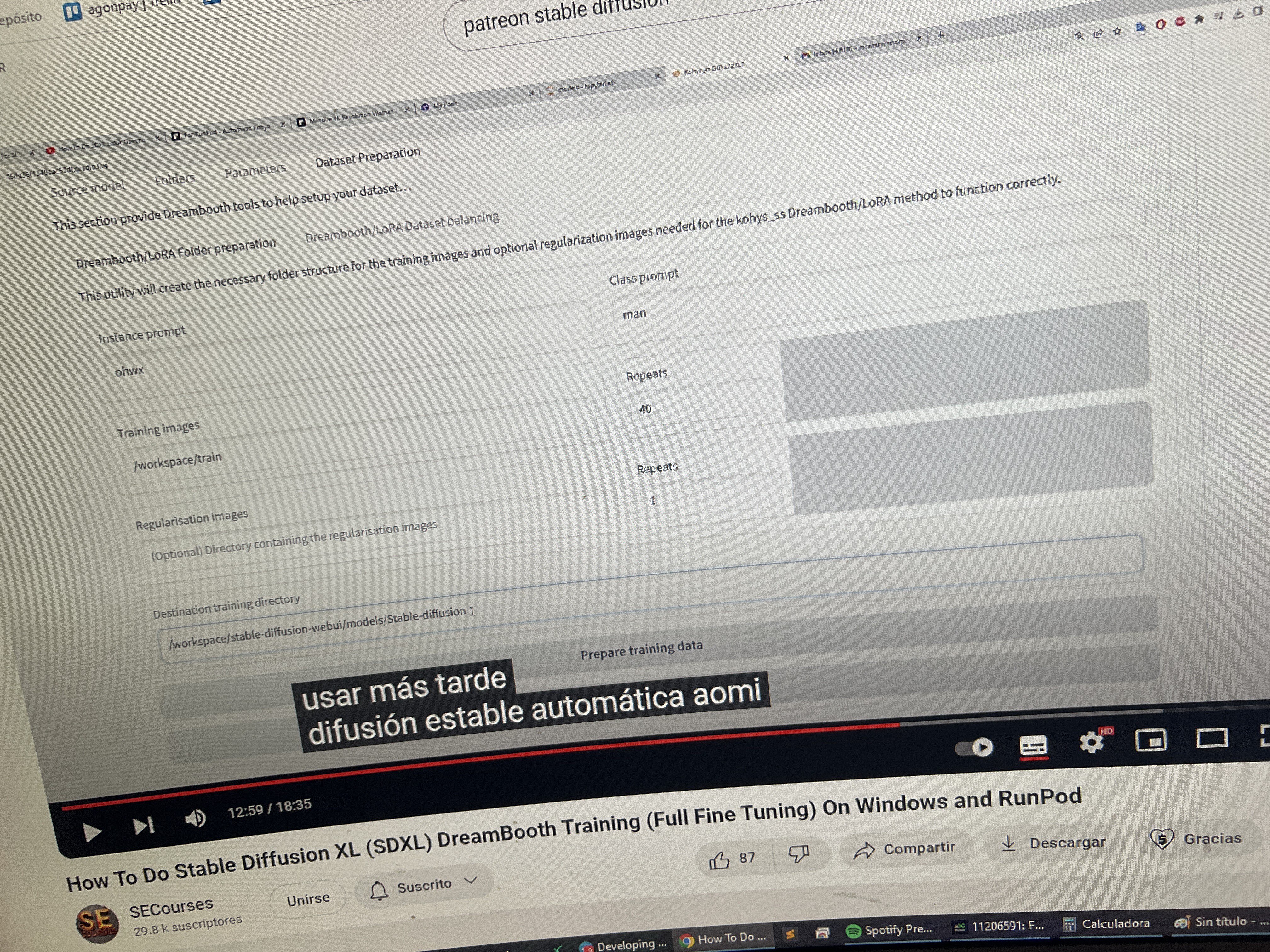
JWhy he in this tutorial doesn’t use REGULARISATION images? Only training images?
 B
Bif I train with other models results aren't as good as the base, I guess the training settings need to be adjusted. at least that is my experience
Bhe always uses reg images, don't know about the video
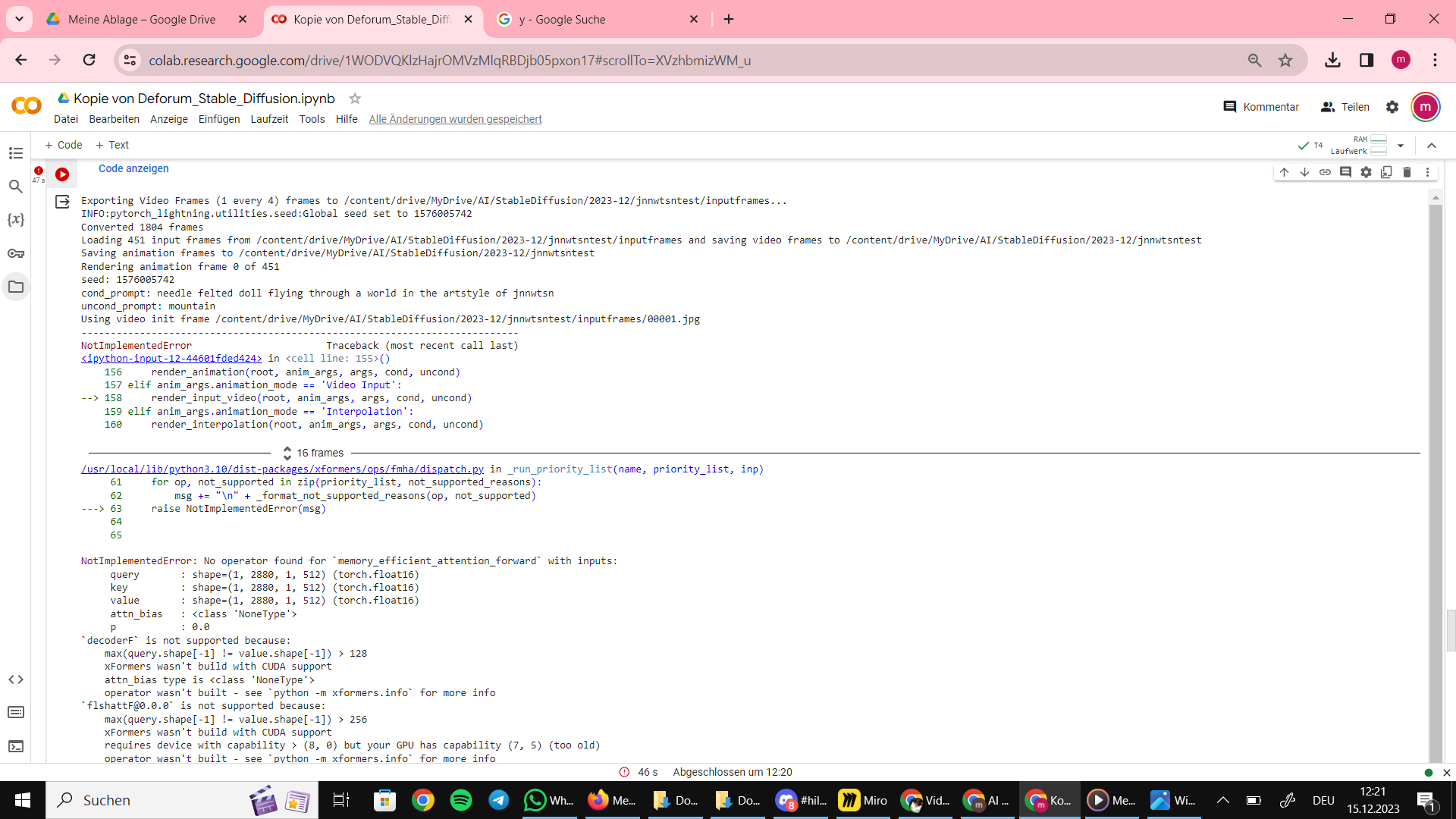
Mi ran into an error in deforum. does anyone know what i did wrong this time?
 H
Hwhen I try to upload dataset to kaggle using URL I get an error saying it cannot access the file even though it is public, what am I missing?
https://huggingface.co/(username)/(modelname)/resolve/main/(modelversion).safetensors
https://huggingface.co/(username)/(modelname)/resolve/main/(modelversion).safetensors
- when I run this in browser it starts automatic download. Am I doing this wrong?
H(trying to upload a pre-trained model into kaggle)
Bnever did that, I don't know. But I would rather upload it from your PC directly before digging to deep searching for an answer
Hhm ok, I think to upload locally it requires 2 steps, upload to kaggle working directory and then a seperate step to add it to dataset. I just noticed dataset has an option to upload via URL so seemed a more direct route
Bno you can directly create a dataset with an upload
Band you can afterwards update datasets and upload files
Bjust click the right button and drag and drop your model, this will create a dataset

 F
Fmost of the sdxl models are merges of other ones, with slight finetuning/training on them.
 K
KHi @Dr. Furkan Gözükara what should we have as the learning rate TE for your sd1.5 json file?
 S
Sin google colab is there some way to change where you upload all your data too? anyone know?
 W
Whey, just joined. been trying to get the rerender installed on my machine.
