

 M
MAwesome

 J
JIs there a github issue that's tracking this? I'd like to get involved and try to fix it. Bourne shell scripting is kind of my thing 

 F
FGitHub
…are missing from the list.
This allows us to ditch the state file concept, which only allows us to run flatpak-setup once. After that, you need to manually delete the state file (system & user...
This allows us to ditch the state file concept, which only allows us to run flatpak-setup once. After that, you need to manually delete the state file (system & user...
 K
Klittle app list debloat pass
Kthere's the default folder organization for apps in the app grid, and the default dash placement
K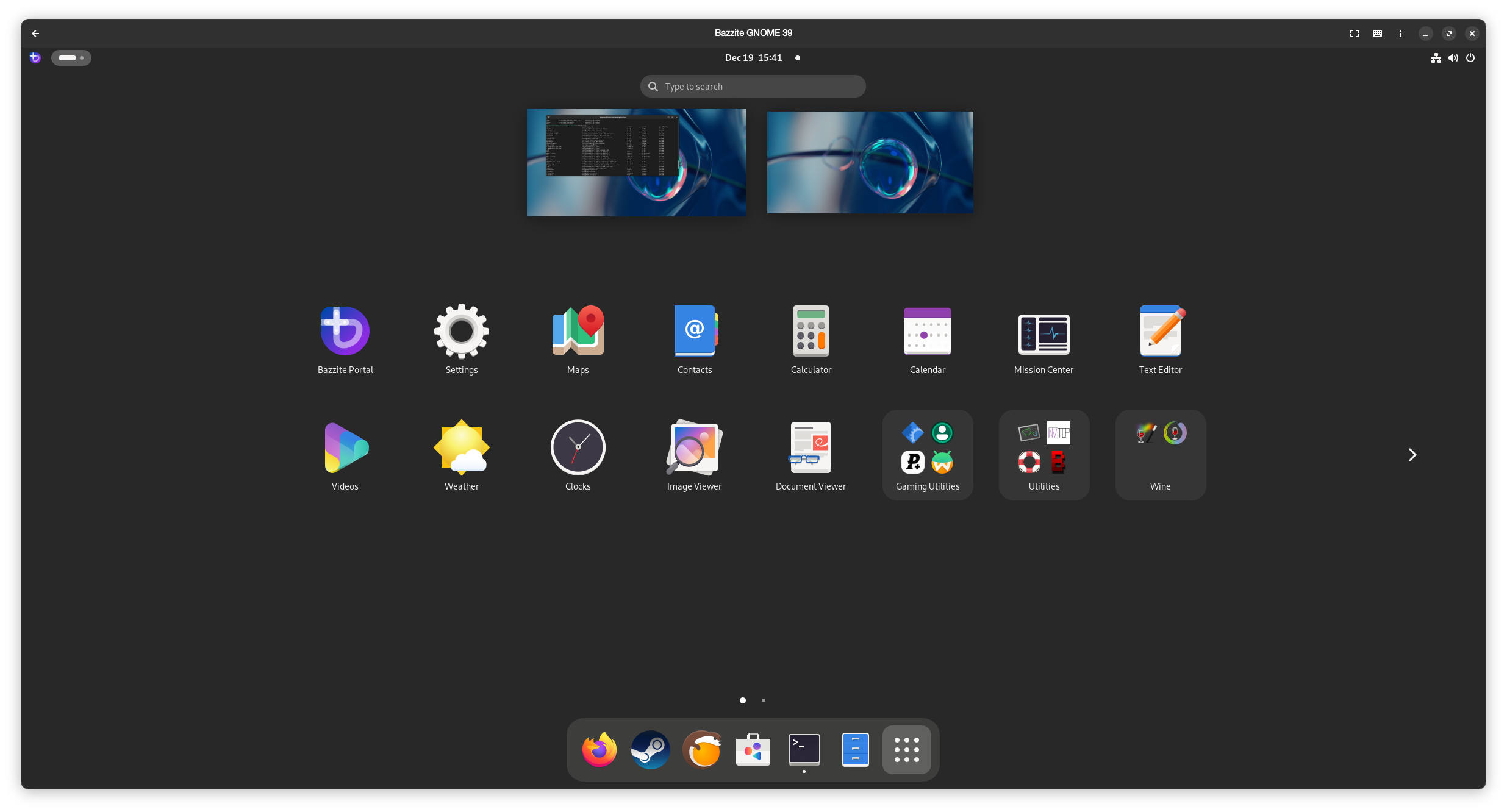
 N
NIs WiFi currently brokey on the ally:testing branch? 
 K
Kshouldn't be
Khaven't been any changes to it since it was reported as working
Kthe ally is fucky though so you might want to make sure you're up to date as far as the bios is concerned
 T
Tyeah to add on to this, someone else said it's hit or miss
TNAudio works that’s all I want lmao
NI reflashed the bios and WiFi works now
NWtf
NJust be happy and keep moving on 

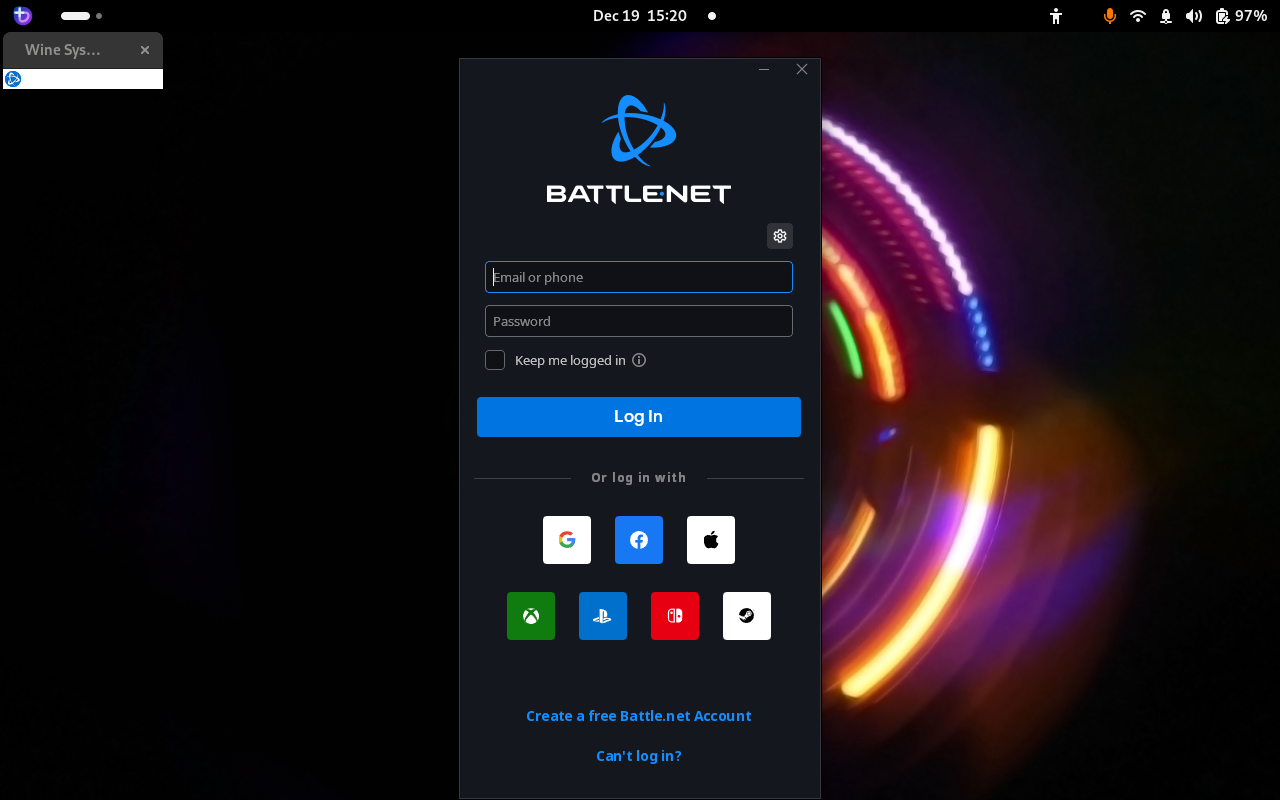
JI have a rather interesting problem on my bazzite-deck-gnome using Bottles and DVXK. In the two screenshots that follow, the one with the bizarre artifact is with DVXK and the other is without:
JIt works just fine in Lutris with DVXK. I had set both Lutris and Bottles to use wine-ge.

 K
KThat's very strange, hard to tell what it can even be since bottles is a flatpak, should be standard everywhere bottles is run

 E
EOddly Bazzite has no such issue with installation. This sounds like something specific to the script used in bling. I will look over it though I'd suggest just using our scripts here directly
EI think it was worth it

 M
M@KyleGospo if you get the chance (and if you have an HDR display), you should check out Moonlight HDR streaming on the OLED Deck. I was able to get Moonlight HDR's option to work relatively easily on Nobara but couldn't manage the same on
The original experimental HDR AppImage gave me a warning about unsupported hardware for HDR streaming on Bazzite with super messed up gamma. Confirmed for myself that specific AppImage gives me no warning on Nobara and triggers the HDR badge.
bazzite-deck-gnome:testing. The original experimental HDR AppImage gave me a warning about unsupported hardware for HDR streaming on Bazzite with super messed up gamma. Confirmed for myself that specific AppImage gives me no warning on Nobara and triggers the HDR badge.
M M
Mthere's also a newer nightly flatpak build from FrogTheFrog that i haven't been able to get working on either Nobara or Bazzite. i have a feeling it may be due to the way they get HDR metadata from the swapchain: https://github.com/moonlight-stream/moonlight-qt/commit/c939537c5c1d6a968c426704e5d70a30a9106834
 M
Mthe mirrored appimage i linked where i do have HDR on Nobara is a slightly older version from this commit:
https://github.com/moonlight-stream/moonlight-qt/commit/8f2db994068757bead7598a8308c9e839be85e8c
https://github.com/moonlight-stream/moonlight-qt/commit/8f2db994068757bead7598a8308c9e839be85e8c
 M
Mchiaki4deck was the first to implement this HDR swapchain behavior, and i also have not been able to get the HDR badge to trigger for that in either Nobara/Bazzite 
Mchiaki4deck did work for me on SteamOS, first try
Mand those have been my findings for the evening 
FWell they're not compatible with each other as bling/startingpoint module has a very different structure. But I'll try to solve the issue.
YO, I fixed the issue! I double quoted "${REMOVE_LIST[@]}" & "$INSTALL_LIST[@]}" which treated that as single line.
Damn, shellcheck failed there.
Here's what shellcheck complained about:
(error): Double quote array expansions to avoid re-splitting elements.
YO, I fixed the issue! I double quoted "${REMOVE_LIST[@]}" & "$INSTALL_LIST[@]}" which treated that as single line.
Damn, shellcheck failed there.
Here's what shellcheck complained about:
(error): Double quote array expansions to avoid re-splitting elements.

 A
AI could try it

 R
RI would highly recommend cpu-autofreq it automatically changes govnors and turn cpu boost on and off the match system load
 H
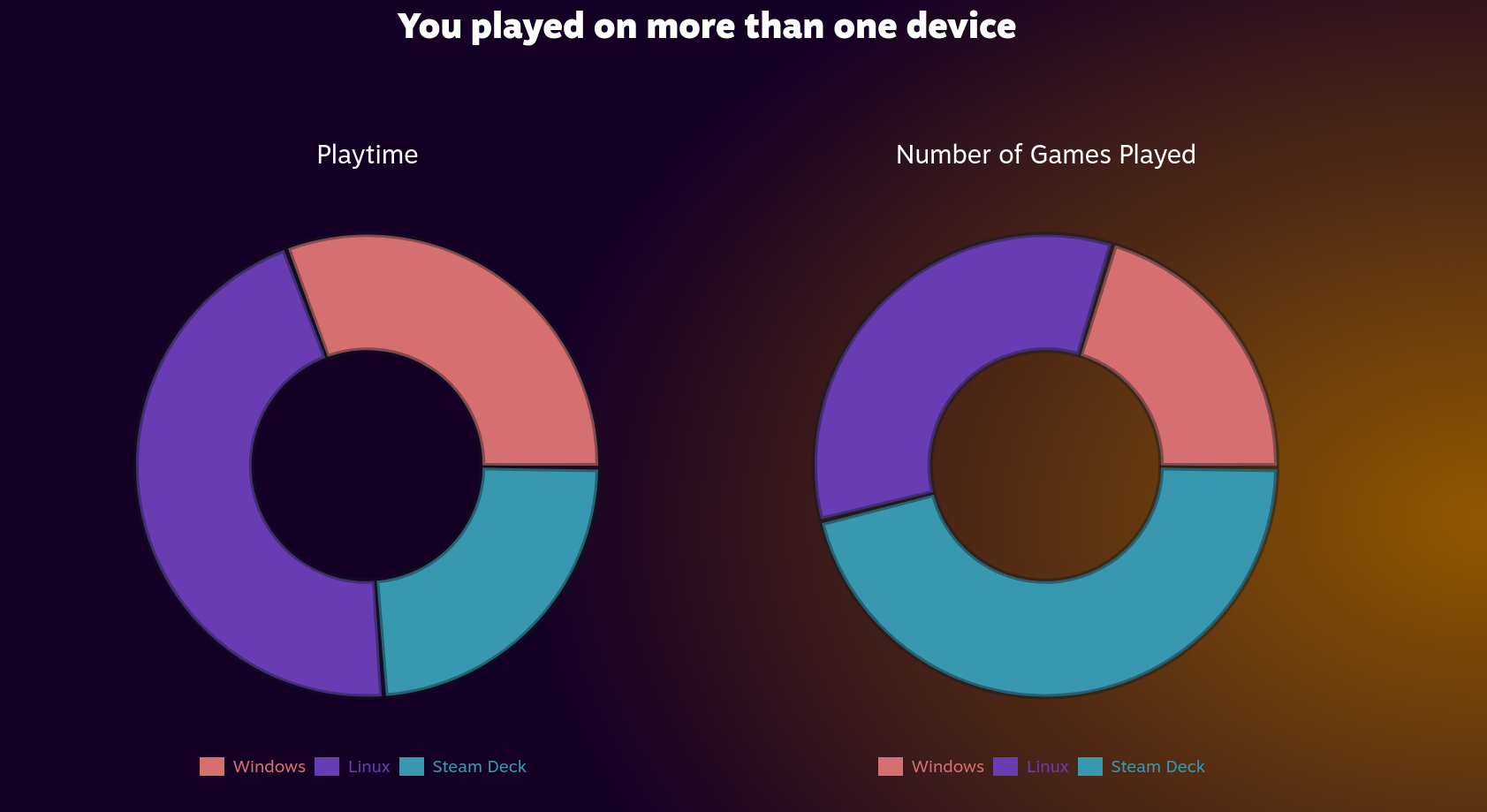
Hheh here is mine (windows is a VM for me and was used when gw2 broke in proton for a short bit)
 H
Hyeah except you wanted to re-split them, so you would have to disable that shellcheck for that file, but still nice its fixed 
i would have scratched my head so much on that one trying to mess with quotes
i would have scratched my head so much on that one trying to mess with quotes
 E
E@hikariknight meh kingkong 2 pro turned up having issue with that but different controller paired but on fresh reboot at user selection screen if I turn controller on it connects OK rumbles but no inputs in steam iff I power off and on again then it works.
Can't tell any difference on the hall affect sticks
Gonna have to try the 8bitdo 2.4 controller and get rid of bluetooth
Can't tell any difference on the hall affect sticks
Gonna have to try the 8bitdo 2.4 controller and get rid of bluetooth
Hfor the 8bitdo controller you will need to run
ujust use-stock-gamepads for it to workHas it needs the stock xpad driver i believe
Halso the hal effect sticks are just way less prone to stick drift as it uses magnets
EBought the 8bit ultimate one with the hall affect as its on sale so only £6 than the 2.4ghz only one.
EDo I run that in terminal?
 N
Nrunning an Ally on the testing branch, and there's an update that keeps coming back. i apply it, reboot and it's still there
 H
Hyes, also sorry for late reply. was in a meeting until now
Hi will also dig up the firmware for you to switch input mode on the dongle
Hdownload UltimateBLRR102B1m.zip from
https://drive.google.com/drive/folders/1WB8UxW3DtND0inQyj7iWDV2qGB4dtIZV
extract and run the updater for the dongle
has to be done on a windows system sadly (VM does not work unless you passthrough a whole usb controller i believe), but once thats done you will be able to swap input mode with select+X (on the controller, so nintendo layout X)
you might have to update the controller firmware too, but you can do that with their 8bitdo ultimate software
https://drive.google.com/drive/folders/1WB8UxW3DtND0inQyj7iWDV2qGB4dtIZV
extract and run the updater for the dongle
has to be done on a windows system sadly (VM does not work unless you passthrough a whole usb controller i believe), but once thats done you will be able to swap input mode with select+X (on the controller, so nintendo layout X)
you might have to update the controller firmware too, but you can do that with their 8bitdo ultimate software
EThanks for info
EYou have to do all that just to use the controller out if the box?
Hjust to get the functionality to switch input modes while using the 2.4ghz dongle
Hfor bluetooth mode you will always use switch input
Hand by default the dongle is xinput only
Hhence that beta firmware that is archived
EOh ok so oob experience is xinput for 2.4 dongle switch for bluetooth
