
you could maybe use KV, but maybe encrypt it first, just to be safe
you could maybe use KV, but maybe encrypt it first, just to be safe
 S
S R
R M
M_worker file to configured with wrangler v3.22.1. Tested with a fresh npm create cloudflare@latest install with svelte . Picked both the TypeScript and JavaScript versions but neither are working
 زز
زز Kزززززز
 EEزز
EEزز A
A S
S
 II
II J
Jnew URL as the second parameter, so you could do something like:Jnew URL(context.request.url), and then pass the .hostname of that into that new constructor, or just override its .pathname etc. to construct your redirect URLJlocation12, which will likely break depending on your domainJ
 AJ
AJ UUAI
UUAI S
S S
S i have the same problem
  K
Kcanceled, make sure you read the response body (even if you don't need it).S
 KS
KS undocumented implementation detail. Like providing dummy properly formatted URI in fetch request to desired Service Binding. Nevertheless, @kian suggestion worked. T

 EEJE
EEJE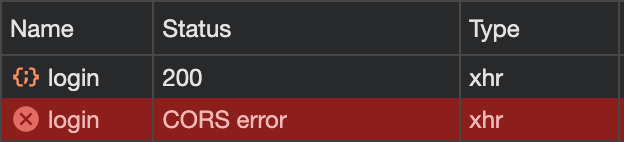 E
E
_workerv3.22.1npm create cloudflare@latestsveltenew URLnew URL(context.request.url).hostname.pathname12canceledfunction generateUUID() {
return 'xxxxxxxx-xxxx-4xxx-yxxx-xxxxxxxxxxxx'.replace(/[xy]/g, function (c) {
var r = (Math.random() * 16) | 0,
v = c == 'x' ? r : (r & 0x3) | 0x8;
return v.toString(16);
});
}
export async function onRequest(ctx) {
const response = Response.json({ response: { session: generateUUID() } });
response.headers.set('Access-Control-Allow-Origin', '*');
return response;
}export default {
async fetch(request, env) {
const url = new URL(request.url);
if (url.pathname.startsWith('/api/')) {
return new Response('Ok');
}
return env.ASSETS.fetch(request);
}
};const redirectURL = new URL('/login/', 'https://example.com');
return Response.redirect(redirectURL.toString());return new Response(null, {
status: 302,
headers: {
location: '/login/',
}
});


