If you're talking about the visual display of DNS Records, like how adding a subdomain may appear as subdomain.example.com in adding but just subdomainsubdomain in the list after, that's normal
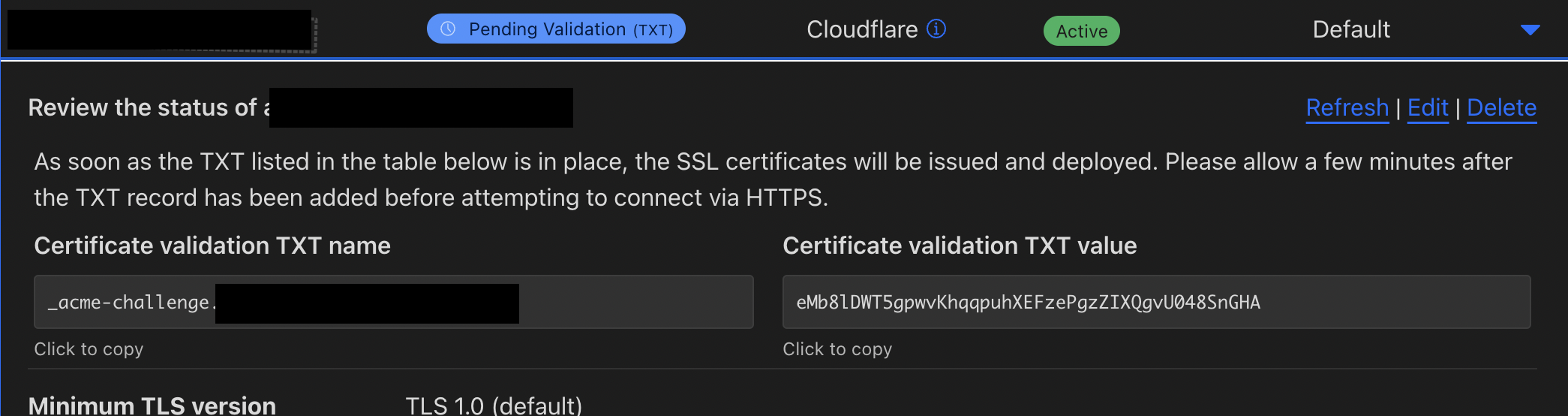
When I add the certificate validation TXT record, and hit Refresh on the top right there, the page thinks for a second, the name/value block goes away, and when I refresh the page, it shows a brand new value
Hmm, does that require a partial DNS/CNAME setup? Open to exploring the business plan (especially if it comes with more support for issues like these), but it seems like an expensive solution for something that seems like a bug
More so good resources to first learn how Cloudflare works? Like if I wanted to code some stuff where do I do it at? I feel like itβs a little busy with all the navigational references and things to modify. I just want to create a simple landing page first
Hi I have a question about subdomains of subdomains with the Free plan, I know that Cloudflare doesn't provide any SSL certificate for them but can I still proxy them (orange cloud) for other Cloudflare features and Cloudflare will forward the webserver's certificate ? or are just subdomains of subdomains completely excluded from all features and so must be grey-clouded ?
They must be grey-clouded but its because of the certificate. In order for any Cloudflare services on the HTTPS layer to work, we can't pass through the servers certificate, we have to use our own edge certificate that we have control of the private keys for
By the way its not strictly related to the Free zone plan, its a restriction when you don't purchase Advanced Certificate Manager, which is a $10/mo addon for all plan levels
I want to download a large file from r2 bucket via cloudflare worker, download starts but unlike google drive export links it doesn't support threading/part downloads in IDM
Once a file is in cache, you can throw infinite ranged requests at it and itll all be cache hits that dont touch R2. But it will still invoke your Worker if you use one