

 I
IFrom our discussion just now, probably in
/mnt. Perhaps Zelaf will be willing to detail that process for you, as I stumbled through it last time (doing a very similar thing to you, no less) S
SLike just /mnt or a subfolder inside?
 K
Kthis was answered already
 T
Tmake a subfolder in there
Tyea
SIf it's /MNT/Drive then idk why but it's not letting me create a folder for the drive
Tit's a permissions issue
Tyea
SYeah it's telling me I don't have permission
Tright click in
/mnt, right click and open the terminal thereTsudo mkdir gamesTenter password if it asks
SDo I call it games or like Games 1?
Tgames1Tsure
Ilowercase no spaces is generally going to be easier in the long run.
IYou can name it whatever, though.
SOkay I made the folder
S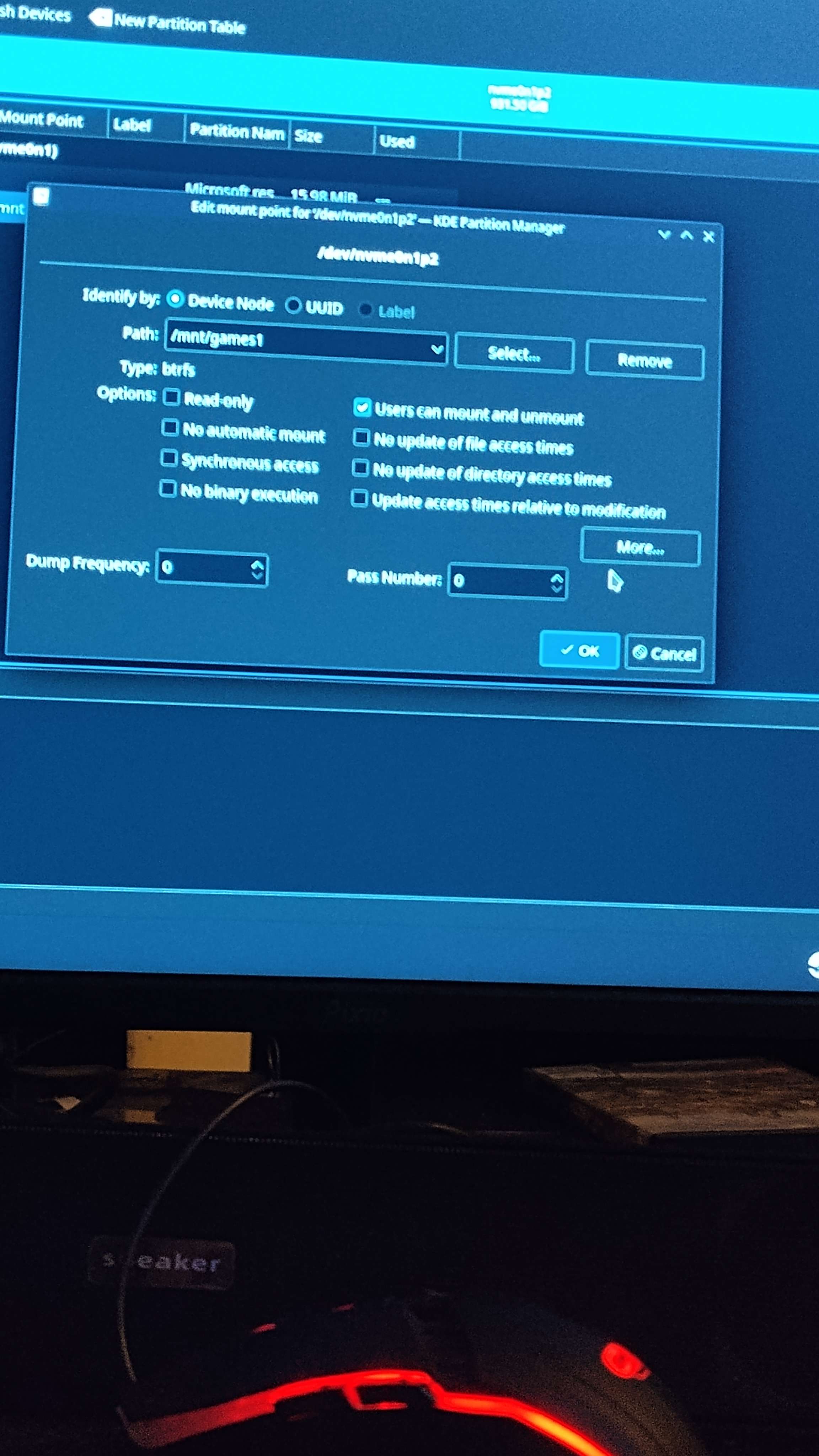 I
IFor context,
sudo is "super user do" or "perform this action with the [as/the permissions of] the root user". It's like when something pops up a UAC/admin prompt in windowsSI thought sudo meant Pseudonym lol I'm dome
SDumb
 Z
ZAccording to RedHat, it seems that
/dev might be appropriate?The /dev/ directory contains device nodes that represent the following device types:
devices attached to the system;
virtual devices provided by the kernel.
[...]
Devices in the /dev/ directory and subdirectories are defined as either character (providing only a serial stream of input and output, for example, mouse or keyboard) or block (accessible randomly, such as a hard drive or a floppy drive). If GNOME or KDE is installed, some storage devices are automatically detected when connected (such as with USB) or inserted (such as a CD or DVD drive), and a pop-up window displaying the contents appears.
SLinux is so confusing soentimes
ZTechnically an internal storage device is attached to the system, however I'm sure that there's a direct file for the drives already since everything is a file
ZWhen a system is so open the community makes standards and the developers make recommendations
SSo should make the mounting point to /MNT/games1 or /dev/games1?

 H
H/dev is for device blocks, not for mounting files, it is where you find the block files for disks, among other thingsZRight
H/mnt/games1if you have permissions issues with making folders inside the mounted disk you might need to do
sudo chown $USER:$USER /mnt/games1in the terminal
ZThe /mnt/ directory is reserved for temporarily mounted file systems, such as NFS file system mounts. For all removable storage media, use the /media/ directory. Automatically detected removable media is mounted in the /media directory.
SWhat do I do now I can't access the drive I don't think do I press mount?
ZYou have to mount it to access it
Hmake sure you select
no update of file access times and click more and add  J
Jso, what would you people recommend as a desktop that's good for gaming? I've been using the ublue version of Silverblue for about a year and loved it, but I was thinking on trying KDE now that Plasma 6 is coming. But IDK if I should install Bazzite, or Kinoite.
SI got PTSD seeing that avatar
 I
IYou're asking in the bazzite channel..
IWe're going to say Bazzite <_<
KYou're asking in the bazzite channel..
SI thought Mee6 showed up randomly
Jyes, because I'm more tempted to use Bazzite than standard KDE. but I don't know how good it works on the desktop instead of the Deck
ZLmfao you changed the name to 115% actually making good progress tho
SDid you not expect that?
Kthe standard desktop build is just KDE or GNOME, no gamemode
ZBazzite-Deck (None GNOME) I've heard is pretty nice
Ti run it on desktop and it's fine
 P
Pits kinoite except everything actually just works
Tyou can ignore all the gaming software (steam, lutris, etc.)
SStupid question but how long would it take to transfer 1tb of shit from a HDD to another HDD?
ZDepends on how it's connected
