
If you use cf bindings proxy it fixes that aswell I believe, atleast thats how I do it
If you use cf bindings proxy it fixes that aswell I believe, atleast thats how I do it
 H
Hwrangler.toml B
B S
S J
J MMMM
MMMM D
D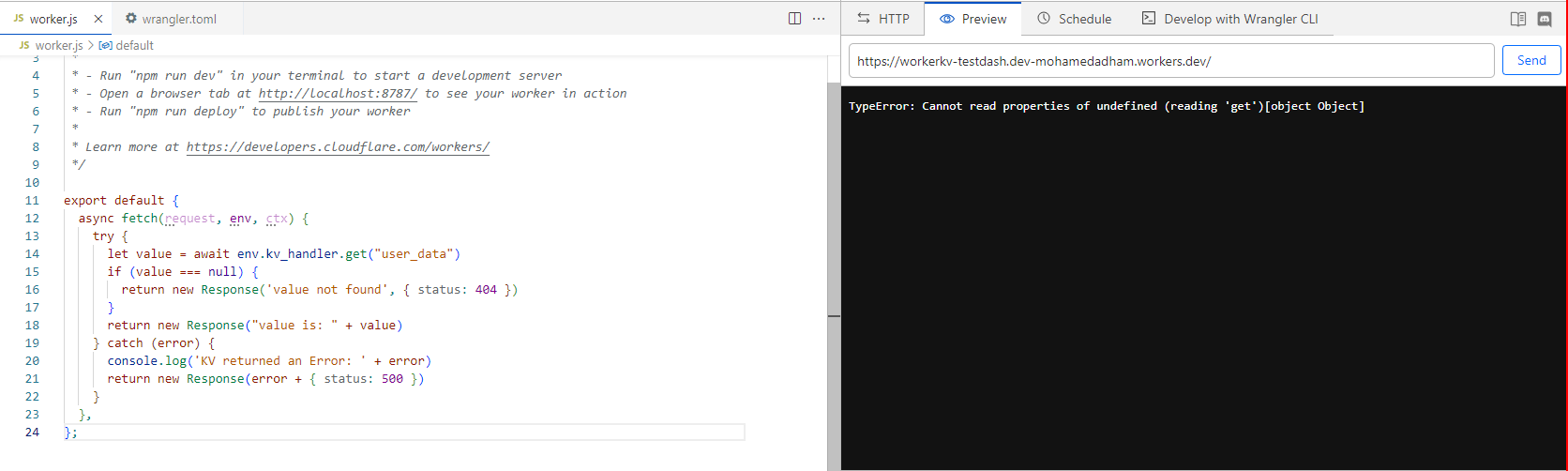 H
H RJ
RJ MMJJMJM
 AS
ASreact-error-boundary RMMMM
RMMMM<Image />pnpm create cloudflarenext.config.mjsenv.d.tsapp/api/hello/route.ts WWJWWJWJ
 ⚡️ The project is set up for pnpm but it is currently being run via npm this might lead to build errors, please be sure to use the same package manager your project uses when running @cloudflare/next-on-pages22:43:28.203 ▲ Build Completed in .vercel/output [1m]
22:43:28.315 ⚡️ Completed `npx vercel build`.
22:43:30.081 ⚡️ Unexpected error: ENOENT: no such file or directory, copyfile '/opt/buildhome/repo/.vercel/output/functions/og.func/wasm/wasm_a7e702bc5ba9227243abda7977c8096f59478d3f.wasm' -> '/opt/buildhome/repo/.vercel/output/static/_worker.js/__next-on-pages-dist__/wasm/wasm_a7e702bc5ba9227243abda7977c8096f59478d3f.wasm'
22:43:30.137 Finished
22:43:30.138 Found _worker.js in output directory. Uploading.<ErrorBoundary
onError={(error, errorInfo) => {
if (window.Sentry) {
window.Sentry.captureException(error);
}
}}
fallbackRender={({ error, resetErrorBoundary }) => (
// add your own UI
)}
>
<Component {...pageProps} />
</ErrorBoundary>



