H
Hlets continue here
 KH
KHsince there keeps being more and this is more searchable incase anyone else want to change the fnmode for the apple keyboard
Hif you issued the rebuild, did you reboot?
Hbecause it says your args are not included
Kyes
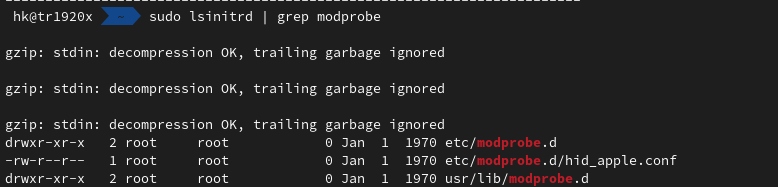
Kokay but as you can see in the picture, everything is correct, right?
KSo do I just touch the rebuild file again?
Kand try again?
Ksudo touch /etc/bazzite/initramfs/rebuild
yes try that then give me the
rpm-ostree initramfs K
K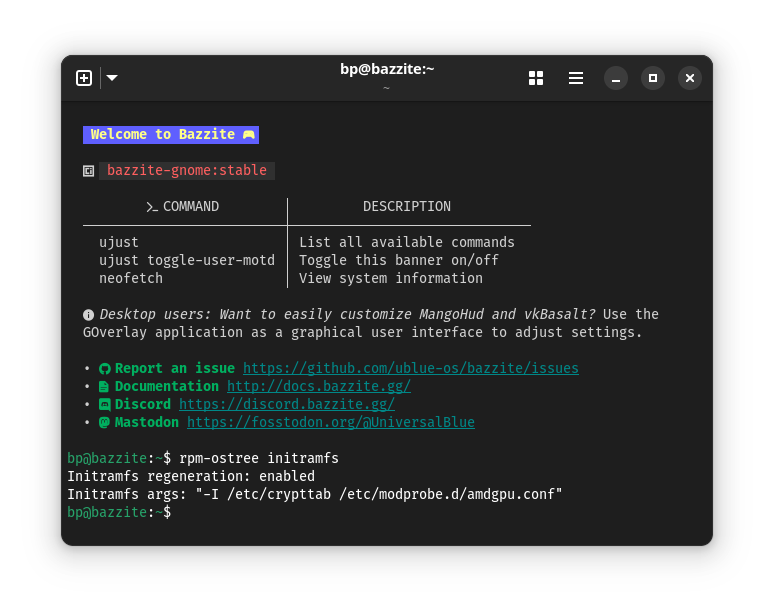 H
Hhmm
Kbut this works temporary
Kecho -n 0 | sudo tee /sys/module/hid_apple/parameters/fnmode
K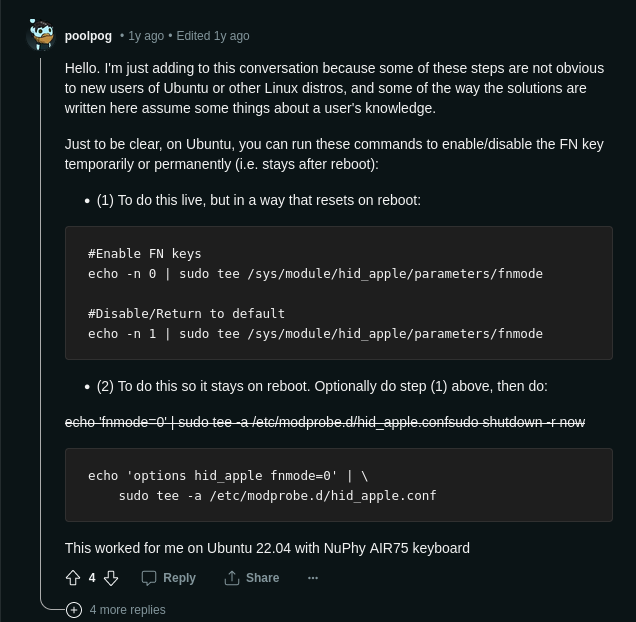 H
Hthis will give some more output
Kwhat is this?
K H
Htriggers a rebuild and then manually runs the bazzite-hardware-setup that runs on reboot
Hdoes it say it includes your args there?
Kbp@bazzite:~$ sudo touch /etc/bazzite/initramfs/rebuild
/usr/libexec/bazzite-hardware-setup
[sudo] password for bp:
rm: remove write-protected regular empty file '/etc/bazzite/initramfs/rebuild'?
/usr/libexec/bazzite-hardware-setup
[sudo] password for bp:
rm: remove write-protected regular empty file '/etc/bazzite/initramfs/rebuild'?
Hyes you want to remove the rebuild file, it does that to prevent potential boot loops if the initramfs rebuild fails
HIt will reboot the system when done
KSo, what you need to do is add a file to your modprobe.d directory (/etc/modprobe.d) You can test out that this works by running this command as sudo (I think this should work on any distribution but I use arch): echo 0 >> /sys/module/hid_apple/parameters/fnmode. If it works, to make this change permanent, make the file /etc/modprobe.d/hid_apple.conf and insert into it the line options hid_apple fnmode=0. This should fix all of your issues (I'm using my keyboard in Windows mode and with FN keys set to turn media controls on and act as function keys). You'll also need to update your initramfs image, which varies by distribution. Ubuntu based distributions, you'll usually use update-initramfs -u, while in Arch you use mkinitcpio -P (unless you've changed what generates your initramfs image but most people don't.)
HSo did it include your argument? It should output it on the first line after removing the rebuild file
HAlso I changed the command to use sudo, forgot it has to be run with sudo when done manually (but my system rebooted when I was updating the message)
HHmm ok seems like rpm-ostree really does not like multiple -I arguments (or maybe just because i do not have the module)
Htrying a different approach to test with
HOk seems like dracut is limited to only allow the
So we need to use a .conf file for dracut to get around that @Kid
-ISo we need to use a .conf file for dracut to get around that @Kid
KThank you.. sorry I'm so mad
KI lost hope but seems like
Kit can work
HLet my PC just finish booting so I can write the config for you  I hate typing on the phone
I hate typing on the phoneKThank you so much 
Hok so idk if this will really work for you but the empty file i tested with did get included