

 K
KDeck image or desktop?
 E
EMy grub is hidden by default... And I'm okay with that. On desktop.
 A
Adesktop.
KWeird, grub should be working on that image
KWe hide it on deck but it's easily restored with a ujust command
ASo, let me just pause here and say that it is amazing that you all are so willing to help. But I fully acknowledge that I'm using a new release of a slightly experimental OS that I am completely unfamiliar with, so 99% of this is on me.
 F
Fhey, what's the best way to remote desktop into Bazzite on Deck? I can't get either RustDesk or Steam Link to work.
 S
Swanted to ask how do I setup waydroid to work on game mode?
 F
FSteam Link is just a black screen and RustDesk just has a glitchy screen.
AOk, so following these steps, I ran rpm-ostree reset, which removed several layered packages. There's no database of layered packages, I'll have to manually layer those back on after the rebase, right?
 A
AThat didn't fix it. But I did figure out what it was. My shell was configuring ssh-agent, and it was prompting for a password. Dropped the ssh-agent bit into a guard for interactive shells, and all better. I hit the issue again after I restored everything I had removed, and stumbled across it.
FIs there somewhere I can suggest a
justhere's fine, if it's complicated a github issue will let us look it over
FA
justFollowed the instructions, got the right outcome. Amazing.  @Kyle Gospo I wasn't sure that switching to the nvidia image would still let my AMD gpu do gaming duty, but it runs BG3 fine, and I can now investigate layering on the nvidia container toolkit since I have a driver. If I want rocm back, I think I'll have to layer that on, too.
@Kyle Gospo I wasn't sure that switching to the nvidia image would still let my AMD gpu do gaming duty, but it runs BG3 fine, and I can now investigate layering on the nvidia container toolkit since I have a driver. If I want rocm back, I think I'll have to layer that on, too.ESteam Desktop Mode Scaling seems to be a solution for ui scaling w/out making extra steam shortcuts
(I myself have 3 now from not doing it the correct way oopsie-doopsie.)
(I myself have 3 now from not doing it the correct way oopsie-doopsie.)
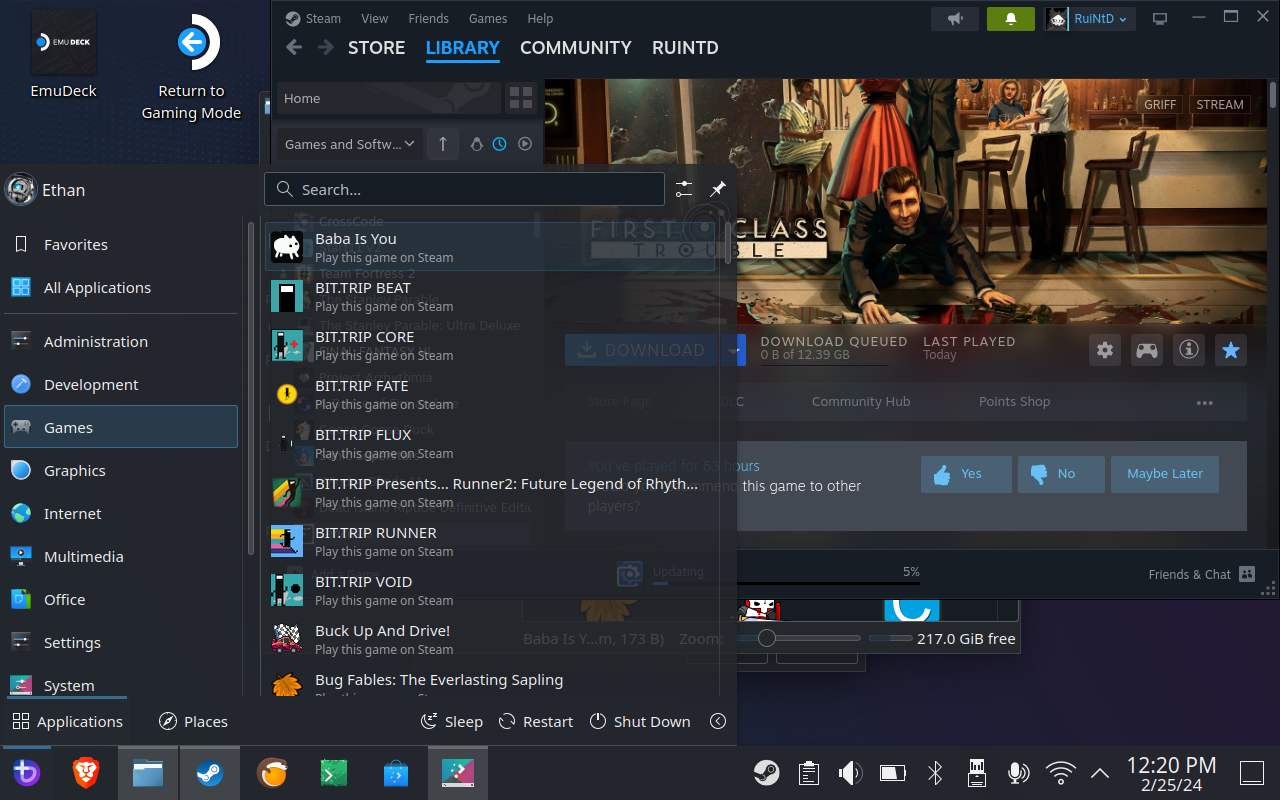
FNo, I'm talking about game shortcuts.
FThese shortcuts.
 F
FI never use them since I launch my games through Steam, but Steam creates them for every game by default.
Kyou can remove them from ~/.local/share/applications
Kand I just disable that in steam
Fyeah, but i installed like 100 games before I realized. 
 H
Hyou have a mouse to select multiple files
 K
Kif you install the smallest game in desktop mode then steam will ask you and you uncheck desktop shortcuts and uncheck start menu entries
Fyeah i know, but that doesn't remove the existing shortcuts
Ktry /home/deck/.local/share/ abd see uf all the shortcuts are in. Dont remove the ones you dont want to remove. It is the only thing I can find without googling where are app shortcuts (for linux apps) in the start menu stored
Kalso right click on any app will reveil some info in the properties
ASo, CoC says I can't DM members here, right? I was going to ping someone about a specific question, but that's verboten, correct?
KI'd need @j0rge to answer, but my suspicion is that it's just to avoid spam and what not
Kyou can always @ them, but I wouldn't ban for a question dm

 Z
Zso i can put my esp on my sdcard and boot the m.2 installed bazzite with that?
 N
NHmmm
Trying to reinstall bazzite and getting a weird fatal error.
Says
How would I see more info? Only button on screen is exit installer
Trying to reinstall bazzite and getting a weird fatal error.
Says
ostree container image deploy --sysroot=/mnt/sysimage --image=ghcr.io/ublue-os/bazzite-deck:latest --no-signature-verificationHow would I see more info? Only button on screen is exit installer
 J
Jhow old is your ISO?
NOh, Looks like file name says Jan 19
I can try latest didn’t realize I was that out of date
I can try latest didn’t realize I was that out of date
Jnew ISOs just got spun up, fixes that issue and a ton others
 C
CHey Legion GO users, I have a question.
If trackpad gets disabled in windows, does it pesist to linux too?
If trackpad gets disabled in windows, does it pesist to linux too?

 A
Ayes, theres a decky plugin to fix that
NOoh I hadn’t seen this new iso selection site.
It’s pretty neat- but I don’t have a primary GPU. It tells me game mode won’t work on “intel-other”? Or should I pick intel arc? I have integrated graphics.
It definitely worked before but maybe that’s not really supported?
Edit: ah I see AMD or Arc gives me the deck image. Using that image
It’s pretty neat- but I don’t have a primary GPU. It tells me game mode won’t work on “intel-other”? Or should I pick intel arc? I have integrated graphics.
It definitely worked before but maybe that’s not really supported?
Edit: ah I see AMD or Arc gives me the deck image. Using that image
Aresetting the controllers may fix it too
COh, i should reset the controllers then because I just been tearing my hair out thinking why it's not working and then i googled and realized you can do that
 A
AHello am i here right? i cant install Bazzite on Steam Deck because the resolution is wrong
Amay
CIt worked!! <3
Awhen i connect a monitor it doesnt work too
Ais the Gnome installer broken?
A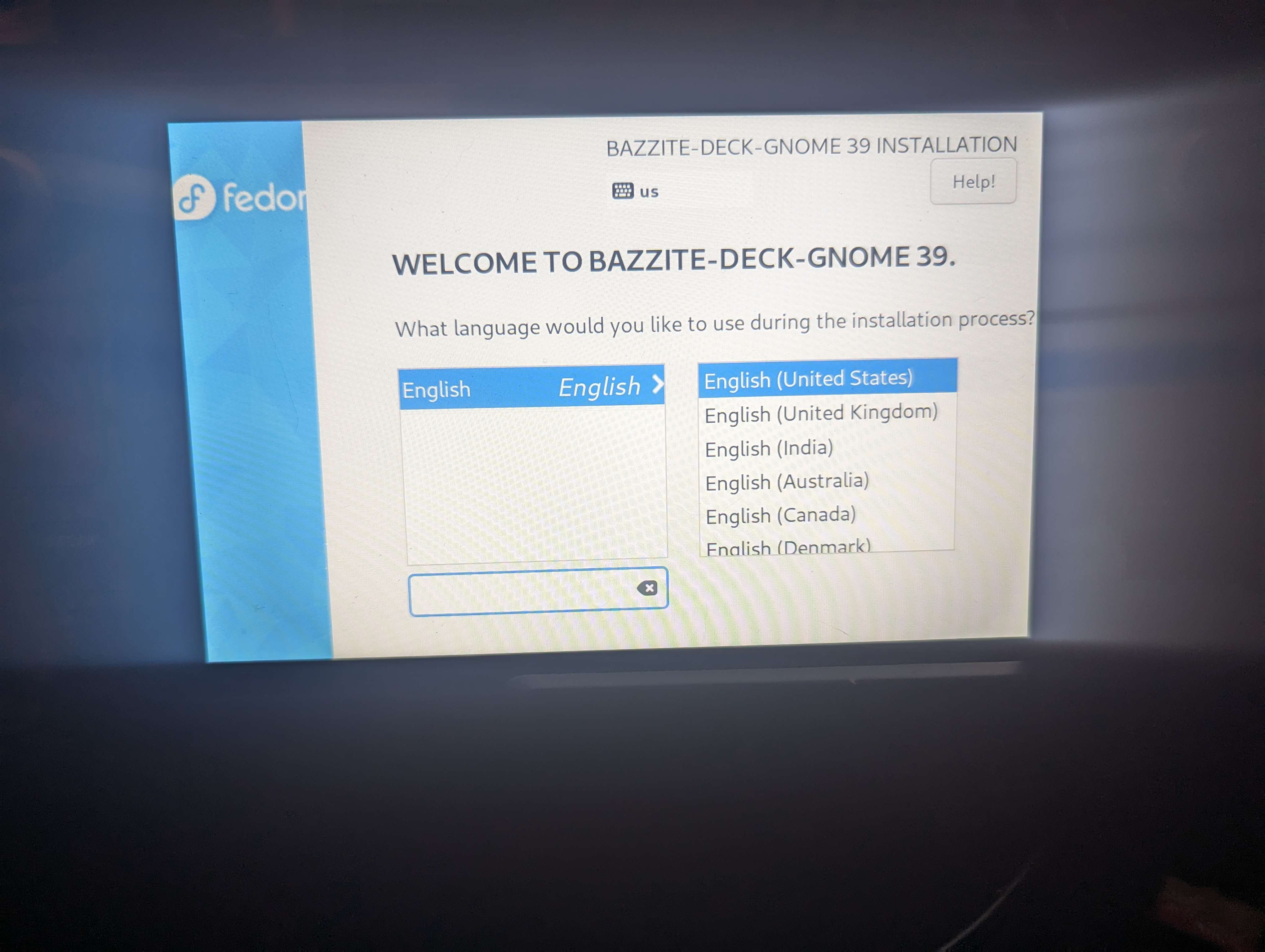 A
Aanyone an ide?
Aok both doesnt work ^^
 N
NHello everyone, the installation worked perfectly on the Asus Rog Ally. But what I noticed is that a Dualsense controller is recognized and the layout doesn't match the Ally. So far I haven't found how to change this.

 T
TUniversal Blue
[Deck] Warning to OLED Steam Decks OLED Steam Deck models currently can work with the following caveats: Refresh rate is stuck at 90hz Audio bug that can occur after resuming from sleep mode We are working on fixing these issues and they should be resolved soon. Steam Deck LCD models, that are NOT using the stock 64GB drive, have full funct...
