

 Z
Znice prompt :)

 N
Nyep, executing now
 N
Nthank you, it's fish with starship.rs installed
 T
TDoes anyone know what type of donations bazzite accepts? Just github?
Zmmm is it normal that i need to ctrl-c a blinking prompt to start into gamemode on boot?
 C
CUnasked advice, however if you really wanna dual boot with external drives - sata to usb3 adapters with SSD work wonders
Celiminates most stuttering, however downloading and moving stuff is a bit slower (but also i have been using dramless SSDs)
CIt shouldn't. Do you have auto-logins disabled/edited SDDM configs?
 Z
Zadvice appreciated!  however i wanted to keep my setup completely dongle-less :( that's why i wanted to try dualbooting on the internal ssd on the deck
however i wanted to keep my setup completely dongle-less :( that's why i wanted to try dualbooting on the internal ssd on the deckZnope. completely stock bazzite!
CWeird.... I had experienced that couple of times but that was me messing with auto-login (Legion Go)
C
 B
BI wonder if you have the same issue I had. When gamescope was blank with a blinking prompt, I never tried Ctrl+C. My workaround was empty ~/.config/gamescope then set the directory to readonly
 Z
Zi can try that if you want
Zexact commands you used? or did you just chmod a-w it?
BI actually used the properties panel as I was going into desktop mode to sort it
BOnly side effect I've noticed is you lose the ability to manually adjust resolution of external displays while in gamemode
Zthat's quite the side effect :(
BYeah, it automatically sets the native/max res of the external monitor which can be good/bad depending what you want it for. Res can still be adjusted for desktop mode
 D
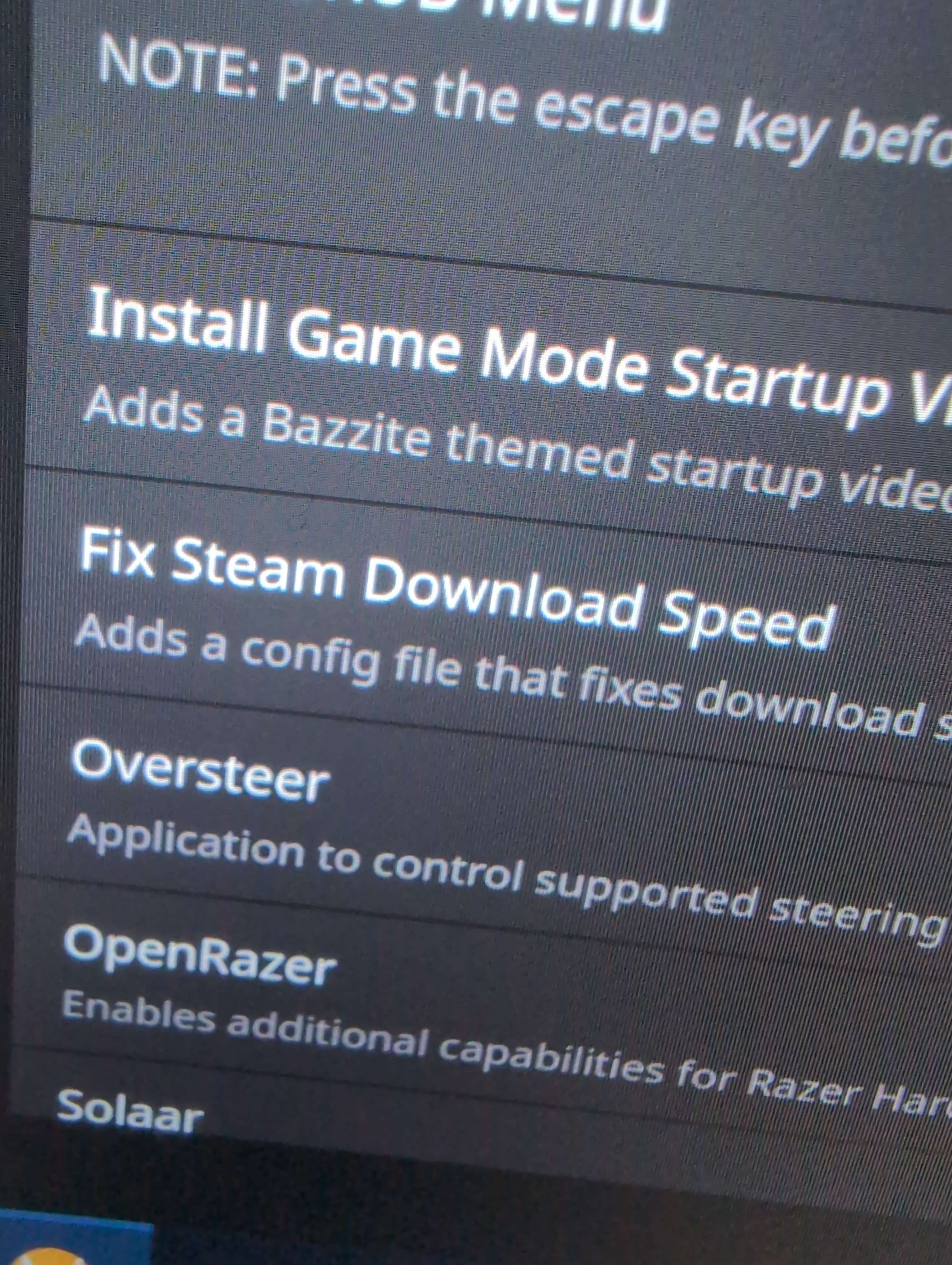
D(Fix Steam Download Speed)
 D
DThis Can be a problem ? Can I leave it ON ?
 C
Cbefore I install bazzite proper on my SD, can I update it using the button in steamos settings, like on SteamOS? Or only via CLI?
 Z
Zyou can, but it's not as smooth sailing at times and the changelog isn't visible
 M
Mall that download speed fix does is apply this for you https://www.reddit.com/r/linux_gaming/comments/16e1l4h/slow_steam_downloads_try_this/
Reddit
Explore this post and more from the linux_gaming community
Mhighly unlikely to be what caused your issue
Mif it’s magically better now, it may have been Steam server maintenance since it was a Tuesday
 K
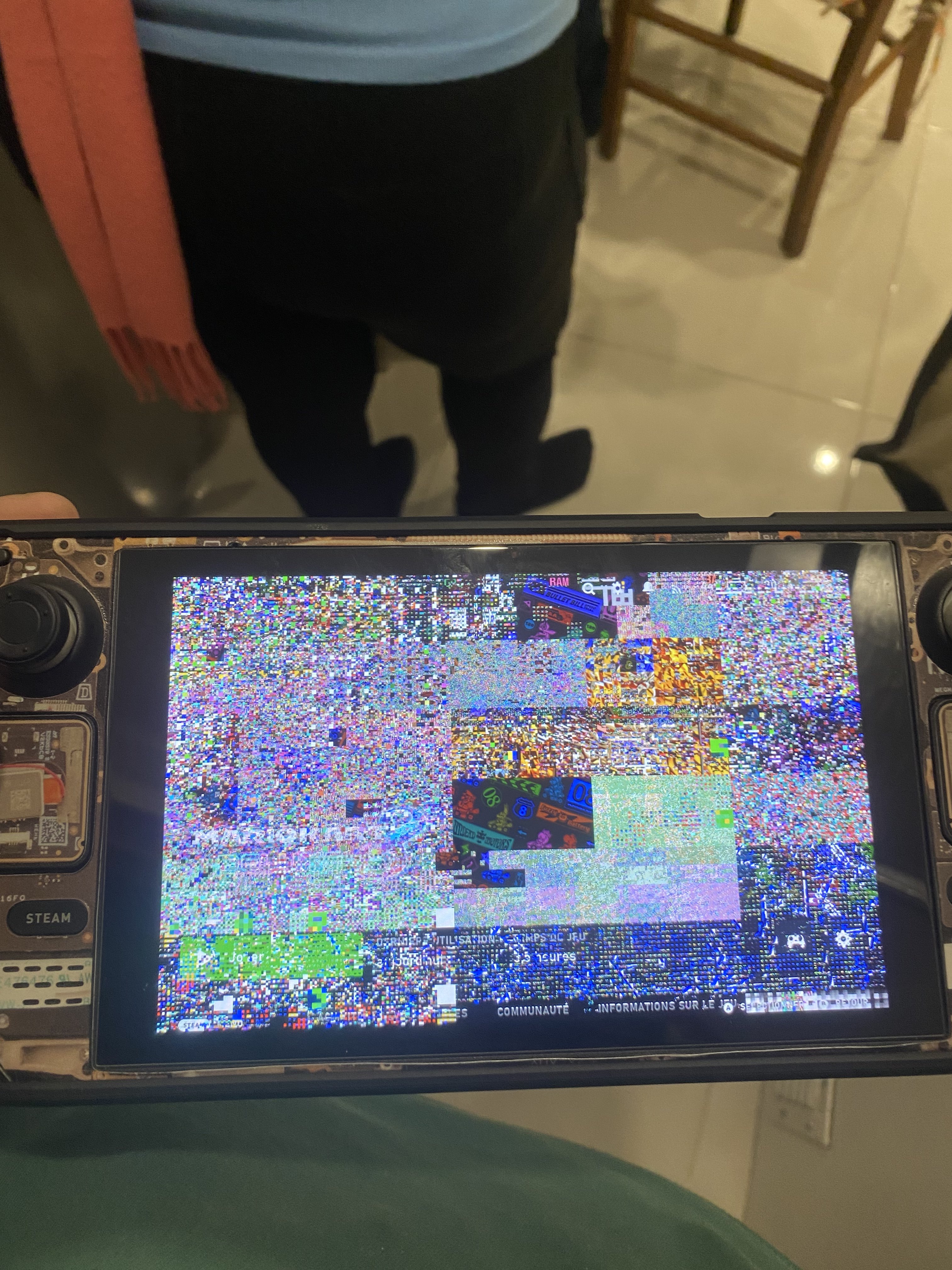
Kuhh, I hope it’s not my deck dying
 V
VI mean, considering you're on an emulator my first guess wouldn't be hardware
Ki was playing P3R and suddenly I had mid-30s fps, so I just kept playing and now even Mk8 is not smooth, like it was always upper 50s. Frametime all over the place
 D
Ddid the bazzite startup movie stop working for anyone else?
Di switched to desktop mode, then back to gamemode, steam defaulted back to the og one, and trying to set up bazzite startup video again results in a black screen
 D
Dmissingno, my old friend!
 F
FProbably throttling due to high CPU or GPU temperature
 T
TAnyone having decky issues after update?
 ©
©That is the way your device communicates urgent attention, like pain in your body you can continue disregarding it but you will get more problems at the long run at the end...
It's better to take a break in those situations and let your device cool down a bit...
OR....use lower graphics settings if you can.
It's better to take a break in those situations and let your device cool down a bit...
OR....use lower graphics settings if you can.
© J
JKDE Community
The KDE community proudly presents Plasma 6, Frameworks 6 and Gear 24.02
JLet's go!
KFor info, when playing I never gone higher than 80°C which for me, seems safe
Dreally wish GE named ULWGL something else, i keep accidentally finding docs/guides to the java 3d engine instead of his tool
DGloriousLauncher maybe
Dhas anyone tried it out?
 X
XHey guys, another question from me  I'm really enjoying Bazzite for its working TDP settings, and nice scaling options, I think I can never go back to windows. Most of the time I'm using Moonlight to stream from my (wired) desktop (AMD 7800x3d + 4090) to my Legion Go, but I'm experiencing stuttering (and overlay info from moonlight detecting slow connection) roughly for 10 seconds every 5 minutes. Before and after the stuttering the stream is smooth. I tested HEVC/H.264 and bandwith options, tried several settings on the win11 host without any change in this behavior. I then installed Moonlight under Windows on the Legion Go, and the problem is not existent there. To further debug, I let a iPerf3 stream (with 10MBit/s, UDP) running in parallel to the moonlight stream in Bazzite, and when moonlight complains about bandwith, the network errors in iperf3 are peaking as well. Long story short: is the network driver that is used in Fedora/Bazzite the problem? Always thought, that Linux is especially bullet-proof when it comes to networking
I'm really enjoying Bazzite for its working TDP settings, and nice scaling options, I think I can never go back to windows. Most of the time I'm using Moonlight to stream from my (wired) desktop (AMD 7800x3d + 4090) to my Legion Go, but I'm experiencing stuttering (and overlay info from moonlight detecting slow connection) roughly for 10 seconds every 5 minutes. Before and after the stuttering the stream is smooth. I tested HEVC/H.264 and bandwith options, tried several settings on the win11 host without any change in this behavior. I then installed Moonlight under Windows on the Legion Go, and the problem is not existent there. To further debug, I let a iPerf3 stream (with 10MBit/s, UDP) running in parallel to the moonlight stream in Bazzite, and when moonlight complains about bandwith, the network errors in iperf3 are peaking as well. Long story short: is the network driver that is used in Fedora/Bazzite the problem? Always thought, that Linux is especially bullet-proof when it comes to networking 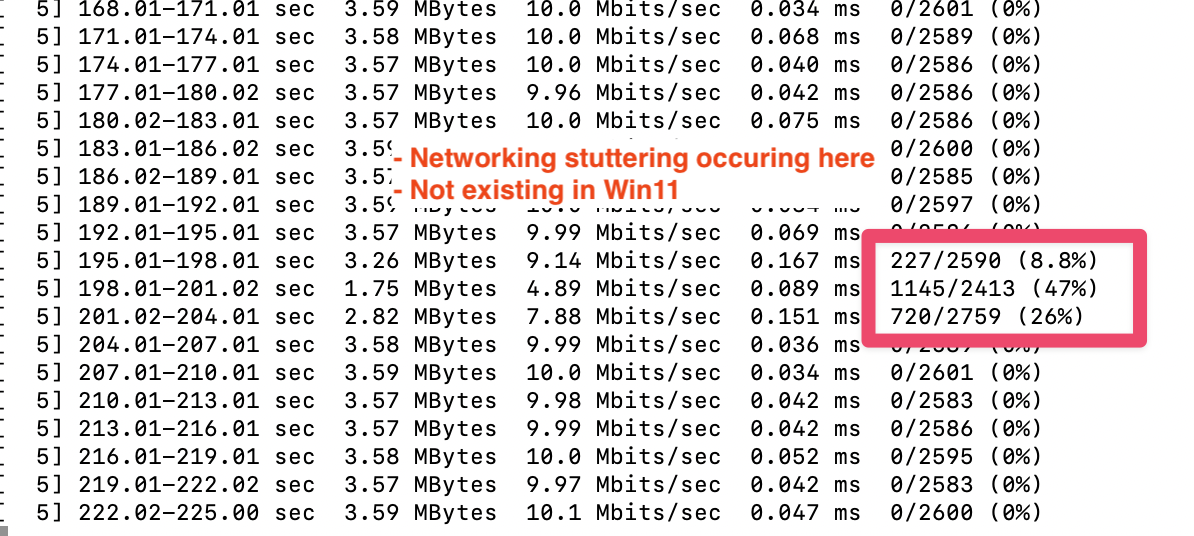 K
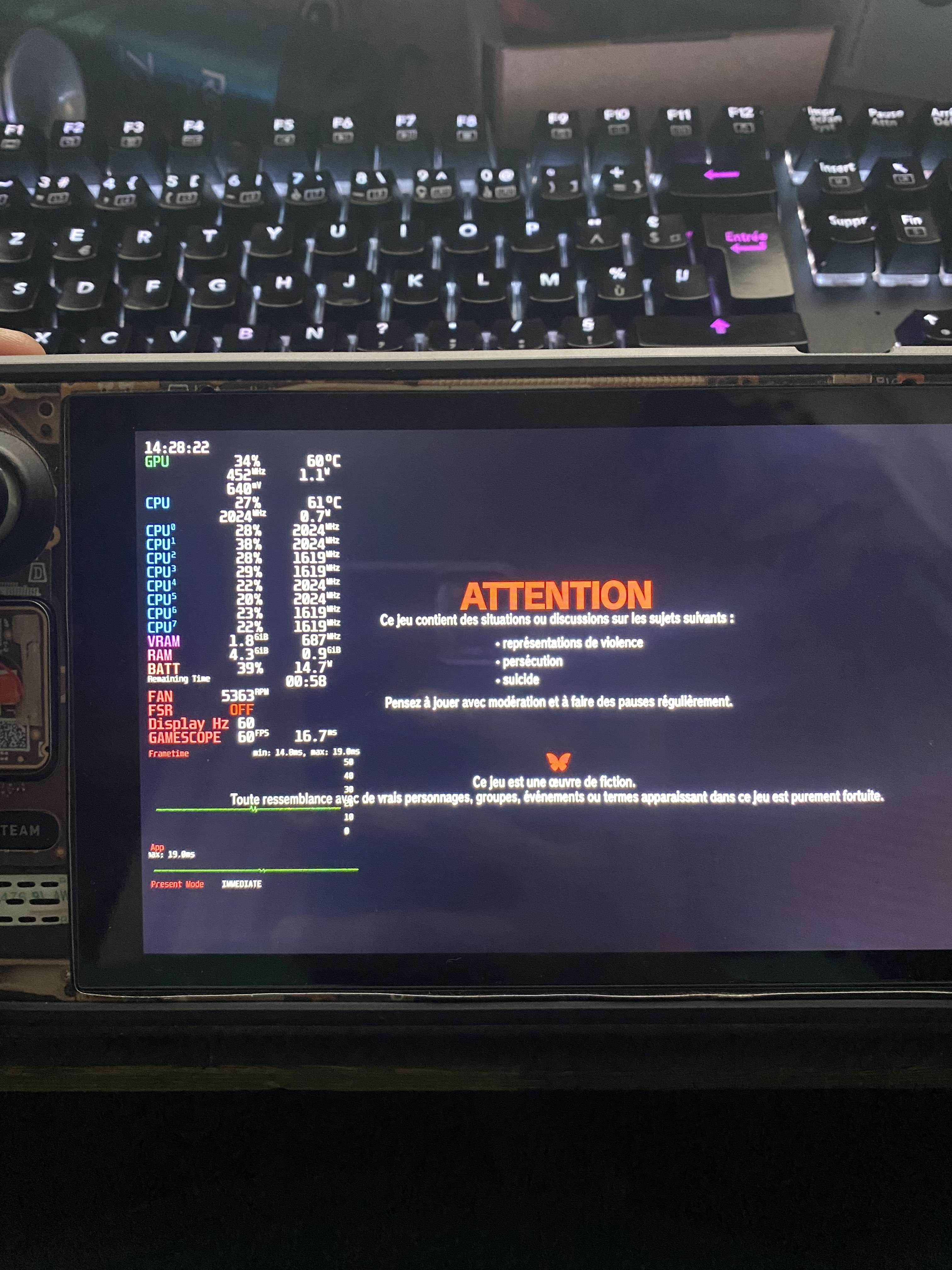
KOkay it’s now hardlocking in P3R loading screen
 K
Kwill try to rollback or bootup a live usb
Kthe only thing I did is update to pre-beta steam channel
 D
Dcould be a number of things, if you are suspecting its the linux driver, may look into dmesg output logs anything regarding the wireless driver. I'm not too familiar with the legion go, do you know what kind of wireless device its using?
I also wouldn't call it bullet proof, its about as bullet proof as any other piece of software, bugs come up, and sometimes gotta wait for kernel patches to fix them.
I also wouldn't call it bullet proof, its about as bullet proof as any other piece of software, bugs come up, and sometimes gotta wait for kernel patches to fix them.
Dmy strategy for debugging any hardware issues is look for dmesg logs, and then google for lines i find in my dmesg logs, excluding any information that is unique to me (timestamps, hostname, etc.) and hit up all linux forums, arch forums are most useful since they tend to get hit by these kind of bugs first and they will link you to threads about ongoing bug investigations and PRs
Dlastly, reason i asked if you know what kind of wireless device, is because idk if it will show up under
lspci or lsusb, try running both and see what comes up, sometimes knowing the vendor of the wireless device (and ideally model) helps in tracking down the state of support for it within linux kernel