
Hello! Is it an expected behavior for an UPDATE query to always take 1 rows_read?
Hello! Is it an expected behavior for an UPDATE query to always take 1 rows_read?

 M
MUPDATE ... RETURNING *? M
MThe request is malformed: failed to decode idhttps://api.cloudflare.com/client/v4/accounts/{account_id}/d1/database/{db_id}/query K
Kdb_id is right?KbodyAuthorization header also doesn't seem to be actually interpolating the api_token variableMX-Auth-Key but i get an error that it doesn't exist in the requestMKKaccount_iddb_id? They're not sensitive.M4f6d1970bc967b2c2a90b643bbb5ac940e35121-f3cc-4e24-b5c1-4d758860a69dMKconsole.loghttps://api.cloudflare.com/client/v4/accounts/4f6d1970bc967b2c2a90b643bbb5ac94/d1/database/0e35121-f3cc-4e24-b5c1-4d758860a69d/queryKoptionsAuthorization: Bearer ...?MKMMMMMMMMMMMMMMKKKKKMMKMM S
S A
Af19f4e90-2514-4f2f-9d09-13ece5212673 is down. I really need it back for my presentation at uni tomorrow. Is there a time frame? or should I make another?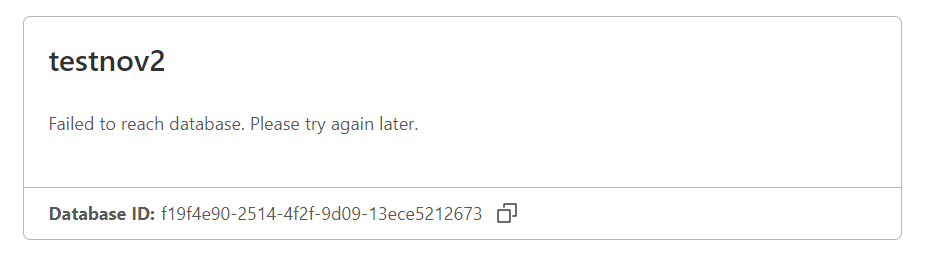 SSSSSSA
UPDATE ... RETURNING *The request is malformed: failed to decode idhttps://api.cloudflare.com/client/v4/accounts/{account_id}/d1/database/{db_id}/queryconst insertStatement = `INSERT INTO table (column1, column2) VALUES ('value1', 'value2');`;const options = {
method: 'POST',
headers: {
'Content-Type': 'application/json',
Authorization: 'Bearer {api_token}'
},
body: `{"sql": ${insertStatement}`
}db_iddb_idAuthorizationapi_tokenX-Auth-Key4f6d1970bc967b2c2a90b643bbb5ac940e35121-f3cc-4e24-b5c1-4d758860a69dhttps://api.cloudflare.com/client/v4/accounts/4f6d1970bc967b2c2a90b643bbb5ac94/d1/database/0e35121-f3cc-4e24-b5c1-4d758860a69d/queryAuthorization: Bearer ...const D1URL = 'https://api.cloudflare.com/client/v4/accounts/4f6d1970bc967b2c2a90b643bbb5ac94/d1/database/0e35121-f3cc-4e24-b5c1-4d758860a69d/query';
const insertStatement = `INSERT INTO table (c1, c2, c3) VALUES (v1, v2, v3)`;
const options = {
method: 'POST',
headers: {
'Content-Type': 'application/json',
Authorization: 'Bearer GAQjclxUayPOaHhn5Nx1CGdyN2Pt08COkmFTFBjm'
},
body: JSON.stringify({
sql: insertStatement
})
}
fetch(D1URL, options)
.then( res => res.json())
.then( data => console.log(data))f19f4e90-2514-4f2f-9d09-13ece5212673"result": {
"success": true,
"meta": {
"served_by": "v3-prod",
"duration": 0.1743,
"changes": 0,
"last_row_id": 0,
"changed_db": false,
"size_after": 25100288,
"rows_read": 1804,
"rows_written": 0
},
"results": [
{
"COUNT(*)": 1804
}
]

