
okay that might work then, looks like sort of a 2PC
okay that might work then, looks like sort of a 2PC

 R
R D
D M
Mwrangler d1 executenpx wrangler@d1--local--remote H
H M
Mwrangler.tomlwrangler.toml H
H CH
CH F
F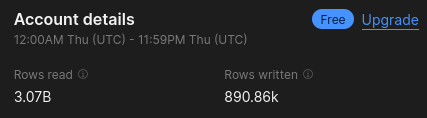 HCHHHHMH
 KCC
KCC EE
EE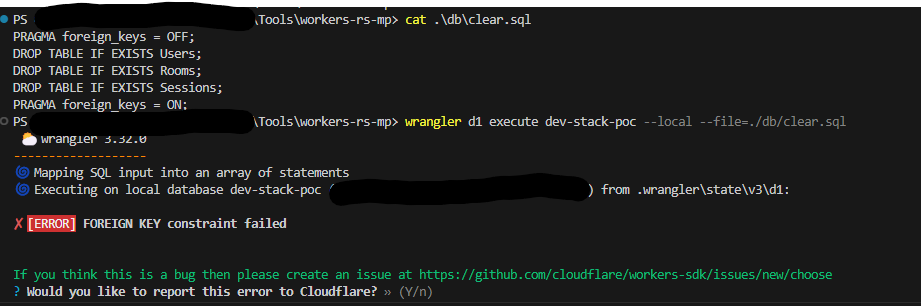 EA
EAnpx wrangler d1 migrations apply dbnpx wrangler d1 execute"apply:preview": "npx is-ci && npx wrangler d1 migrations apply db --preview"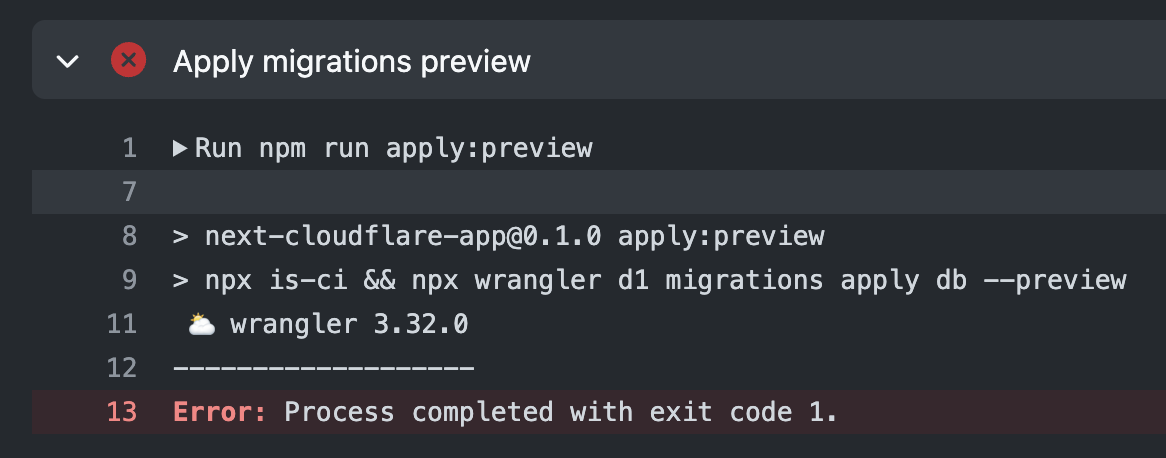
 JM
JMnpx wrangler d1 execute job-hunt-db --local --persist-to /tmp/job-hunt-tmp-data --command="SELECT * FROM TargetRoleAnalysis"WRANGLER_LOG=debug npx wrangler d1 migrations apply db --previewnpx is-ci && EHE
EHE EJM
EJM--persist-to T
T U
U ITUTAD
number[] T
TSELECT * FROM TABLE_NAMEnpx wrangler d1 execute site-db --command="SELECT * FROM TABLE_NAME" T
Tnpx @cloudflare/next-on-pageswranglersetupDevPlatformnextConfig[[ env.preview.d1_databases ]]
binding = "D1"
database_name = "rcms-d1-preview"
database_id = "618bb8af-dad2-482d-82b0-ffd0780073f0" # pnpm wrangler d1 info rcms-d1-preview
preview_database_id = "D1"
migrations_table = "d1_migrations"
migrations_dir = "drizzle"import { $, glob } from "zx";
/**
* Reset the local d1 database violently.
* Run any migrations and seed.
*/
await $`rm -rf ./.wrangler`;
// Create db.
// await $`pnpm wrangler d1 execute local-d1-dev --local --command "select datetime('now');"`;
// https://github.com/cloudflare/workers-sdk/issues/5092
await $`pnpm wrangler d1 execute local-d1-dev --local --command "pragma foreign_keys = ON;"`;
const migrationFiles = await glob("./drizzle/*.sql");
console.log({ migrationFiles });
if (migrationFiles.length > 0) {
await $`wrangler d1 migrations apply local-d1-dev --local`;
await $`pnpm d1:seed`;
}
const sqliteFiles = await glob("./.wrangler/**/*.sqlite");
console.log({ sqliteFiles });
if (sqliteFiles.length !== 1) {
console.error("Expected exactly one sqlite file under .wrangler");
process.exit(1);
}
const statements = `
.schema
pragma table_list`;
await $`echo ${statements} | sqlite3 ${sqliteFiles[0]}`;
console.log(`sqlite3 ${sqliteFiles[0]}`);PRAGMA foreign_keys = OFF;
DROP TABLE IF EXISTS Users;
DROP TABLE IF EXISTS Rooms;
DROP TABLE IF EXISTS Sessions;
PRAGMA foreign_keys = ON;// This code lives inside a route.tsx file running locally with:
// npm run pages:preview -- --d1 DB=xxxxxxx-xxxx-xxxx-xxxx-xxxxxxxxxxxxx
// console.log(await env.DB.prepare(`pragma table_info(TABLE_NAME)`).all());
{
success: true,
meta: {
served_by: 'miniflare.db',
// ...
},
results: [
{
cid: 0,
name: 'id',
type: 'INT AUTO_INCREMENT',
notnull: 0,
dflt_value: null,
pk: 1
},
{
cid: 1,
name: 'url',
type: 'VARCHAR(2048)',
notnull: 1,
dflt_value: null,
pk: 0
},
// ...
// ...[[d1_databases]]
binding = "DB" # i.e. available in your Worker on env.DB
database_name = "site-db"
database_id = "xxxxxxxxxx-xxxx-xxxx-xxxxxxxxxxx"
preview_database_id = "DB"


