
Max mentions here that you could use the cache api @joker
Max mentions here that you could use the cache api @joker

 V
V A
A S
S
 M
Muser_idProductDataProductData--local—remote--remote EEEEVMVVMVVMVVV
 M
M AMAM
AMAM
 (@elithrar):】
 138
138  10
10 A
A M
M
DROP TABLE IF EXISTS ..00 X
X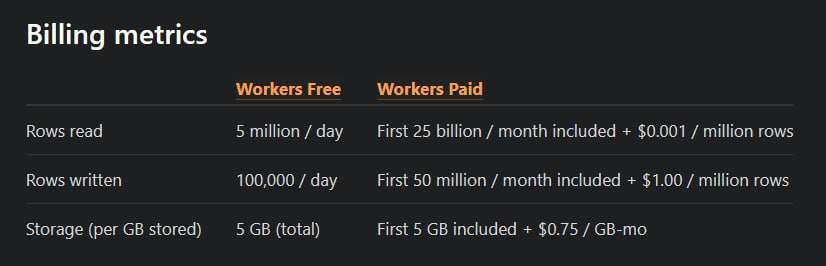
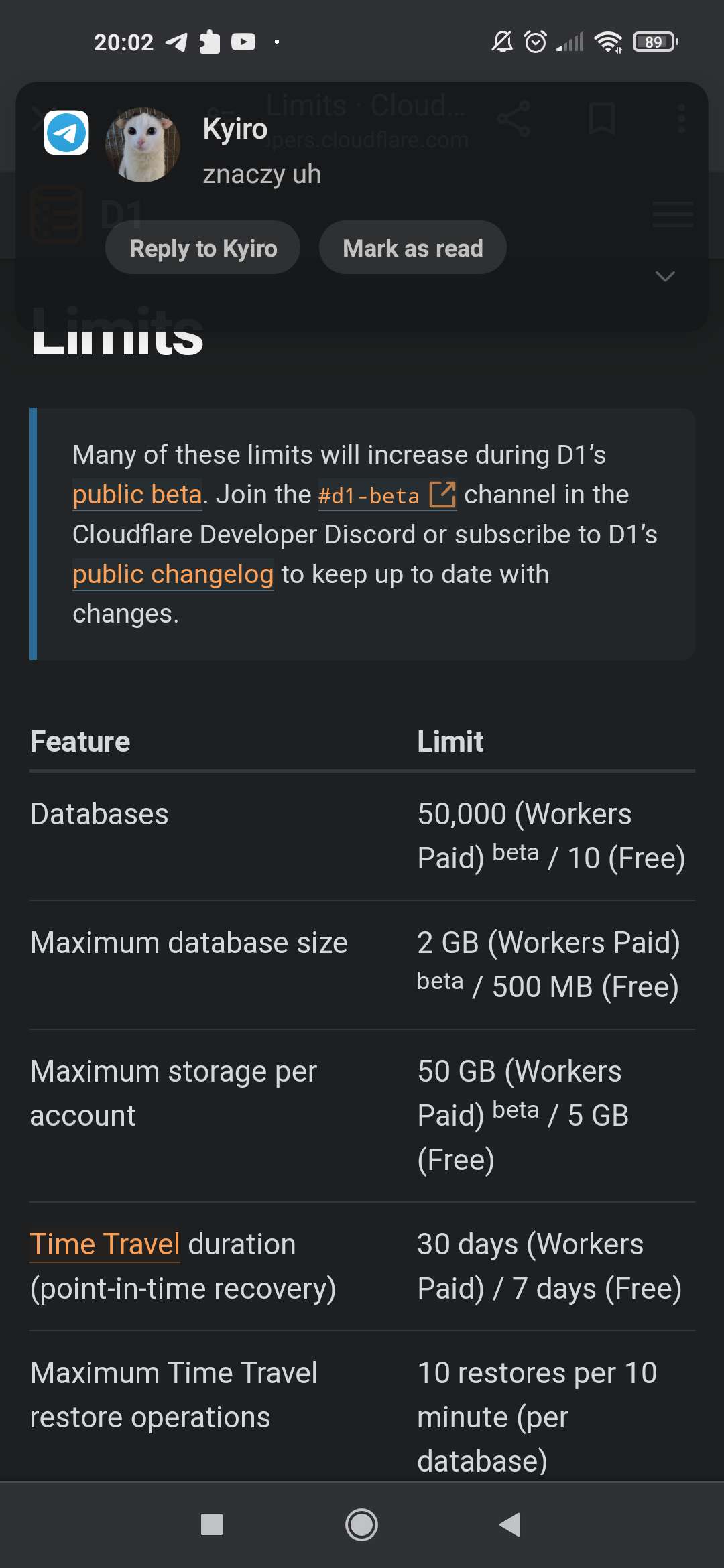 X
X CCCX
CCCX Ok. Thank you for the answer
 S
SD1_ERROR: no such table: inventory.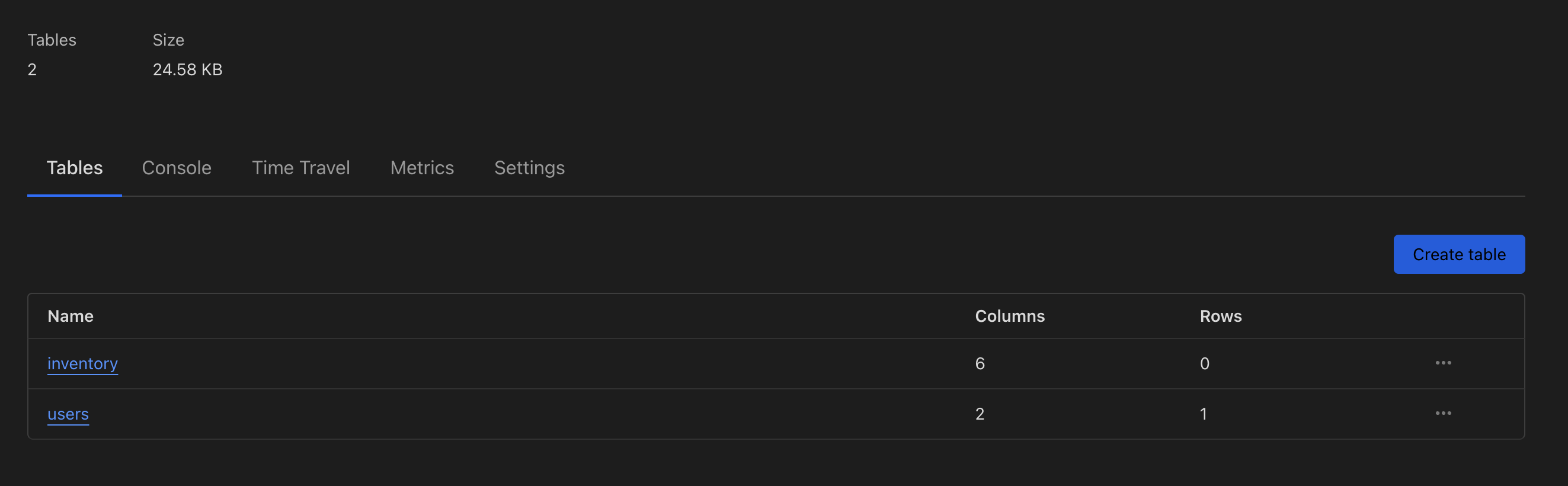 M
M--local--remote J
J S
S--remote T
T P
P
 S
S XX
XX P
P--remote M
M M
M
 F
F M
MINSERT OR IGNORE INTO your_table_name (column1, column2, unique_column)
VALUES
(value1_1, value1_2, unique_value1),
(value2_1, value2_2, unique_value2),
(value3_1, value3_2, unique_value3),
...
(valueN_1, valueN_2, unique_valueN);✘ [ERROR] Received a malformed response from the API
<!DOCTYPE html>
<!--[if lt IE 7]> <html class="no-js ie6 oldie" lang="en-US"> <![endif]-->
<!--[if I... (length = 7300)
POST
/accounts/xxxxxxxxxxxxxxxxxxxxxxx/d1/database/xxxxxxxxxxxxxxxxxxxxxxx/query
-> 520
If you think this is a bug, please open an issue at:
https://github.com/cloudflare/workers-sdk/issues/new/chooseD1_ERROR: no such table: inventory{
sql: 'delete from "inventory" where ("inventory"."user_id" = ? and "inventory"."skin_id" not in (?, ?, ?, ?))',
params: [
'38891062',
'9fa5664e-45fa-2a52-68e4-db97d85c8a91',
'7e323e82-44b6-1711-2028-10af32c632d5',
'19ba907b-4a76-347f-ea24-38990c9ff755',
'7b71fc11-4fa2-c84c-31ec-5eb5c3e3fff3'
]
} if (!env.DB) {
throw new Error("Database connection not found");
}
const db = drizzle(env.DB, {
schema,
logger: true,
});bun wrangler d1 migrations apply db_preview --local[[d1_databases]]
binding = "DB"
database_name = "db_preview"
database_id = "db_preview"
migrations_dir = "./drizzle"


