
Why kv doesn't work in typescript code. I am not getting error in js files, having problem with env
Why kv doesn't work in typescript code. I am not getting error in js files, having problem with env in ts

 M
M MM
MM M
M A
A K
KcacheTtl and kvCacheTtl to be high for low latency, but I dont want to have to wait for kvCacheTtl to expire to fetch the updated value if needed. Am I thinking about this right and do I have to just bite the bullet and have low cache ttl values? N
N II
II A
A TATATAN
 C
C CAMT
CAMT E
E U
Utyped-kv. npm i typed-kv. There are no other projects in the npm registry using typed-kv. T
T MU
MU C
Cwrangler.tomlThe .ts file which has the .putC I have 0 writes.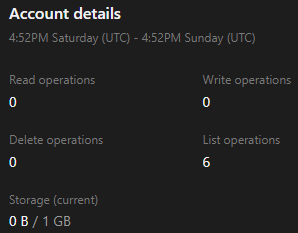
 KCC
KCC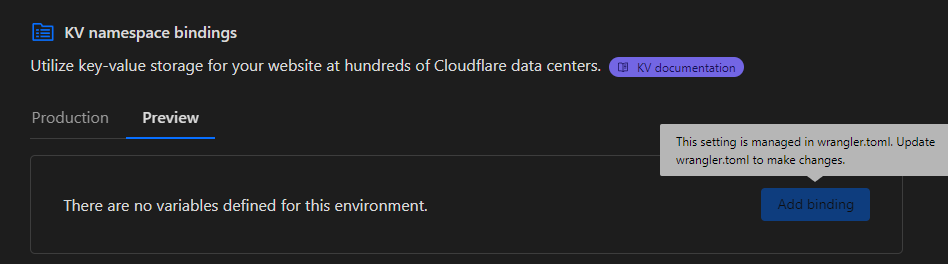 C
C E
E WCCTC
WCCTCexpires is set, in which case I'd assume it doesn't take long to disappear after), but not being able to 'GET' the value on a Pages Function, several days after it's already been put
wrangler.toml (or open a private thread here if you have that permission)
name = "newcron"
main = "src/index.ts"
compatibility_date = "2024-05-29"
[triggers]
crons = ["* */12 * * *"]
[[kv_namespaces]]
binding = "KV"
id = "b6783170bcde4c6f9d9e6152dc8d1027"
[ai]
binding = "AI"cacheTtlkvCacheTtlkvCacheTtltyped-kvnpm i typed-kv...
[[kv_namespaces]]
binding = "OAUTH_KV"
id = "..."
...The .ts file which has the .putname="pages-name"
pages_build_output_dir = "dist"
compatibility_date = "2024-06-12"
[[kv_namespaces]]
binding = "OAUTH_KV"
id = "..."
[dev]
port = 3000
[env.production]
[env.production.vars]
PUBLIC_ENVIRONMENT = "production"
SOME_VAR = "BLA BLA"
[env.preview]
[env.preview.vars]
PUBLIC_ENVIRONMENT = "preview"
SOME_VAR = "BLA BLA"expiresexport const onRequestGet: PagesFunction<Env> = async ({ request, env }) => {
const { OAUTH_KV } = env;
...
try {
const dateStamp = new Date().toUTCString();
await OAUTH_KV.put(`smt:${user_id}`, longToken, {
expirationTtl: expiresIn,
metadata: {
"added_in": dateStamp,
},
});
console.log(`Stored long-lived token for user ${user_id}.`);
} catch (e) {
console.log(`Error storing smt long-lived token: ${e}`);
}





