
 O
Oinstall with ProtonUp-Qt or the Gnome equivalent (edit: ProtonPlus), once it runs hit the menu and somewhere in the options you can set it to run a custom executable
Oit's a lot of tinkering but if you run a lot of mods you're probably used to that

 A
Aprobably protontricks?
 G
Gwasn't able to do that with protontricks
Gor maybe I was missing something
Aerror? or other things?
Ai usually only add redist though using that
Gok I got it
 A
Athis looks neat, but i think im too lazy to use it, most of my games works ootb with proton or ge
 K
Ki can't believe mr. jorge bluefin would DARE give me a minor inconvenience. I WILL NOT STAND FOR THIS MR. BLUEFIN >:(

 K
K K
Kmr. bluefin trying to minorly inconvenience me (i am a windows user and am used to it)
 A
Ayes, read it first if you understand bash
Ki only speak american

 H
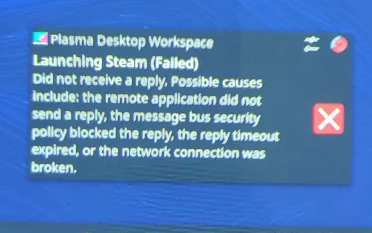
HContinuing this problem from earlier. I reinstalled Bazzite, this time creating a drive with Ventoy instead of Rufus. The quick start guide says use Ventoy while the Github says not to, but regardless, still no dice. Currently stuck on game mode "Checking for available updates" screen on every boot. On first startup, I was able to change the scaling, finish the setup wizard, and then everything started freezing the system for minutes at a time and giving this error eventually.
 K
Kerror: Importing: Unencapsulating base: Layer sha256:92bf9fb68cd5a19cf978bcc214d6483e253b68bb88cae2b1df401e15fb1ff1d4: Importing objects: Importing object 0a/8636591851c69423c8ff9b607cd869cfe6fa49dcde04454b8547e456198416.file: Processing content object 0a8636591851c69423c8ff9b607cd869cfe6fa49dcde04454b8547e456198416: Importing regfile: min-free-space-percent '3%' would be exceeded, at least 392.3 kB requested
Ayour drive is too full probably
Ki understand what this says but i have 30 gig free
Kdo i have to purge stuff just for it to be happy
Kciz that's deleting like 30 more gig of stuff for it to be 3% of 2tb

 Z
Zon gnome
 J
JAnyone else having issues with 555 Nvidia drivers and KDE 6.1 freezing?
 A
Anot a gnome user so doesnt really know about its extension but you could run btop on you second monitor i guess?
Kthe answer is yes
Zi see.. yeah maybe thats the only way other than showing it on the top bar
Gsteamtinkerlaunch doesn't work for me?
 B
BHey all. I've got Bazzite working on my Legion Go, but it looks like some decky plugins expect the username to be "deck" but I'd like to change the username I originally chose. Any gotchas about renaming my user account that I need to be aware of?
 J
Jthat seems like a bug in the plugins. I don't think it's a fair assumption to expect the username to be the same value in all instances.
 B
BI agree to a point (aren't many of these plugins made with the stock SteamOS in mind rather than alts like Bazzite?). Even still, I think I'd rather change to a more generic username like deck anyway and treat this like an appliance rather than a PC
 S
SIf you install decky by using
ujust setup-deckyI appreciate you both, but could we please focus on the actual question asked? I've updated my comment to remove the distraction
BYes, I had to purge some stuff as well
 W
WOthers answered this already, but I do this using Steam Tinker Launcher which I have launch my game (Rocket League) and an executable (Bakkesmod) in the same prefix. It wasn't that complicated to set up, but I had to experiment a little in duplicating the executable and what it runs/etc.
WI often have btop running in one window and nvtop in another, and I'll often run journalctl -f so I can follow the logs for anything anamolous, especially if I'm trying to track something down. The Resources flatpack might also be useful to you. And some people might enjoy cooler control. Sounds like real-estate wise you can't do it all though.
 Z
Zohh thas a good idea
Wnvtop is for nvidia gpus showing load and mem usage and temp/etc. I assume for nvidia only but not positive.
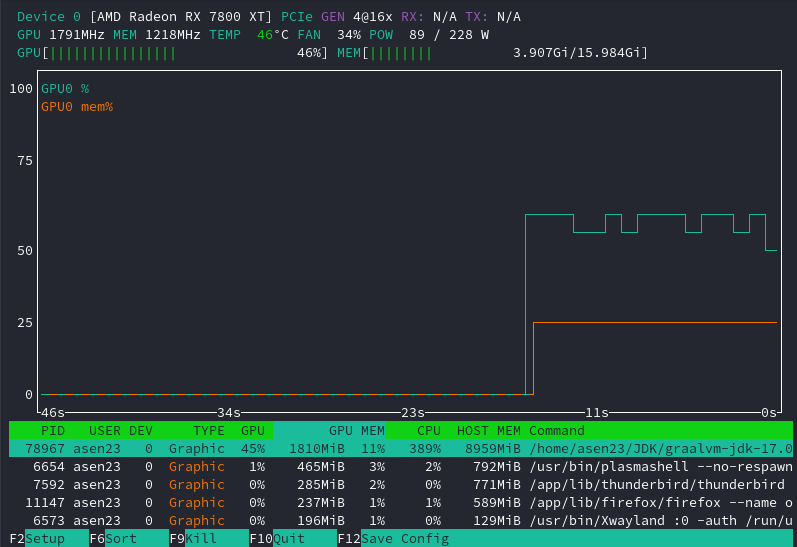
Afunny enough, nvtop works for amd card
 J
JQualcomm 
ATIL
Osomehow I never realized that, I just saw the leading NV and assumed it meant nVidia
Aalso huawei have their own gpu? never heard of it
 B
BAs an aside, can you please elaborate on how this is supposed to be handled? ControllerTools is not working for me and I don't know if it's because paths like
/home/deck/homebrew/settings are hardcoded or if Bazzite should be handling that fine, and there is a bug with the plugin K
Kexactly this
 K
KMy favorite Qualcomm lore is that their "Adreno" series of GPUs is an anagram of "Radeon" because they worked with ATi
KController Tools used to work
KI believe the extension itself is busted right now
KGitHub
I have the original steam deck on the stable release 3.5.19 with decky loader 2.12.3 install. When I go to the plug in store the latest version of controller tools I see is 1.1.2-1 which is current...
Kyep
K@antheas the fact that Portal 2 has native RGB support for the PS5 controller? omg
