
so it's fine if in a `+(*.)server.ts` route i alway reinstantiate drizzle, right?
so it's fine if in a
+(*.)server.ts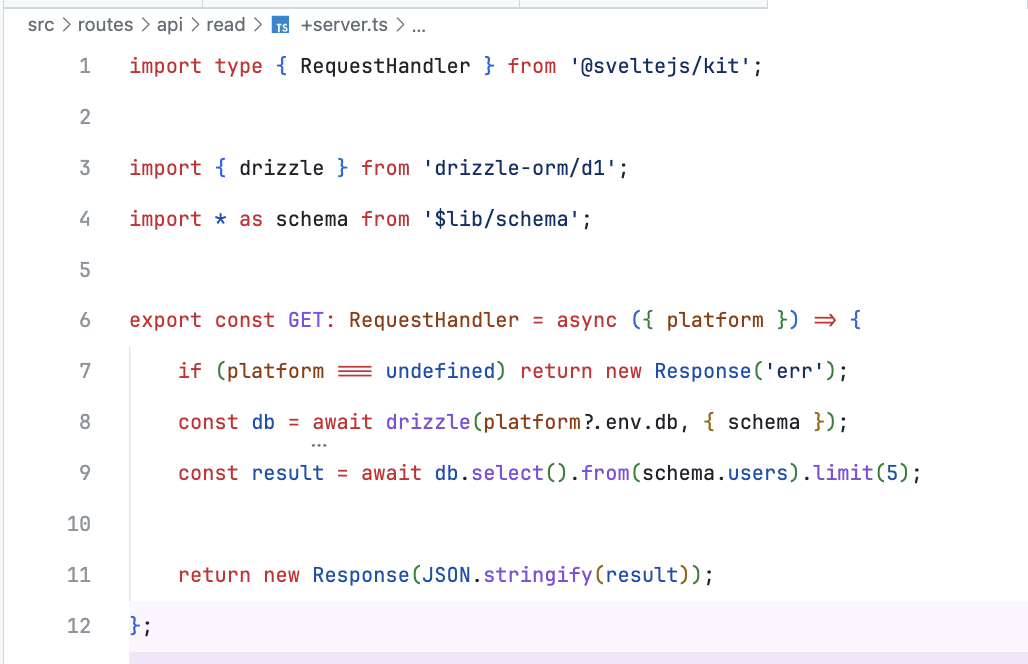
+(*.)server.ts
 HH
HH V
Vdatabase_idpreview_database_idprod-maindev-maindatabase_name = "prod-main"migrations JHHX
JHHX O
Onumber[]ArrayBuffer WW
WW SSS
SSS M
M I
I IMIV
IMIVwrangler.tomlpreview_database_id H
Hdatabase_id カ
カ DDV
DDVwrangler.tomlwrangler d1 migrations apply prod-main --local (or even without --localwrangler d1 migrations apply prod-main -e production --localVVpreview and a production environment variable has made it not work locally inside the svelte kit app this is my app.d.tsproduction variable in both Platform and where I use it: env.production.db but no diceVTypeError: Cannot read properties of undefined (reading 'prepare')HHUnlike Workers Environments, production and preview are the only two options available via [env.<ENVIRONMENT>] on Pages
VHVV/api/create/[user] routeVconst result = await db.select().from(schema.users); also doesn't query, same errorV[[d1_databases]]
binding = "db"
database_name = "prod-main"
database_id = "[uuid1]"
preview_database_id = "[uuid2]"wrangler d1 migrations apply prod-main --local ⛅️ wrangler 3.72.0
-------------------
✘ [ERROR] Couldn't find a D1 DB with the name or binding 'prod-main' in wrangler.toml.wrangler d1 migrations apply prod-main -e production --localpreviewproductionproductionapp.d.tsPlatformenv.production.dbTypeError: Cannot read properties of undefined (reading 'prepare')/api/create/[user]const result = await db.select().from(schema.users);name = "[the name]"
compatibility_date = "2024-07-29"
pages_build_output_dir = ".svelte-kit/cloudflare"
[[env.production.d1_databases]]
binding = "db"
database_name = "prod-main"
database_id = "524d4c4f-410b-46f9-9a87-2dc4f6110b1c"
[[env.preview.d1_databases]]
binding = "db"
database_name = "dev-main"
database_id = "025df237-d405-4f57-859f-ad3a055fd74b"interface Platform {
env: {
db: D1Database;
};
}interface Platform {
env: {
db: D1Database;
};
}const db = await drizzle(platform?.env.db, { schema });export const GET: RequestHandler = async ({ params, platform }) => {
if (platform === undefined) return new Response('err');
if (params.user === undefined) return new Response('err');
const db = await drizzle(platform?.env.db, { schema });
const result = await db.insert(schema.users).values({ name: params.user });
return new Response(JSON.stringify(result));
};


