
Delete your cookies for dash.cloudflare.com and try again
Delete your cookies for dash.cloudflare.com and try again
 L
L J
Jwrangler dev-d H
H J
J I'm building with Rust at the moment, not Javascript. but I'll see if there's anything similar in the Cloudflare/Rust tooling
 F
F KK
KK J
J A
A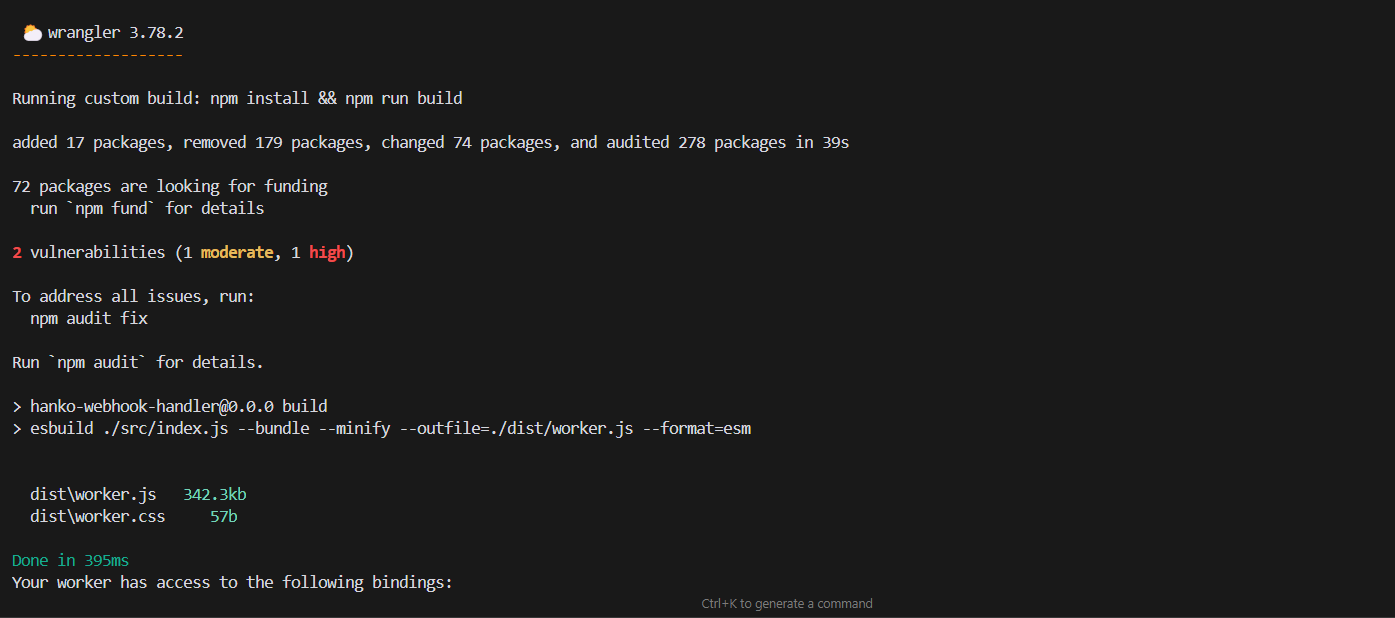
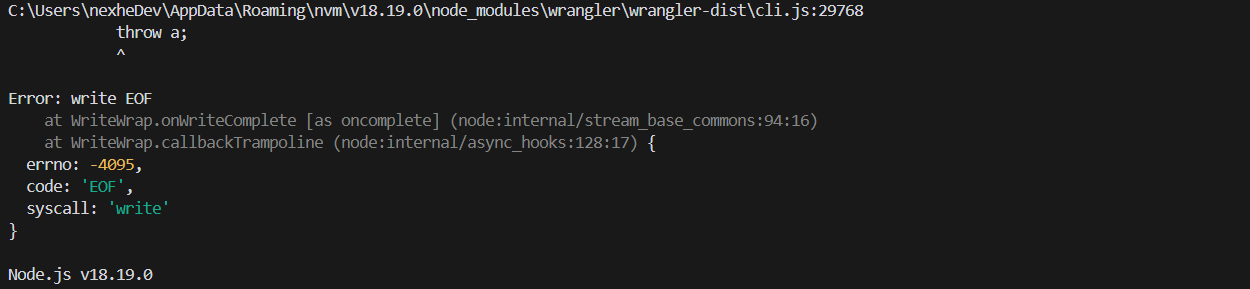
 S
S--old-asset-ttl__STATIC_CONTENT_MANIFEST CKKJ
CKKJ P
Pwrangler dev DJJ
DJJ OK
OK DD
DD
 R
R A
Adatabase_id.preview.vars KAKA
KAKA A
A R
Rnpx wrangler pages dev ./dist S
S HS
HS R
R I
I Z
Zpublic/buildpublic/buildnpm run devapp/routes/_index.tsx
 Z
Z
 W
W F
F J
J �Z
�Zwrangler.toml M
M# wrangler.toml
[env.production]
vars = { ENVIRONMENT = "production" }
routes = [
{ pattern = "sub.mysite.io/*", zone_name = "mysite.io" },
{ pattern = "sub.mysite.io", zone_name = "mysite.io", custom_domain = true },
]...
🌀 File /Users/zwily/Source/my-remix-app2/public/build/routes/_index-QPNMKNPS.js.map was removed...
⎔ Reloading local server...
🌀 Directory /Users/zwily/Source/my-remix-app2/public/build/routes was removed...
⎔ Reloading local server...
⎔ Reloading local server...
... (hundreds of lines of this) ....github
└─ workflows
apps
├─ accounts
├─ web
└─ api
packages
├─ auth
├─ db
└─ ui


