Try `wrangler d1 info <dbname>` 😄
Try 
wrangler d1 info <dbname> wrangler d1 info <dbname> 
wrangler d1 info <dbname> TT
TT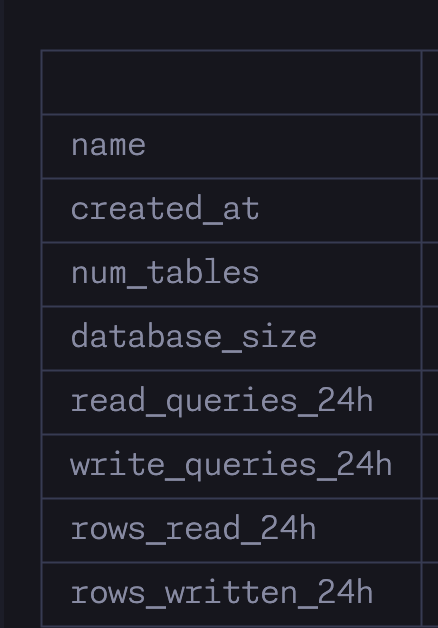 T
T I
Iwrangler d1 list do you see production as the version?Irunning_in_region field right between the size and read query count... strange that you don't see it 
 CCCCCCCCCCCCC
Smart Placement is currently ignored when making RPC calls. If Smart Placement is enabled for Worker A, and Worker B declares a Service Binding to it, when Worker B calls Worker A via RPC, Worker A will run locally, on the same machine.
CCCTT J
J J
J N
Npreview db, but the command is failing with Exit Code 1 without any error message. Any idea what am I doing wrong or what could be the error cause here?preview_database_id. Note that doing this will change the id of your local database too if any.wrangler.toml db config:npm script:"db:migrate:core:preview": "wrangler d1 migrations apply phoenix-core-prod --remote --preview"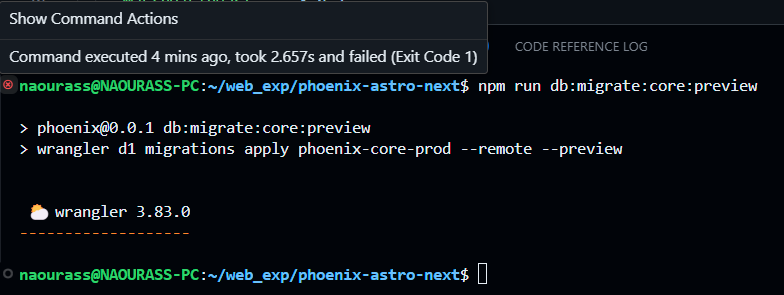 N
N--local N
N HN
HNpreview_database_id. Can anyone confirm?wrangler d1 listproductionrunning_in_regionpreviewExit Code 1preview_database_idpreview_database_idwrangler.tomlnpm"db:migrate:core:preview": "wrangler d1 migrations apply phoenix-core-prod --remote --preview"[[d1_databases]]
binding = "CORE_DB"
database_name = "phoenix-core-prod"
database_id = "xxxxxxxx-xxxx-xxxx-xxxx-xxxxxxxxxxxx"
migrations_dir="database/migrations/core"
preview_database_id = "CORE_DB" CDCloudflare Developers / wranglerCDCloudflare Developers / general-helpCDCloudflare Developers / workers-and-pages-helpCDCloudflare Developers / wrangler