
ISR doesn't work with next-on-pages due to Next.js limitations. The cache API is used for the fetch
ISR doesn't work with next-on-pages due to Next.js limitations. The cache API is used for the fetch cache by default
 V
V
 JJ
JJ I
I C
C N
N@cloudflare/next-on-pages@1.13.6 we can't access our website, the deployment is successful, but access the website itself it's impossible and always return the 500 error page. J
J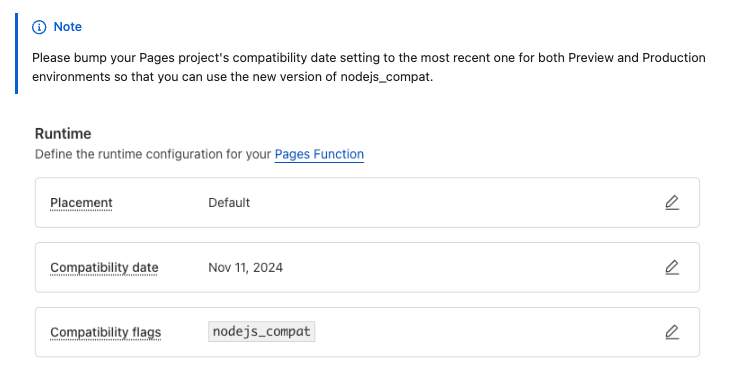 J
Jasync_hooks without a node: prefix, so it requires the newer version of nodejs_compat which was updated on compat dates after Sept 23rd.N
 C
C J
J
 J
J✘ TypeError: Illegal invocation: function called with incorrect this reference. See https://developers.cloudflare.com/workers/observability/errors/#illegal-invocation-errors for details. on npm create cloudflare@latest -- my-next-app --framework=next and then running npx @next/codemod@canary upgrade latest shows the same error, filed https://github.com/cloudflare/next-on-pages/issues/912vercel@39.1.2, forcing vercel@39.1.1 fixes it. BJ
BJnext-on-pages NNNNNNNN
net in dev NN
NN C
C W
W SWII
SWII TJ
TJvercel CLI version), I've got a pet project deployed to Pages with next 15.0.3, app router, apis/middleware, etc and it's working greatJvercel CLI should fix it) M
M
 SSSMJ
SSSMJ R
R J
Jnpm run pages:build && wrangler pages dev) similar to running the Next.js dev server in terms of speed? Right now it feels quite cumbersome in comparison to Next with turbopack or Vite because of 15+ second build times. Or is the OpenNext initiative looking to resolve this? By making then runtimes similar when using the Next.js dev server vs deployed on Pages? C
Cprocess.env.CUSTOM_VAR cannot find my env RJJ
RJJsetupDevPlatform is definitely helpful there. But sometimes I have to debug an issue due to the subtle differences between runtimes of next devwrangler pages devnpx @cloudflare/next-on-pages --watch, and then re-run wrangler pages dev--live-reload functionality of wrangler pages dev 00
00@cloudflare/next-on-pages@1.13.6async_hooksnode:✘ TypeError: Illegal invocation: function called with incorrect reference. See https://developers.cloudflare.com/workers/observability/errors/#illegal-invocation-errors for details.next@15.0.3
@cloudflare/next-on-pages@1.13.6
wrangler@3.91.0npm create cloudflare@latest -- my-next-app --framework=nextnpx @next/codemod@canary upgrade latestvercel@39.1.2vercel@39.1.1netvercelvercelIllegal invocation: function called with incorrect `this` referencenpm run pages:build && wrangler pages devprocess.env.CUSTOM_VARsetupDevPlatform npx @cloudflare/next-on-pages --watch--live-reload22:50:27.881 ▲ Its type '() => Promise<JSX.Element>' is not a valid JSX element type.
22:50:27.881 ▲ Type '() => Promise<JSX.Element>' is not assignable to type '(props: any, deprecatedLegacyContext?: any) => ReactNode'.
22:50:27.881 ▲ Type 'Promise<Element>' is not assignable to type 'ReactNode'."Error: No such module \"__next-on-pages-dist__/functions/src/async_hooks\".\n imported from \"__next-on-pages-dist__/functions/src/middleware.func.js\""✘ [ERROR] Could not resolve "async_hooks"
16:58:59.136
16:58:59.136 <stdin>:379:680:
16:58:59.136 379 │ ...:()=>N});var R=A(require("async_hooks")),S="@next/request-cont...
16:58:59.136 ╵ ~~~~~~~~~~~~~
16:58:59.137
16:58:59.137 The package "async_hooks" wasn't found on the file system but is built into node. Are you trying to bundle for node? You can use "platform: 'node'" to do that, which will remove this error. CDCloudflare Developers / pages-helpCDCloudflare Developers / pages-helpCDCloudflare Developers / general-helpCDCloudflare Developers / pages-help


