

 C
CI would debug it using the following steps
Response time 1354ms, query time 0.18ms
Query time is what you're interested in, it should be reasonable, like a few ms at max for simple queries.
Ignore Response Time via D1 Console or Wrangler, it's not representative of what you'd see in reality. It's going through API Layer -> Core (which only runs in a few locations), then to your D1 Instance. Worker/D1 Binding run at edge and connect directly to your database, not going through core/api layer/etc.
From the workers api, if using .run on a prepared statement check meta.duration for time in milliseconds spent executing. .exec has
Checking your database's graphs for query latency metrics and/or
- Where is worker running (or rather, where are you connecting to)? You can check the response headers: Cf-Ray Header, at the end is the Airport code. Or you can go to the virtual path
/cdn-cgi/traceon your worker's hostname, look forcolo=<airportCode>. If you have Smart Placement enabled, then check the cf-placement response header, end of that is airport code. - Where is the database running? You can use
npx wrangler d1 info <dbName>, If you're not sure. you'll get a region returned like ENAM (East North America), or APAC (Asia Pacific)
If you're making multiple queries for a single incoming request, Smart Placement can help, or just placing your DB closer to your users
If you're connecting to a location reasonably near and your DB is near/latency is way higher then it should be, then debug the query itself.
Response time 1354ms, query time 0.18ms
Query time is what you're interested in, it should be reasonable, like a few ms at max for simple queries.
Ignore Response Time via D1 Console or Wrangler, it's not representative of what you'd see in reality. It's going through API Layer -> Core (which only runs in a few locations), then to your D1 Instance. Worker/D1 Binding run at edge and connect directly to your database, not going through core/api layer/etc.
From the workers api, if using .run on a prepared statement check meta.duration for time in milliseconds spent executing. .exec has
duration You can also do performance.now before/after query to measure end to end latency of each query and shove it into a response header or console.log itChecking your database's graphs for query latency metrics and/or
npx wrangler d1 insights <db> can be helpful for debugging slow queries as wellCsame for @szakszuk
Cusually some combination of multiple queries to far away DB/bad routing to CF/looking at d1 console/wrangler performance and not deployed worker, etc

 A
AI tested deploying a worker, the query time seems ok but the response time is too slow to be acceptable
Cwhich region is your db?
AIts in WNAM, I am in Brazil, this maybe be the reason...
Cyea, D1 DBs/Durable Objects don't run in South America, WNAM is Western North America, like Dallas/Los Angeles/Seattle, going to be a decent latency to there from Brazil.
ENAM should be better, espec if your D1 DB gets placed in Miami, but Chicago/New Jersey are part of ENAM as well, so can vary a fair bit depending on that
ENAM should be better, espec if your D1 DB gets placed in Miami, but Chicago/New Jersey are part of ENAM as well, so can vary a fair bit depending on that
 F
FHello, can I use D1 with server actions?
 S
SThanks that must be the reason, my worker runs in WAW (Poland) and d1 db in WNAM so ofc latency is huge. I used the automatic option for smart location assuming it will use some European region.
After moving db to eu response time is ~100ms which I guess is acceptable for my little side project
After moving db to eu response time is ~100ms which I guess is acceptable for my little side project
S@Chaika Just want to make sure, as I can't find any info. What it means --location=eeur vs --location=weur . I mean which exact location is that eg. city/country.

 L
LYou cannot influence at the city level. At the moment location hints are very broad, and you can see similar hints for Durable Objects: https://developers.cloudflare.com/durable-objects/reference/data-location/#supported-locations-1
In https://where.durableobjects.live/ you can see which cities are covered in each of those hints.
In https://where.durableobjects.live/ you can see which cities are covered in each of those hints.
Cyea like they said there's the website for that, lots of cities in each one and it'll move within region if there's any issues/maintenance
https://where.durableobjects.live/region/weur
https://where.durableobjects.live/region/eeur
https://where.durableobjects.live/region/weur
https://where.durableobjects.live/region/eeur
 P
Phas anyone used auth js with cloudflare d1? since the billing is a bit more technical and I don't know what auth js is doing for sign ins and session, I am not sure what the costing would be like for how many users. any rough ideas?
 L
Lhi, how to backup a d1? i've tried to follow docs but dosent works
CManual backups like that were only an alpha thing. Production Databases support time travel like it says: https://developers.cloudflare.com/d1/reference/time-travel/#restore-a-database
You can jump back to any point in the last 30 days, nothing to do to enable
You can jump back to any point in the last 30 days, nothing to do to enable
CYou can export your prod db using the export command, if you just want the sql: https://developers.cloudflare.com/d1/best-practices/import-export-data/#export-an-existing-d1-database
Lyes i'd like to download the db tomake local tests
 C
CI'm getting quite a few of these.. Anything I could do on my end to avoid them?
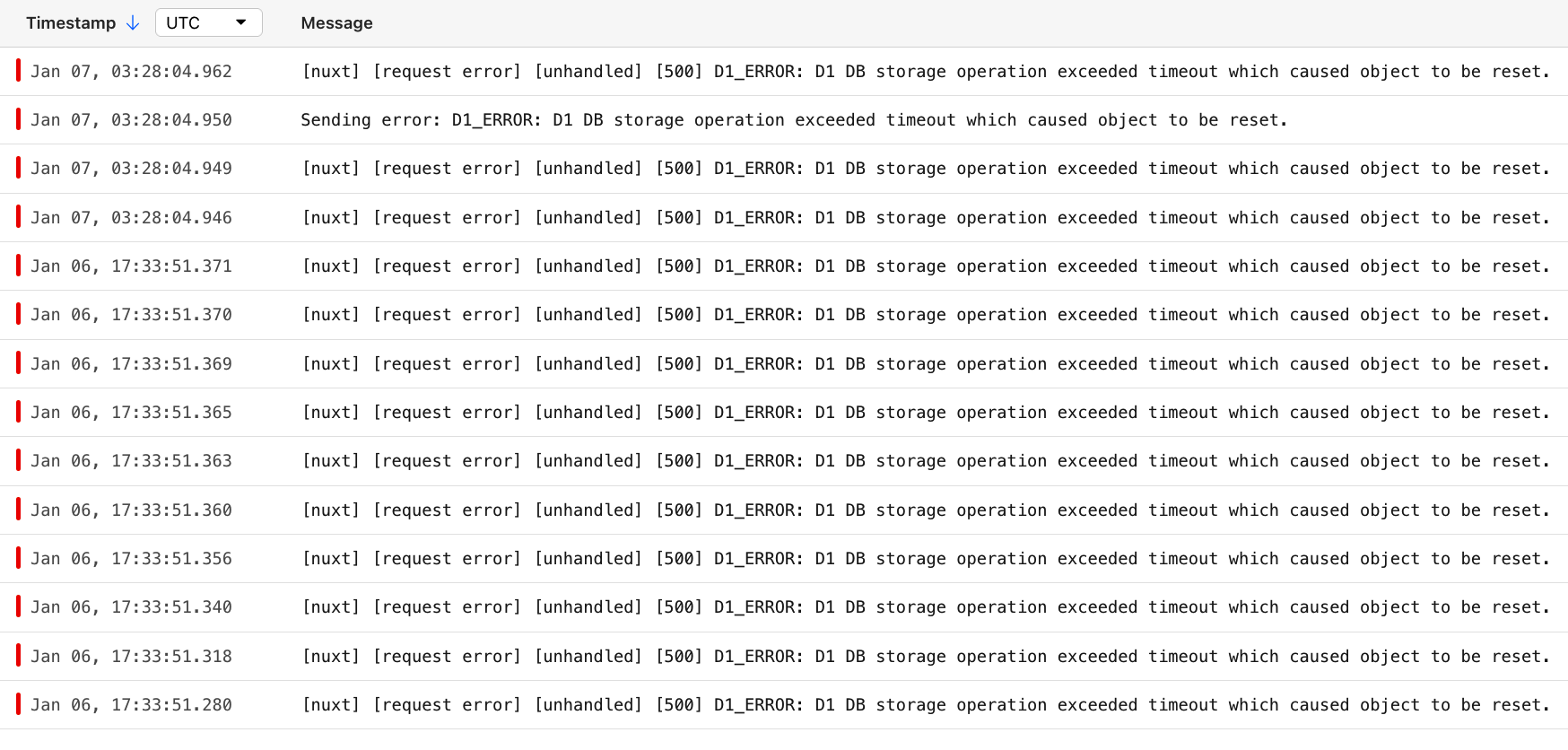 L
LWhat kind of queries are you doing? (rows accessed, row size, database size, etc)
C@lambrospetrou this:
But I'm not sure if it always happens on this query
But I'm not sure if it always happens on this query
Cactually now that I opened every logs it also happened on a different route
 J
JThe type
All the Cloudflare D1 types work as expected as far i can tell, except this one.
D1PreparedStatement has a statement property, but TS doesn't know about itAll the Cloudflare D1 types work as expected as far i can tell, except this one.
WIs there any limit on number of D1 i can attach to a worker ? Also what would be preffered way to apply migrations when created a db through cloudflare api ?
C~5,000 or so https://developers.cloudflare.com/d1/platform/limits/
Using Durable Object's SQlite makes sense if you're going to have a good amount of them/create dynamically: https://blog.cloudflare.com/sqlite-in-durable-objects/
API has rate limits (1.2k / 5 mins per user) shared across dashboard and all endpoints. Durable Objects can be created/sent requests to dynamically
Using Durable Object's SQlite makes sense if you're going to have a good amount of them/create dynamically: https://blog.cloudflare.com/sqlite-in-durable-objects/
API has rate limits (1.2k / 5 mins per user) shared across dashboard and all endpoints. Durable Objects can be created/sent requests to dynamically
LpreparedStatement.statement is not meant to be used by client Worker code (i.e. you). You have access to the statement since you are the one providing it to the prepare() method, so use that instead.Accessing private (as in non-documented) fields is a great recipe for future breakages when we change those fields. We do need to hide them properly (or whatever that will be in the JS world by obfuscating...) on our side though.
After you
prepare() and optionally bind(), only call these methods: https://developers.cloudflare.com/d1/worker-api/prepared-statements/WI assume durable objects would also have limits regarding storage size. Does this suit well, if we want to have multi tentant data ?
When using Durable Objects, it's important to remember that they are intended to scale out, not up. A single object is inherently limited in throughput since it runs on a single thread of a single machine. To handle more traffic, you create more objects. This is easiest when different objects can handle different logical units of state (like different documents, different users, or different "shards" of a database), where each unit of state has low enough traffic to be handled by a single object.
CD1's not really any different, it itself is just built on top of Durable Objects. Although currently DO SQlite while in beta has a storage limit of 1 GB per DB and D1 has 10 per GB, I would expect them to match eventually
Cerrr maybe some of this is confusion on how Durable Objects work? You code your Durable Object class and create a "Durable Object"/"Durable Object Namespace", and then you can create many instances of the Durable Object via the binding, all with their own storage limit, based on the same code
Wthis looks interesting. I will try it out. Thanks
CD1's supposed to eventually have some sort of a dynamic binding api so you don't have to use the API/update worker/all that jazz, but for now Durable Object SQlite fill the gap
WOhh, I think D1 would be better choice, where we want to have backup of data, I dont know yet, how it will be supported with DO though.
CDO Sqlite doesn't have exporting but it does have the same time travel stuff as D1 does
WCit's just manually looping overall the tables/fetching all the data https://github.com/outerbase/starbasedb/blob/main/src/export/dump.ts
should work, might incur a decent amount of reads but cheap
should work, might incur a decent amount of reads but cheap
JThanks for the answer. It's a shame though, because to me it's a useful piece of read-only information in the context of a prepared statement.
 C
Chey folks. using the
i'm trying to grab a few rows from prod and bring them to my local, its giving me JSON regardless of the
wrangler d1 command, is there any way to change the output mode to be insert? i'm trying to grab a few rows from prod and bring them to my local, its giving me JSON regardless of the
--json flag value M
MCan I use cloudflare D1 in an express.js app hosted outside of Cloudflare? In a VPS?

 R
RInteract with Cloudflare's products and services via the Cloudflare API
Jhi anyone can help me to migrate mysql to d1 We are currently attempting to migrate a 20GB MySQL database to Cloudflare D1. However, we’ve encountered challenges with file size limitations and memory constraints when using the wrangler CLI tool. Specifically, we received the following error while trying to execute the SQL file locally:
✘ [ERROR] Could not read file: /path/to/large-file.sql
Cannot create a string longer than 0x1fffffe8 characters
✘ [ERROR] Could not read file: /path/to/large-file.sql
Cannot create a string longer than 0x1fffffe8 characters

 M
MThis approach would be subject to Cloudflare API's rate limit (1200 requests over 5 minutes)
MYou'd want a pass through Worker like https://github.com/elithrar/http-api-d1-example to talk to from Express for best performance
GitHub
An example HTTP API for Cloudflare's D1 database: https://developers.cloudflare.com/d1/
- elithrar/http-api-d1-example
 O
OHello! we're seeing some "put: We encountered an internal error. Please try again. (10001)" in our logs in the last few minutes. Notifying this because it's something we see more or less on a weekly basis.
 M
MYou're seeing that error thrown when running a D1 Client API function in your Worker?
OYes, this is production remote though, the error was caught and I received it at 11:12AM Barcelona time
Mand you're not calling any other service in that Worker?
 K
KCan someone explain this please

 W
W#r2
 O
Ohonestly haven't had the time to dig deeper on that specific call but it's most probably an alarm trigger on a DO in a Worker that also interfaces with R2, KV and other Workers. Each specific DO alarm trigger may or may not interface with each of these services depending on the characteristics of the long running job it's running.
