
 J
JHow did the wrangler action even publish with a break, it uses itself and all it's commands in CI and tests @penalosa 
 Z
Zi'm building an app with vite (react-router) and a wrangler.jsonc, and... man weird stuff happening... i've been trying to deploy with
--env staging, and it wasn't finding my env for some reason. and it turns out, it's because there's this file being written to .wrangler/deploy/config.json that has these contents: which points to build/server/wrangler.json being written during the build process, which is a stripped down version of my wranger.jsonc. what's going on here??? J
JLooks like they are supporting JSONC by converting it to JSON, probably just stripping out the comments
https://github.com/cloudflare/workers-sdk/blob/fd9dff833870b768af34b391bb109782d86908bb/packages/wrangler/src/config/index.ts#L41-L50
https://github.com/cloudflare/workers-sdk/blob/fd9dff833870b768af34b391bb109782d86908bb/packages/wrangler/src/config/index.ts#L41-L50
 Z
Zthat wasn't it... it turns out that the cloudflare vite plugin creates a new flattened wrangler.json, and you have to specify CLOUDFLARE_ENV during the vite build in order for it to build the right one
JNice, was that documented anywhere or in a changelog or something?
 F
FAfter upgrading wrangler to 4.1.0 logs have stopped working for me completely. Bug?
 N
NHow can I make
wrangler dev
 H
HYou cannot
NOh
NCool, thanks. My workaround of using a script to put it in .dev.vars will live on then lol

 E
Eupdate: i made my script not use bun and it was fine
so it seems bun doesn't like it when you pass an abortcontroller into setTimeout
so it seems bun doesn't like it when you pass an abortcontroller into setTimeout
 F
FNevermind. I can't reproduce it anymore.
JI was referring to this?
 M
MRunning Wrangler locally, I'm told that my version is out of date, and that I should run:
However this brings the following error:
However this brings the following error:

 I
IYou've got a trailing backtick there.
MOh god...
MIt's one of those days
MSorry to have wasted your time!
INo problem 
MOne more. Having updated to Wrangler 4, it tells me to change
node_compat to nodejs_compatdev.toml but also wrangler.toml i.e. the TOML for the production version? Does production always use the latest Wrangler?MI'm not sure what I'm doing wrong here but since updating my (global) Wrangler to @4, my Worker won't run locally. It advises me to add
node_compat. But a previous message told me to change node_compat to nodejs_compatI don't have it installed in my project - I just use a global one. Let me see if uninstalling the global Wrangler and installing project-level Wrangler fixes it. But just to be clear, with v4, it should be
nodejs_compatnode_compat, right?MOK now I have project-level Wrangler 4. When I run the worker it throws a tonne of errors about Node compatibility and tells me to add
nodejs_compatAlthough ironically, at the start of the log output, it says
"Unexpected fields found in top-level field: "nodejs_compat"So I have messages telling me both to add
nodejs_compatnodejs_compatOh.......
MThanks, that's fixed it! Really appreciate your help.
Could I just clarify one more thing. Wrangler is a dev dependency. But the config changes I'm making are for both dev and live. So how do I control/do I need to worry about which version of Wrangler runs in production?
Could I just clarify one more thing. Wrangler is a dev dependency. But the config changes I'm making are for both dev and live. So how do I control/do I need to worry about which version of Wrangler runs in production?
 H
HWrangler shouldn't be running in production? Wrangler is used for development/deployment, but once deployed, Wrangler doesn't touch anything
MRight, thanks, I think I thought Wrangler ran everywhere.
MI assumed production used the same environment I had locally, in the same way that developing locally with PHP involves something like Apache, which is also on the live server.
HSort of? Wrangler, under the hood, calls into Miniflare, which runs Workers in
workerdworkerdworkerd N
Ndoes workers with wrangler support
Buffer J
Jyes
Jif you enable
nodejs_compat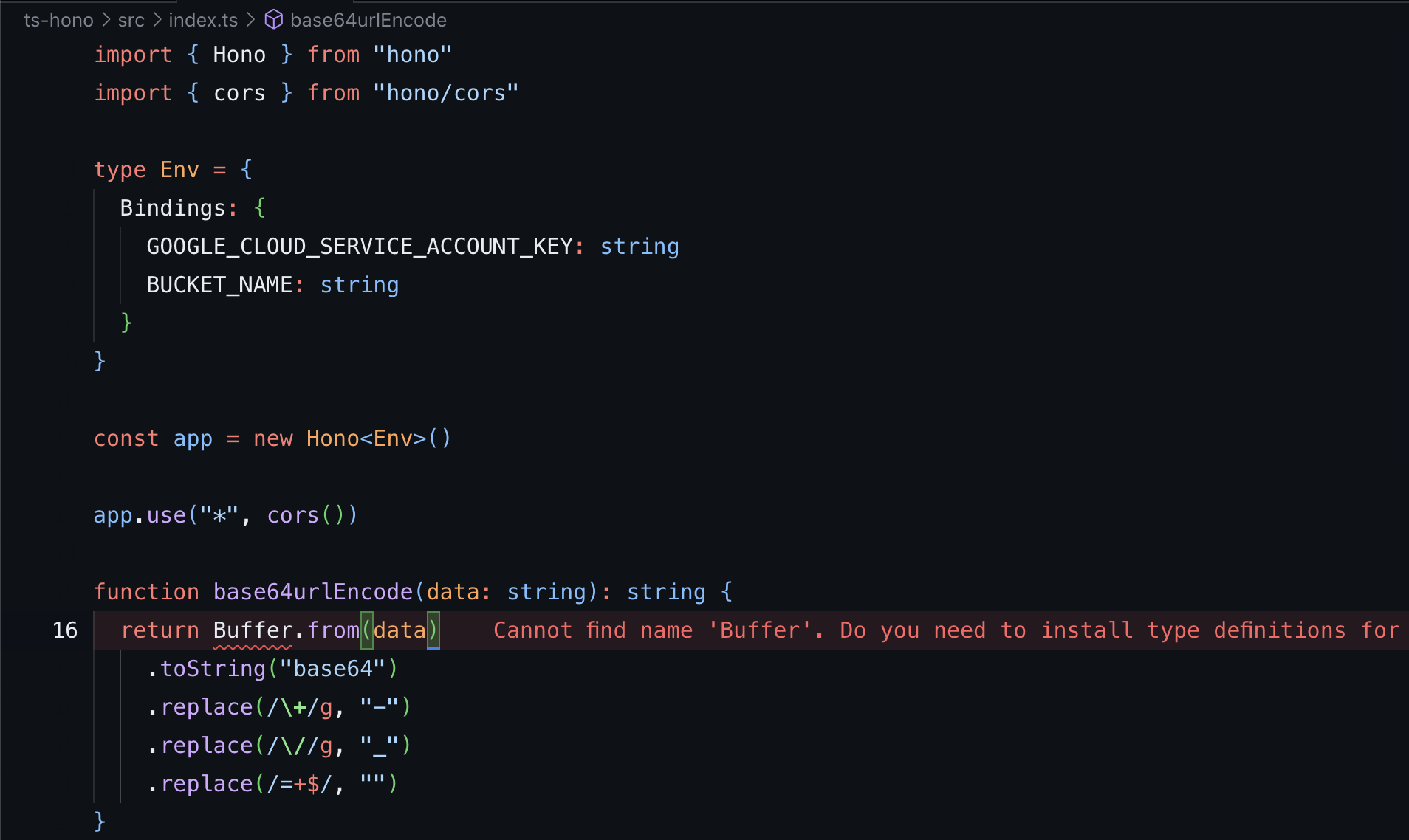 N
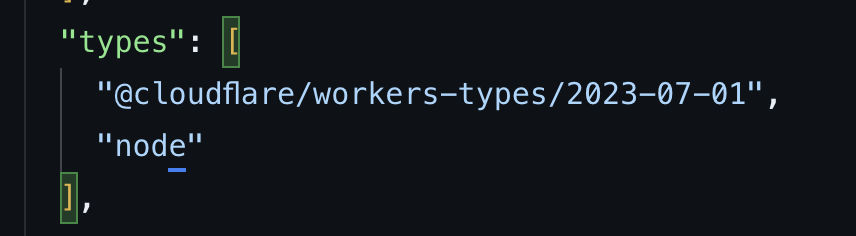
Nhow to get rid of this error, i installed types
NNoh ok
 N
Ni think its this
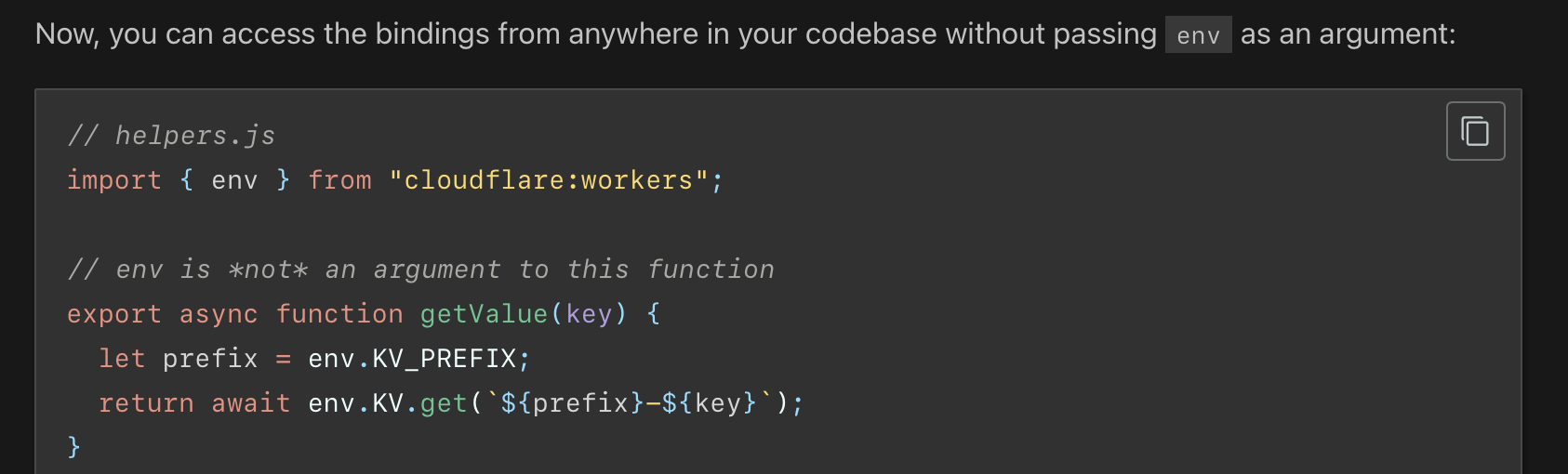
NNi can do this, but where to put the env
 I
IWrangler rewrites the request URL being sent to localhost into the custom domain which is set in wrangler.jsonc. Is that expected? It is very surprising to me?
I(So for example if I curl http://localhost:8787/ with a console.log in the fetch the fetch sees a request to url custom-domain.com even though its running locally)
 J
JHey  Now when wrangler@4 generates all the types, does anyone have guidance as to how to build libraries that depend on e.g. D1Database? For https://github.com/jonasb/d1-sql-tag I'm using
Now when wrangler@4 generates all the types, does anyone have guidance as to how to build libraries that depend on e.g. D1Database? For https://github.com/jonasb/d1-sql-tag I'm using @cloudflare/workers-typesGitHub
A template literal for working with Cloudflare D1 database. - jonasb/d1-sql-tag
