Can I pay using AWS?
Hi there,
I did follow these steps: https://neon.tech/docs/introduction/billing-aws-marketplace - but at step 7 I see no "Click here to set up your account" link anywhere.
If I go to "AWS Marketplace => Manage subscriptions => Neon" inside my AWS Console, and then click "Actions => Set up product" a new window appears, and still no "Click here to set up your account" link.
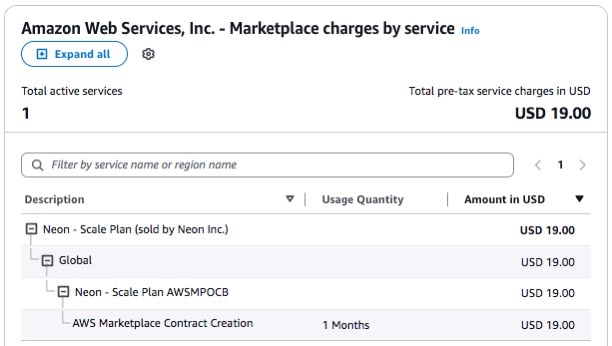
I want to pay using our AWS Credits before the end of the month in order to not be charged on the current Neon billing info (my business partner's credit card) and be charged through AWS instead.
We're currently in "Launch plan" and did subscribe for the same plan using AWS, but still see no changes anywhere that says something like "We'll charge you AWS account" or anything like that.
I did follow these steps: https://neon.tech/docs/introduction/billing-aws-marketplace - but at step 7 I see no "Click here to set up your account" link anywhere.
If I go to "AWS Marketplace => Manage subscriptions => Neon" inside my AWS Console, and then click "Actions => Set up product" a new window appears, and still no "Click here to set up your account" link.
I want to pay using our AWS Credits before the end of the month in order to not be charged on the current Neon billing info (my business partner's credit card) and be charged through AWS instead.
We're currently in "Launch plan" and did subscribe for the same plan using AWS, but still see no changes anywhere that says something like "We'll charge you AWS account" or anything like that.
Neon
Neon offers a convenient way to manage your subscription and billing through the AWS Marketplace. This option can help you consolidate your cloud expenses it allows you to manage your Neon subscriptio...