System Failed: Brew Update
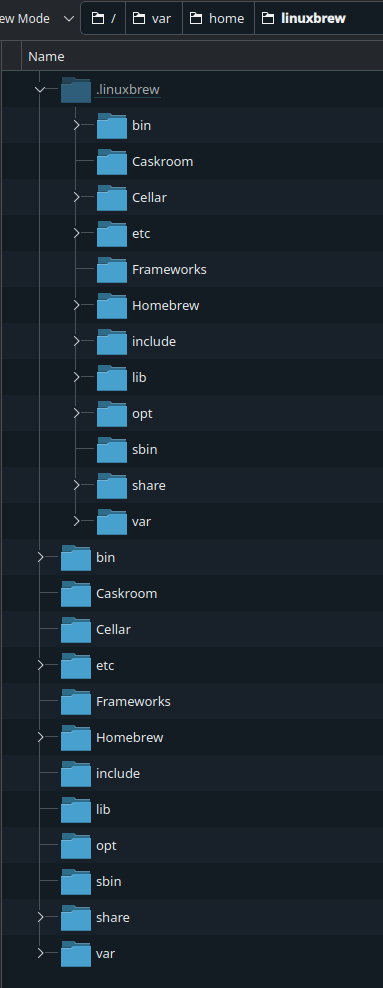
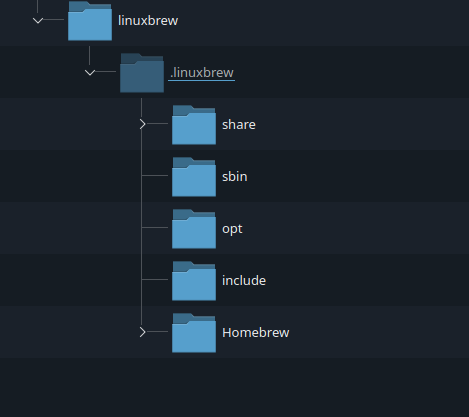
After some update the message of 'Some System Updates Failed Systems Failed: Brew Update' started appearing. I ran ujust update and it all went fine, no errors or anything. Funny thing though - it didn't even try updating brew, that section just did not appear. I noticed I have
So that's about the extent of my knowledge. So did brew somehow get wiped...? Any way to fix this? I suspect this happened with update to 42. Seems like it's not the answer to life, universe and everything.
Also this is the
bash: /home/linuxbrew/.linuxbrew/bin/brew: No such file or directory on top of my terminal. I tried rebasing to 41 but I got:error: Updating rpm-md repo 'rpmfusion-free-updates': Failed to download gpg key for repo 'rpmfusion-free-updates': Curl error (37): Could not read a file:// file for file:///etc/pki/rpm-gpg/RPM-GPG-KEY-rpmfusion-free-fedora-41 [Couldn't open file /etc/pki/rpm-gpg/RPM-GPG-KEY-rpmfusion-free-fedora-41]So that's about the extent of my knowledge. So did brew somehow get wiped...? Any way to fix this? I suspect this happened with update to 42. Seems like it's not the answer to life, universe and everything.
Also this is the
rpm-ostree statusState: idle
Deployments:
● ostree-image-signed:docker://ghcr.io/ublue-os/bazzite:stable
Digest: sha256:20faa2b23b1d415f9182d38fc8c039114e11059511a4c189ffd5997d5f34b517
Version: 42.20250513 (2025-05-13T16:14:14Z)
LayeredPackages: coolercontrol liquidctl
ostree-image-signed:docker://ghcr.io/ublue-os/bazzite:stable
Digest: sha256:1ef5fa460cf052572aa831ffb4ad1142af2f53e20910f867d99b8cf74cf8d6c0
Version: 42.20250511 (2025-05-12T03:51:29Z)
LayeredPackages: coolercontrol liquidctl
Solution
So I sudo these 2 lines proposed by @tulip to reinstall brew and it seems to have worked so far. ujust update also does its thing properly now and updates brew. No more pop up.
Sorry for the @ just wanted to let you know this issue is still present. I'm guessing it's more popular but people that don't use brew like me just don't notice it till that pop up starts showing up.
Sorry for the @ just wanted to let you know this issue is still present. I'm guessing it's more popular but people that don't use brew like me just don't notice it till that pop up starts showing up.