

Welcome to the official Cloudflare Developers server. Here you can ask for help and stay updated with the latest news
83,498Members
View on DiscordResources
Recent Announcements
Similar Threads
Was this page helpful?
CLOUDFLARE_ACCOUNT_ID B
B O
O A
A <
< �
� G
G K
K J
J P
P A
Avite dev. The problem is that this worker is a "child" binding in a parent router, and when it starts up, the parent wrangler dev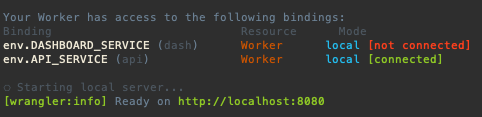 A��
A�� 0
0 CCC
CCC T
T E
Esecrets but it is not working, it returns an errorcloudflare/wrangler-action@v3, is not required to create a .toml file, I've tried to set-up --project-name and --name but I couldn't solve it, how can I fix this error?wrangler pages secret put ASTRO_DB_APP_TOKEN J
J A
A Y
Y ST
ST H
Hworkerd I
IApart from forwarding requests and writing HTMLThere's lots you can do without Node compat, a lot of people make APIs on Workers, and you can access databases now (plus Hyperdrive if you want to speed them up), or use KV for global read-heavy storage, or R2 for blob storage, etc.
YG R
R--yes bugged with wrangler rollback ?  D
DAuthentication error [code: 10000] a lot lately. If it knows how I'm logged in, then why is it giving me errors. I've tried logging out and logging back in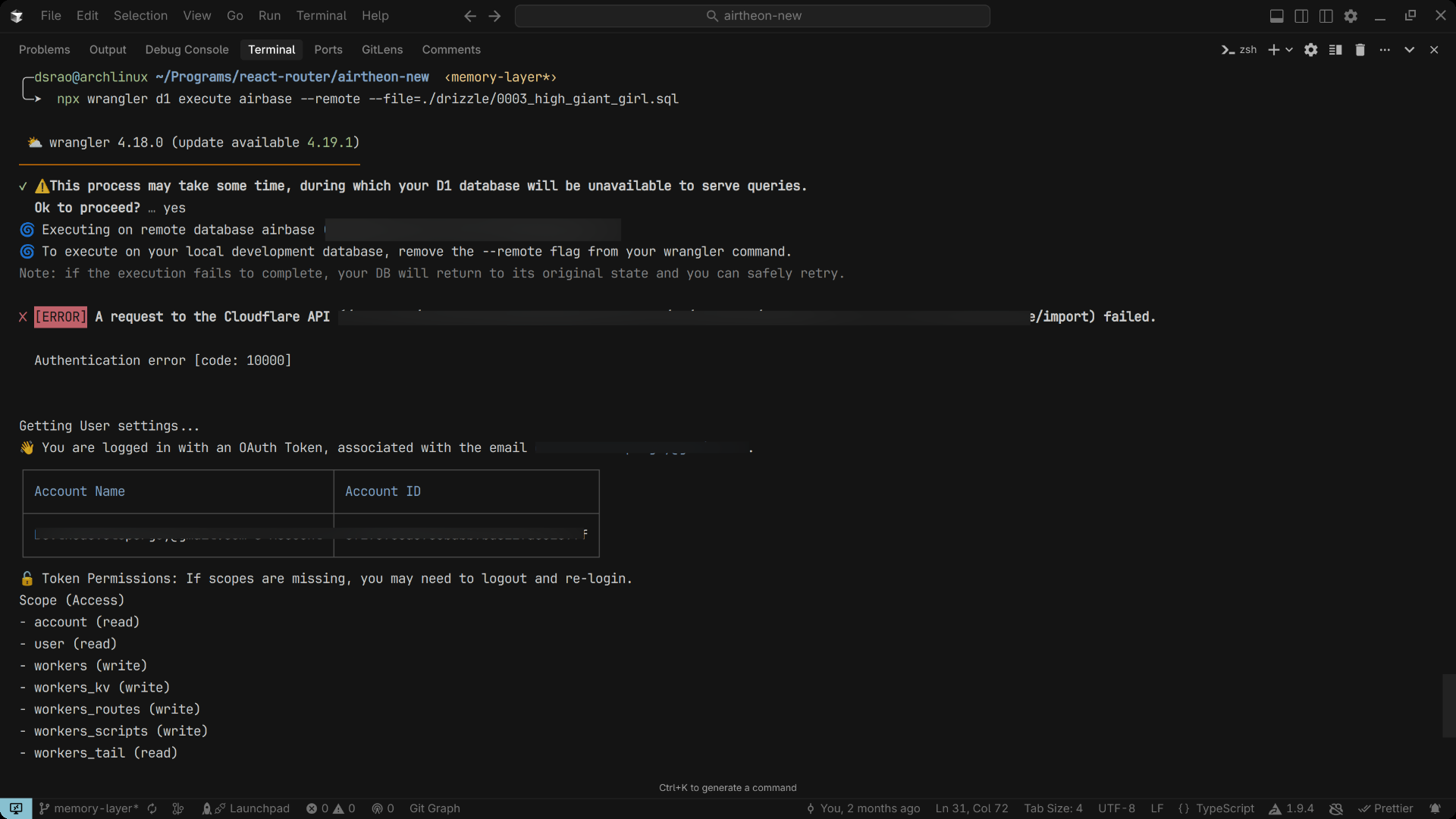 D
D 9
9wrangler dev --remote ( or npx wrangler dev --remote) in Cloudflare Workers. When I run this command and press 'b' to open the browser, I get redirected from http://127.0.0.1:8787/ to my production workers.dev URL instead of seeing my development environment. [wrangler:info] GET / 307 Temporary Redirect (14052ms)--remotepreview_urls = true and workers_dev = true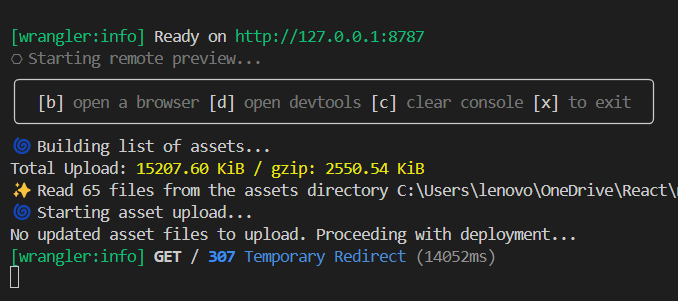 9
9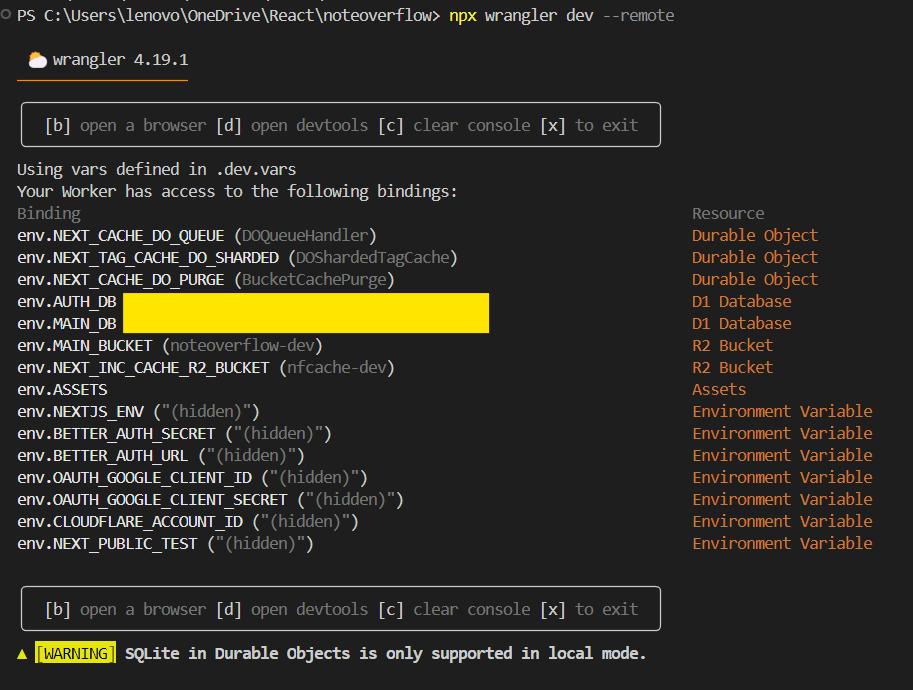
 W
W N
Nwrangler d1 migrations apply)package.jsonmigrations:apply, migrations:list, migrations:gen. how can i make a script that effectively deletes the local db + migrations:apply??RNrm -rf .wrangler/stateNA S
S S
Svite dev{
"name": "router",
"main": "apps/dev-router/src/index.ts",
"compatibility_date": "2025-04-03",
"workers": {
"dash": "apps/dash/wrangler.jsonc",
"api": "apps/server/wrangler.jsonc"
},
"services": [
{
"binding": "DASHBOARD_SERVICE",
"service": "dash"
},
{
"binding": "API_SERVICE",
"service": "api"
}
],
"dev": {
"port": 8080,
"local_protocol": "http"
}
} ERROR dyld[87080]: Symbol not found: (__ZNSt3__122__libcpp_verbose_abortEPKcz)
ERROR Referenced from: '/Users/x/dev/app/node_modules/@cloudflare/workerd-darwin-64/bin/workerd'
ERROR Expected in: '/usr/lib/libc++.1.dylib'
ERROR Failed to initialize wrangler bindings proxy write EPIPE-e<APP>-stagingsecrets🔑 Uploading secrets...
/usr/local/bin/npx wrangler secret bulk
⛅️ wrangler 4.18.0 (update available 4.19.1)
─────────────────────────────────────────────
✘ [ERROR] Required Worker name missing. Please specify the Worker name in your Wrangler configuration file, or pass it as an argument with `--name <worker-name>`cloudflare/wrangler-action@v3--project-name--namewrangler pages secret put ASTRO_DB_APP_TOKEN--yeswrangler rollbackAuthentication error [code: 10000]wrangler dev --remotenpx wrangler dev --remotehttp://127.0.0.1:8787/[wrangler:info] GET / 307 Temporary Redirect (14052ms)preview_urls = truewrangler d1 migrations applymigrations:applymigrations:applymigrations:listmigrations:genrm -rf .wrangler/statedeploy:
runs-on: ubuntu-latest
permissions:
contents: read
deployments: write
needs: [test] # Correct job name
steps:
- uses: actions/checkout@v4
- uses: oven-sh/setup-bun@v2
- run: bun i
- run: bun run build
- name: Publish
uses: cloudflare/wrangler-action@v3
with:
apiToken: ${{ secrets.CLOUDFLARE_API_TOKEN }}
accountId: ${{ secrets.CLOUDFLARE_ACCOUNT_ID }}
# projectName: ${{ secrets.CLOUDFLARE_PROJECT_NAME }}
command: pages deploy dist --project-name="$CLOUDFLARE_PROJECT_NAME" --name="$CLOUDFLARE_PROJECT_NAME"
gitHubToken: ${{ secrets.GITHUB_TOKEN }}
secrets: |
ASTRO_DB_APP_TOKEN
ASTRO_DB_REMOTE_URL
env:
ASTRO_DB_APP_TOKEN: ${{ secrets.ASTRO_DB_APP_TOKEN }}
ASTRO_DB_REMOTE_URL: ${{ secrets.ASTRO_DB_REMOTE_URL }} CDCloudflare Developers / workers-and-pages-helpCDCloudflare Developers / workers-and-pages-helpCDCloudflare Developers / general-helpCDCloudflare Developers / workers-and-pages-help


