
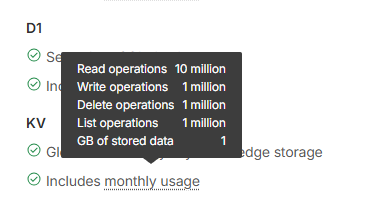
25mb is the limit per KV value. It can hold any value up to 25mb indefinitely, yes.
25mb is the limit per KV value. It can hold any value up to 25mb indefinitely, yes.
 P
P C
C
 I
I H
H SC
SC Y
Y
 A
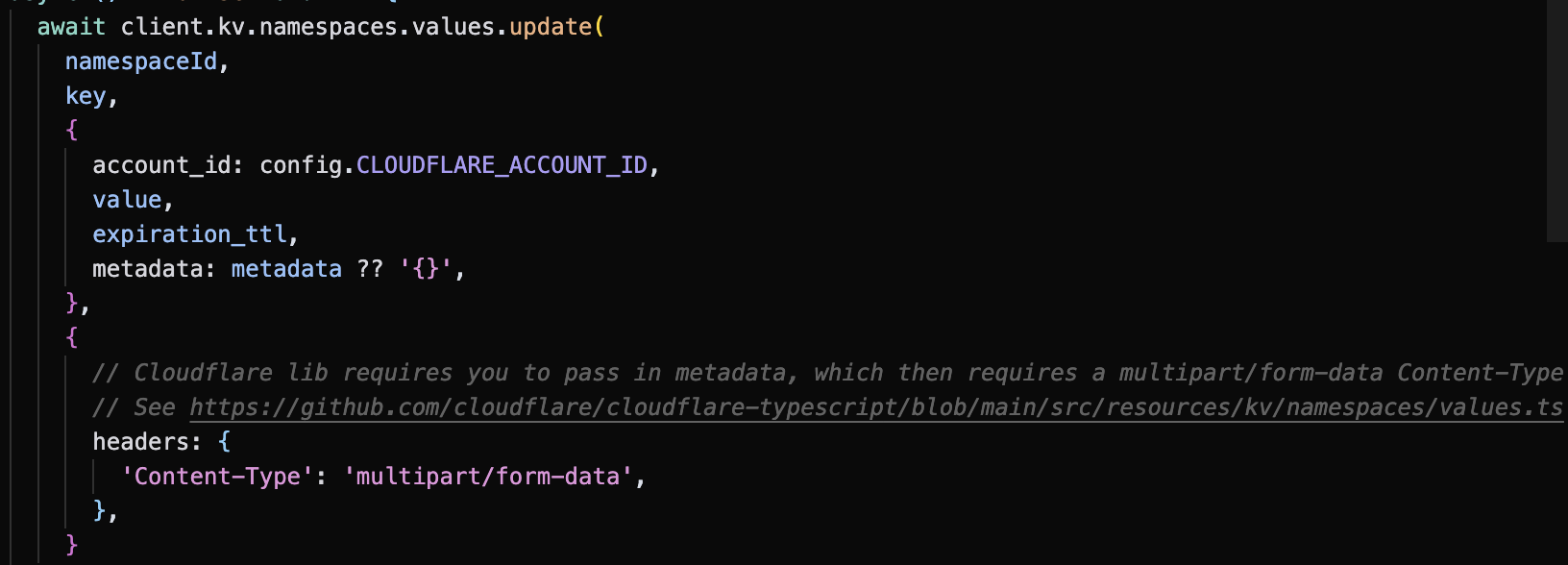
Ametadata is supposedly optional, but required in the type definition within the cloudflare-typescript library.metadata object on your writes to KV! WRONG!!{ value: XYZ, metadata: {}}. Not super intuitive, I'd rather just store XYZ. So then I learned:metadata, you actually need to include the Content-Type: multipart/form-metadata header (image 1, link). The library has some handling for automatically including this header, but it doesn't catch these cases where we're forced to pass in empty metadata 
{"code":10047,"message":"can not parse value and metadata from multipart request body: 'could not parse multipart request: 'no multipart boundary param in Content-Type''"}Content-Type: multipart/form-data; boundary=asfghjkl?.value on your GET response from KV, potentially running into issues when this finally gets fixed? Or did you manually pass in a fancy header? Or something else I am forgetting?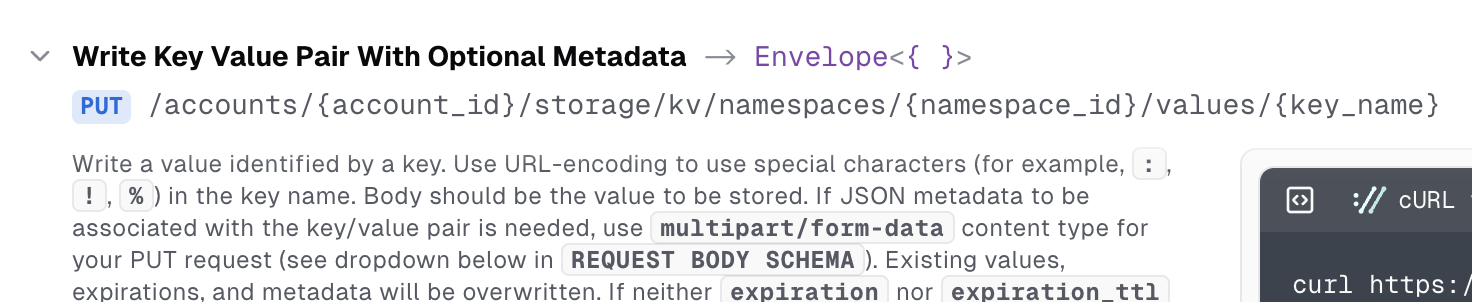
 SII
SII J
J
 M
M S
S S
S LI
LIjust getting the value and incrementing it would be too inefficient since it would be two requests to the KV every time the button is clicked.Not only that, KV is eventually consistent. If you do a
get()put()get()put() L
L
 E
E
 WW
WW T
Tcloudflare https://www.npmjs.com/package/cloudflare/v/5.0.0
npm i cloudflare SI
SIlist()get()getWithMetadata()waitUntil() 1TSIS
1TSIS BBM
BBM D
D HDD
HDD![[Lost Alpha] C*O*L*T](https://cdn.discordapp.com/avatars/357807917187203072/74caffe65eac78ad18859c141e5bce10.webp?size=40) [T
[T WW
WW BW
BW

const keys = await env.NAMESPACE.list();

Promise.all(keys.map(async (key) => {
  const v = env.NAMESPACE.get(key.name);
  console.log(v);
}))
const state = ulid(Date.now());
const stateData: StateData = {
returnTo: safeReturn,
codeVerifier: verifier,
createdAt: Date.now(),
expiresAt: Date.now() + this.STATE_TTL_MS
};
await this.stateDatabase.set(state, JSON.stringify(stateData), {
expirationTtl: this.STATE_TTL_MS
});metadatametadatametadatacloudflare-typescript{ value: XYZ, metadata: {}}Content-Type: multipart/form-metadata{"code":10047,"message":"can not parse value and metadata from multipart request body: 'could not parse multipart request: 'no multipart boundary param in Content-Type''"}Content-Type: multipart/form-data; boundary=asfghjkl.value


![[Lost Alpha] C*O*L*T](https://cdn.discordapp.com/avatars/357807917187203072/74caffe65eac78ad18859c141e5bce10.webp?size=16)


