Quota not resetting after new billing cycle (Free Plan)
Hi team,
I’m on the Free Plan and I’ve run into an issue with quota reset.
My project Doksy exceeded the 50 compute hours quota last month.
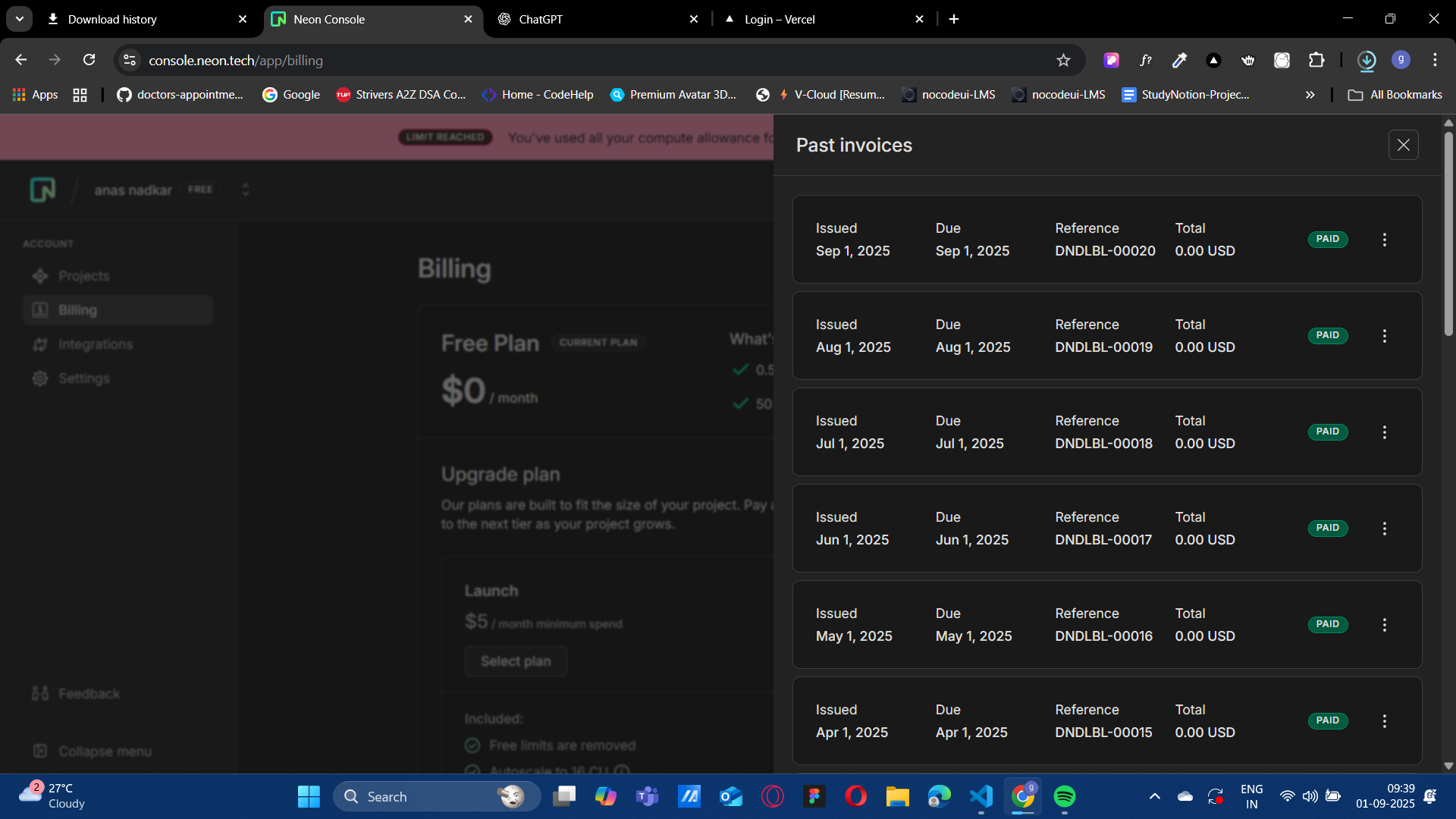
Today is September 1st, 2025, and according to billing my cycle has reset (I can see the new invoice showing 0.00 USD).
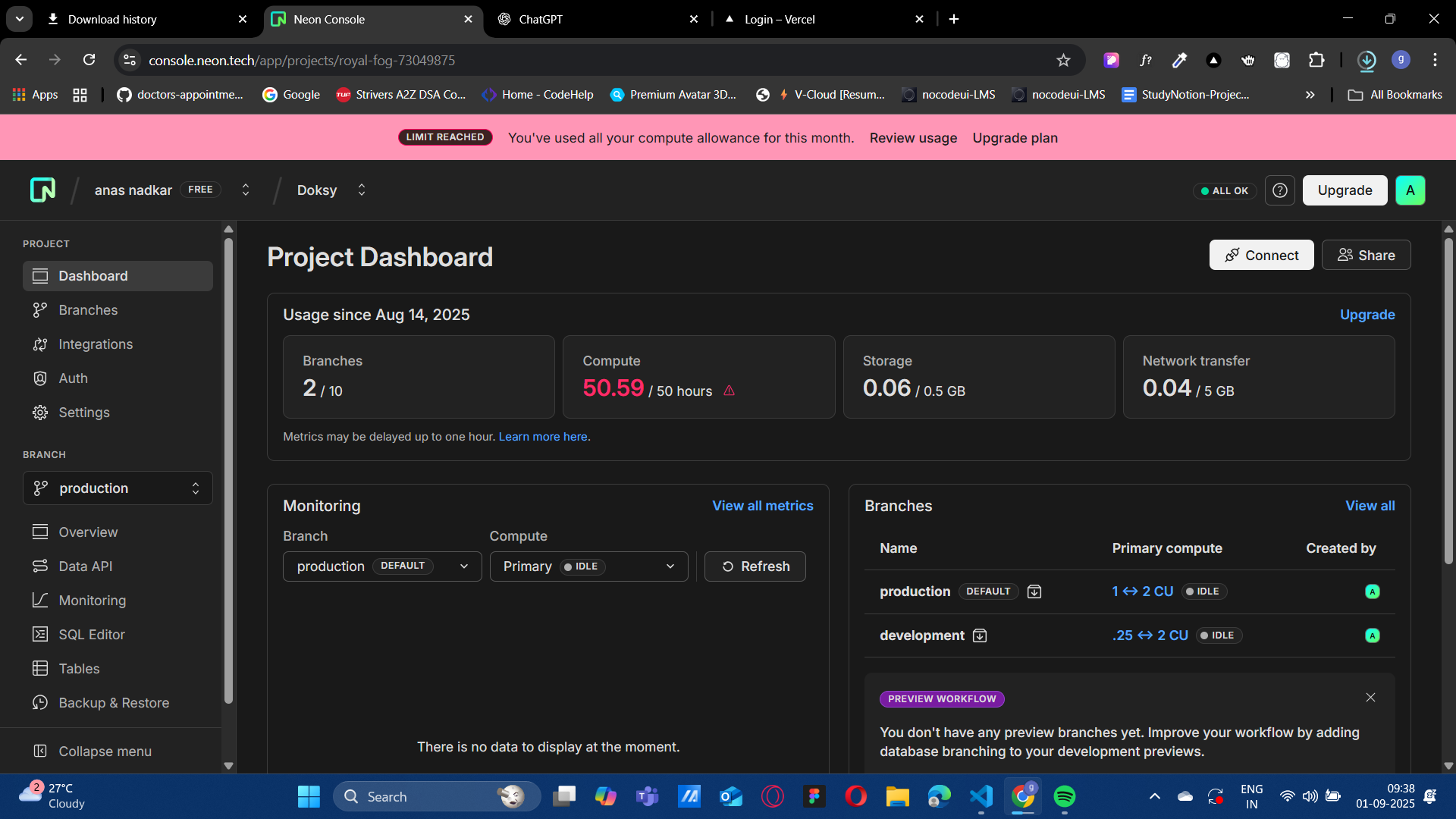
However, my dashboard still shows 50.59 / 50 compute hours used, and I can’t connect to the database.
Prisma gives this error:
ERROR: Your account or project has exceeded the compute time quota. Upgrade your plan to increase limits.
Steps I’ve already tried:
Logging out and back in
Refreshing usage metrics
Pausing/resuming the branch
Verified billing reset
It seems like the quota hasn’t refreshed correctly for my project even after the new cycle started. Could you please help reset the compute quota for my project so I can continue using it?
Thanks a lot
I’m on the Free Plan and I’ve run into an issue with quota reset.
My project Doksy exceeded the 50 compute hours quota last month.
Today is September 1st, 2025, and according to billing my cycle has reset (I can see the new invoice showing 0.00 USD).
However, my dashboard still shows 50.59 / 50 compute hours used, and I can’t connect to the database.
Prisma gives this error:
ERROR: Your account or project has exceeded the compute time quota. Upgrade your plan to increase limits.
Steps I’ve already tried:
Logging out and back in
Refreshing usage metrics
Pausing/resuming the branch
Verified billing reset
It seems like the quota hasn’t refreshed correctly for my project even after the new cycle started. Could you please help reset the compute quota for my project so I can continue using it?
Thanks a lot