
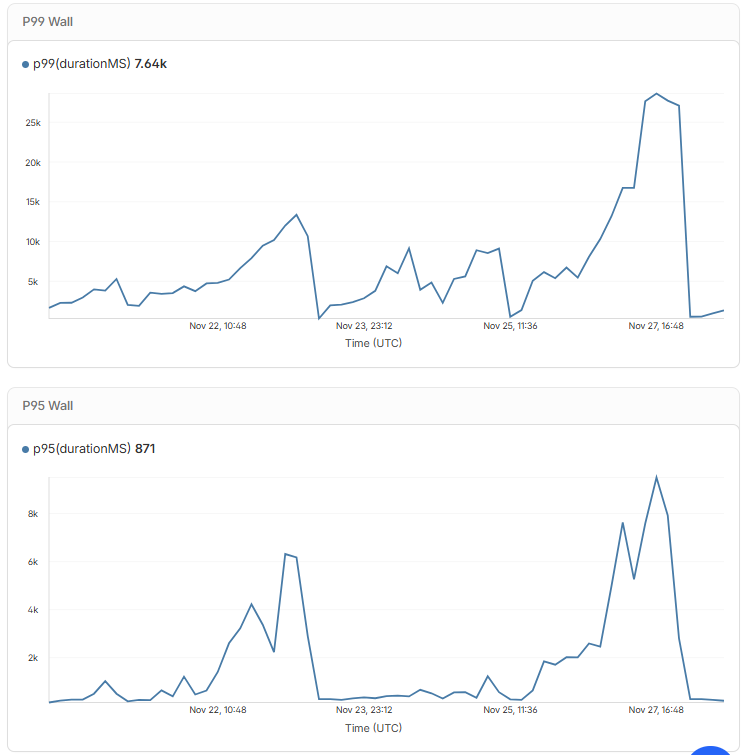
Ok so I enabled read replication and that helped a lot, so the D1 must have been placed in far away
Ok so I enabled read replication and that helped a lot, so the D1 must have been placed in far away land somewhere
 T
T C
C L
Lcolo airport code in the D1 query responses as well, similar to served_by_region. It's annoying to not know where your DB is located (I know, we should do this sooner!).C M
M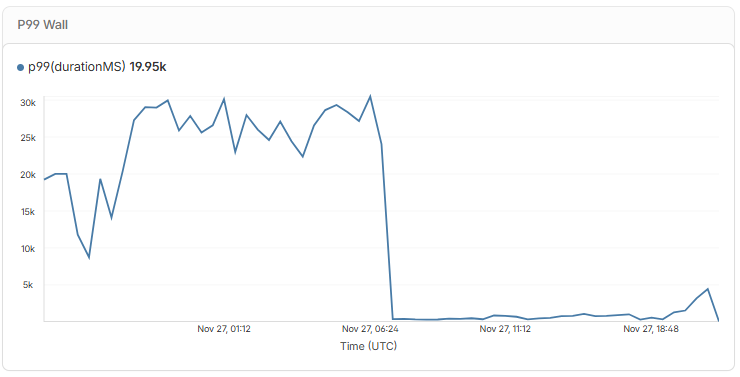
 T
T MFFMTM
 , I’ll work on that. Thank you so much
 P
Pastro dev. D
D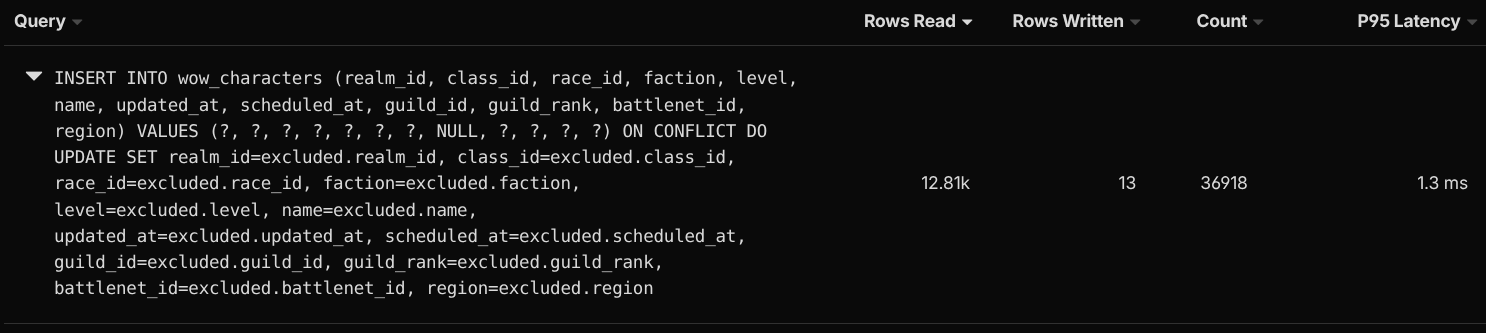 F
Fexplain this specific query to find out what sqlite is doing under the hood https://sqlite.org/lang_explain.html. J
J.dev.vars file and if I find one, I read it with an NPM package that can parse .env files so I can get the development vars. During a production build the .dev.vars file won't exist because it never goes into the repo. (With this tactic, I can have just the one standard drizzle.config.ts file and not have a separate local version of it.)J.dev.vars file using a .env parser in order to get some details that I need related to Vite's devserver proxy config. GG
GG CM
CM
 R
R HRRFRRH
 F
Fwrangler.json. LF ELE
ELE K
K V
V JL
JL V
V
 W
W CGGCGGM
coloserved_by_regionastro devexplain.dev.vars.dev.vars.dev.vars.env.envdrizzle.config.tswrangler.jsonimport { defineConfig } from ‘drizzle-kit’;
export default defineConfig({
out: ‘./src/server/db/migrations’,
schema: ‘./src/server/db/schema/index.ts’,
dialect: ‘sqlite’,
dbCredentials: {
url: “path to the sqlite db on .wrangler folder”
},
});


