Making a script to enable my camera
I'm using a sony a6400 which needs some trickery to work as a webcam.
I need to run:
1.
2.
3.
To do so, i changed the last one to be:
However if i run the .sh file with these commands nothing happens!
But it will work if i open the .sh file from my host terminal...
So i'm trying to open the terminal and make it execute those 3 commands, to hopefully keep it open.
From the docs,
However i'm having issues with that part, as it's refusing to run the command correctly.
I've tried
I've also tried
What can i do?
I need to run:
1.
sudo modprobe v4l2loopback at least once (doing it more times is fine)2.
pkill -f gphoto2 to kill any instance of gphoto2 that was left over3.
photo2 --stdout --capture-movie | ffmpeg -hwaccel nvdec -c:v mjpeg_cuvid -i - -vcodec rawvideo -pix_fmt yuv420p -threads 0 -f v4l2 /dev/video0 inside distrobox, which will make the camera work until i stop it.To do so, i changed the last one to be:
distrobox-enter -n Ubuntu -- gphoto2 --stdout --capture-movie | ffmpeg -hwaccel nvdec -c:v mjpeg_cuvid -i - -vcodec rawvideo -pix_fmt yuv420p -threads 0 -f v4l2 /dev/video0However if i run the .sh file with these commands nothing happens!
But it will work if i open the .sh file from my host terminal...
So i'm trying to open the terminal and make it execute those 3 commands, to hopefully keep it open.
From the docs,
ptyxis --new-window -x should open a new window and execute the following command.However i'm having issues with that part, as it's refusing to run the command correctly.
I've tried
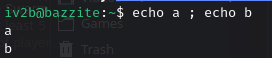
ptyxis -x top ; echo a which opens top, then prints a when closing it.I've also tried
ptyxis -x "top ; echo a" but that tells me ; is not a valid parameter of top, wut.What can i do?