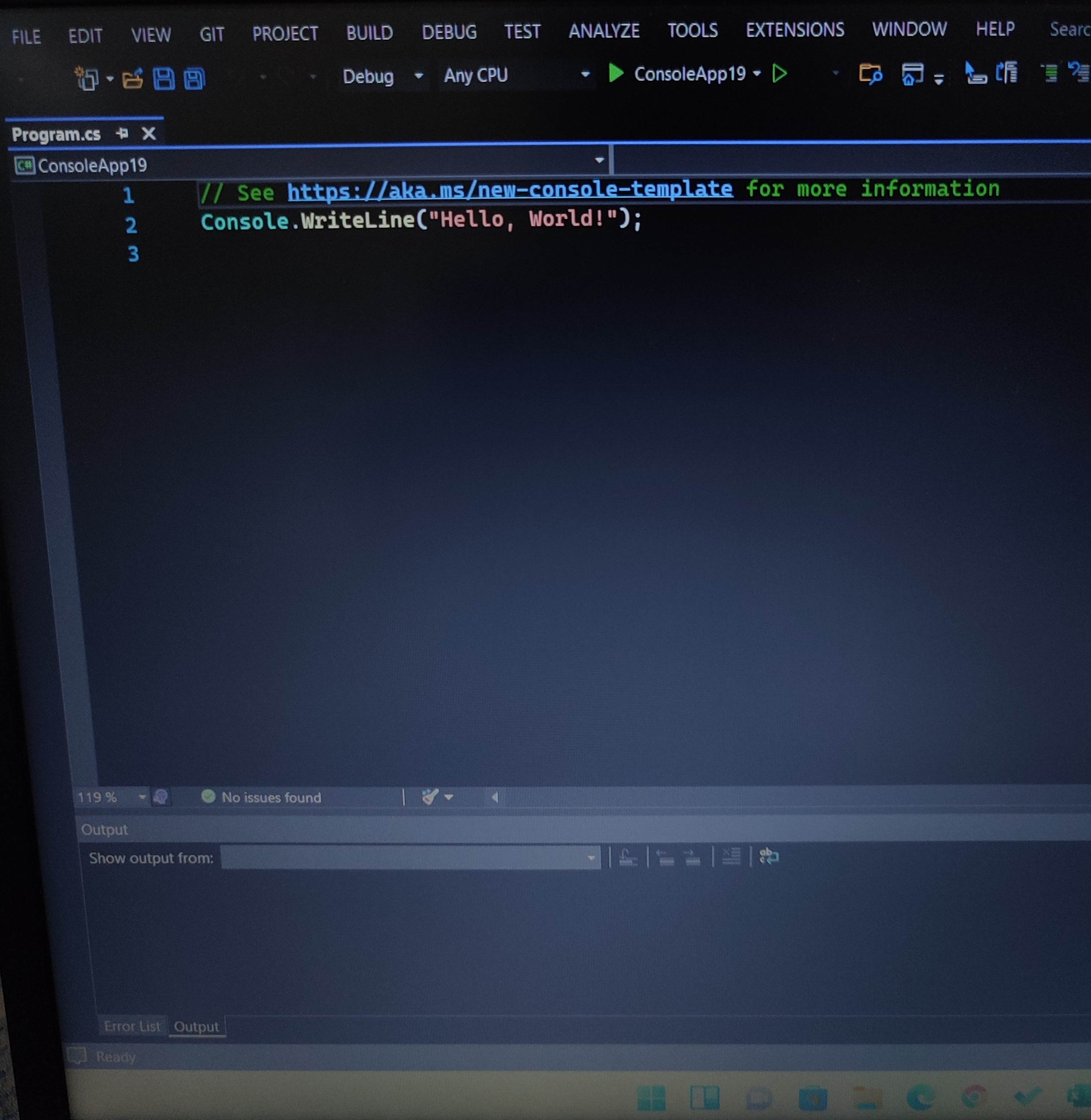
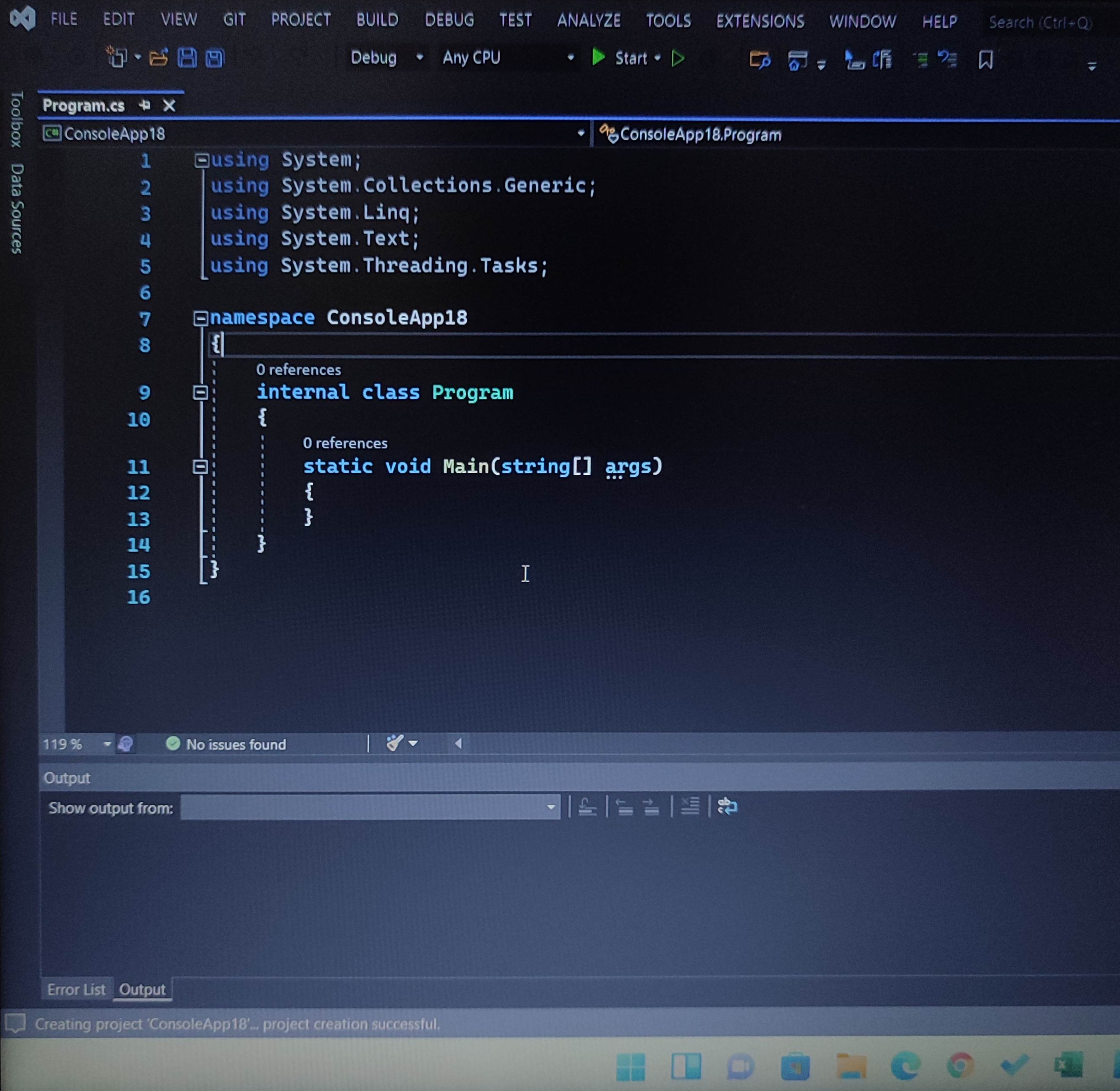
When I run Visual studio , The programming page always starts like this" as shown in the fisrt pictu
When I run Visual studio , The programming page always starts like this" as shown in the fisrt picture, how can I run Vs. With classes Without having to write them down every time As shown in the second picture.
I tried to check it out from tools bar -Project > Add Class , there are many, but I couldn't find the right option, Does anyone have a solution?
I tried to check it out from tools bar -Project > Add Class , there are many, but I couldn't find the right option, Does anyone have a solution?