
 T
Tmultiple threads were uploading constantly

 K
Kyeah, those are often pretty limited in space
 S
SUnless Unified memory?
 K
K I don't think I really understand what they are doing tbh, this should be 100% IO bound workT
... aren't staging buffers just in RAM?
SExactly
Kwell it depends* they need to be in a space that the driver has access to
Kand on integrated GPUs that can get pretty funky
 T
Tmost of the time on the profiler was being spent in copying to mapped memory
KI mean many of the modern AMD cards have a memory type that looks like
with like 8GB
but on some iGPUs the best you get is
at very limited space
with like 8GB
but on some iGPUs the best you get is
at very limited space
Khmm. Could be related to it being coherent if the implementation is weird how are you copying?
how are you copying?TUnsafe.CopyBlockUnaligned :)
Ti tried a normal for-loop but it was slightly slower
KI'm not sure, but can you try using Span.CopyTo? pretty sure that is the fastest you can get
Kcause that uses fancy vector instructions and stuffs
Twas the same speed as Unsafe.CopyBlockUnaligned
Kah ok :(
SI think they call same underlying method with
ref bytemaybe they unified those two at some point, I think I heard about that
Khmmm
KFuck it, let me create a project
KI wanted to rewrite type references today but I guess I'm torturing my GPU today
KHaven't really build stuff with the new(ish) chain extensions, and man that opens up some awesome uses that I didn't even think of when this was designed:
 P
Phonestly @thargy is a fucking genius
KIs it good when my audio driver starts to crash when I run my memory test 
 L
Lyes
Kapparently if you leak GPU local memory the driver has a hard time tracking which it was and just... clears all of it, bringing the audio memory down with it xD
KAMD drivers on point as always
Lstill better than nvidia
Ktrue
KSo getting 5% throughput right now (about 1.6 GB/s)
Lnice
KNot really, kinda hoped for an immediate 60+% with this code
KI can get almost 19 GB/s now, given everything aligns perfectly
KWith Generic block sizes a bit less, up to 16 GB/s
K(This is doing 6 consecutive uploads of 1 GB each, then it waits for those to complete)
KIf I don't wait for any transfers to complete (up to 1TB of "in flight" data) I can get 90% peak throughput. so That's ~28 GB/s
KNote that this is on PCIe 4.0 x16 and I'm just going off the Task Manager to figure out the throughput, but seems reasonable
KLooks like the main thing slowing this down is the CPU waiting for things to complete. If there is stuff to load at all times 90% throughput is possible
KCode: https://gist.github.com/HurricanKai/0125b844666b26b531bb204f099d513d, would be cool if someone can test this on some other devices (maybe even iGPU?) to see what can be achieved there
Knote that there are a bunch of hardcoded values in there and the program will just die when something goes wrong
KMost important are the config values at line 92, that decides how much data is shoved down the lanes and in how large blocks
K(by passing
localBlockSizeulong.MaxValueAlso note that my device has 2 Transfer queues (I'm using both in round-robin here) & I'm not using Graphics or Compute queue here, so in theory there is zero interference with other parts, other then memory usage
KI can also get up to 80% throughput on smaller (100mb) blocks by tuning the block count.
K@techpizza iirc you were interested in this. If you want I'm also happy to explain how this works
Kquite happy with the memory footprint here. That big buffer on the right is the target
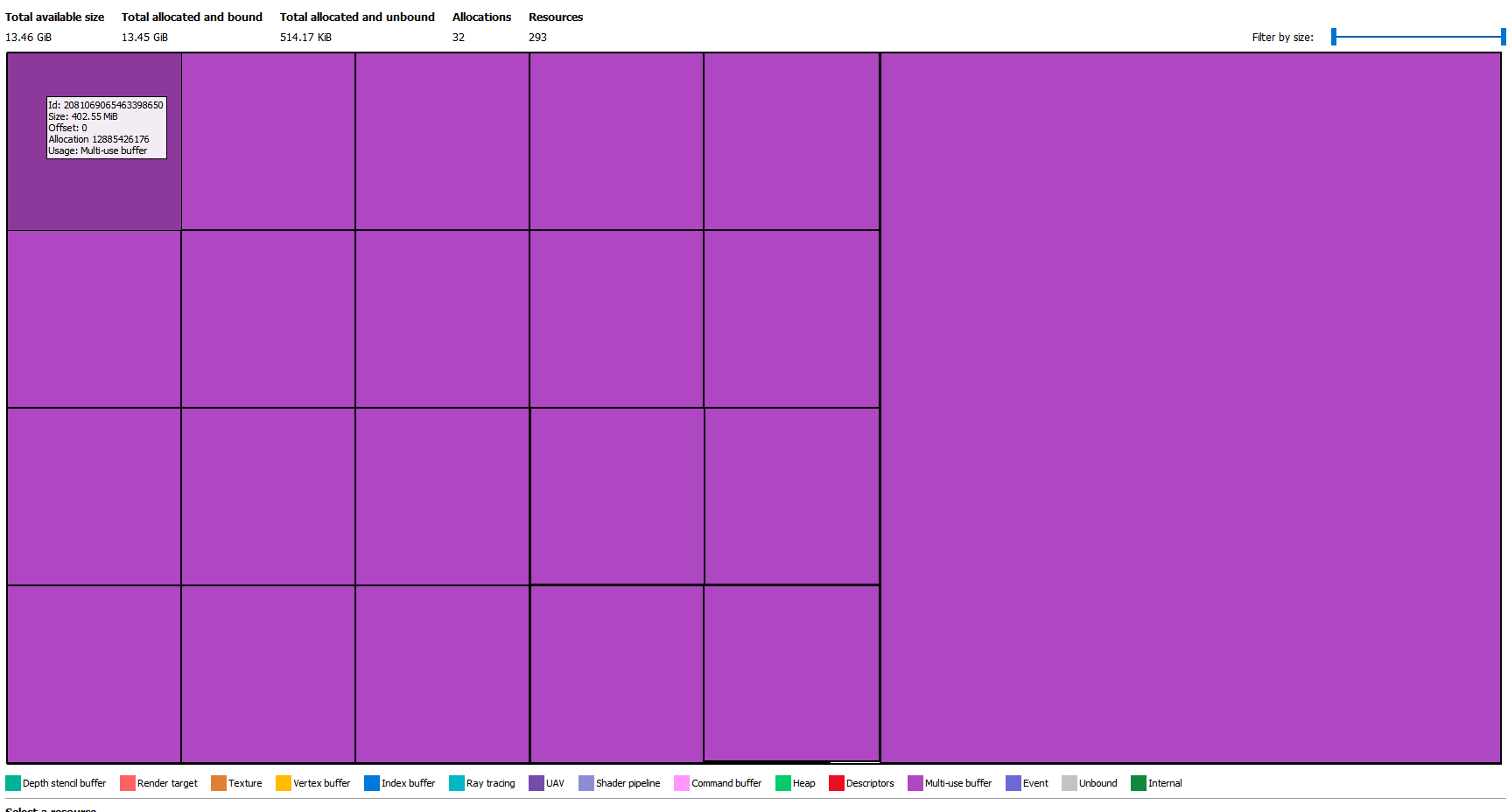 K
KI'll measure the precise throughput using write timestamp later, but I don't expect there to be any surprises there
Pi love how Qualcomm are basically the only ones keeping OpenGL alive now
Pthey just added variable rate shading to GLES