if i update do i need to reinstall extensions?
So when i run
blueprint -upgrade will it delete all my extensions? or do they remain?
idk because it says Upgrading will wipe your .blueprint folder and will deactivate all active extensions. Continue? (y/N) but i dont know what that mean...speciall type error
[webpack-cli] Failed to load '/var/www/pterodactyl/webpack.config.js' config
[webpack-cli] Invalid options object. Terser Plugin has been initialized using an options object that does not match the API schema.
- options has an unknown property 'cache'. These properties are valid:
object { test?, include?, exclude?, terserOptions?, extractComments?, parallel?, minify? }...
Upgrade error
using beta-2024-12
tried runniing sudo blueprint -upgrade
```18:03:27 INFO: Fetching and pulling latest release..
curl: (3) URL using bad/illegal format or missing URL
unzip: cannot find or open main.zip, main.zip.zip or main.zip.ZIP....

Oops! An Error OccurredThe server returned a "503 Service Unavailable".
i got this error when i try update my blueprint

Have an issue
```19:25:23 INFO: Rebuilding panel assets..
yarn run v1.22.22
$ yarn run clean && cross-env NODE_ENV=production ./node_modules/.bin/webpack --mode production --progress
$ cd public/assets && find . ( -name ".js" -o -name ".map" ) -type f -delete
/var/www/pterodactyl/node_modules/webpack-cli/bin/cli.js:141...
recoding a addon i paid for (need quick coing help)
how do i make it so when i click save it Hides all text i enternd in here?
curently it shows Secret key to all staff after i click save...
blueprint panel ising panneling (poblary a dumb issue)
im trying to get blueprint work on my homeserver (in proxmox) with docker and nginx proxy manager. I got it to install but now im getting 502 bad gateaway but if i go directly to the ip it gives the html but dosent show it :heavysob: panel logs: https://pb.csd4ni3l.hu/?45f09e0347cc9b05#7kWaY6K7wiGdMAhYF1bBoJh2NNq5aRdUrMa9VbZnR8AD (ts is a friend pastebin)
Solution:
Change the port to 3000 in your panel.conf or change the right port mapping for panel to 80.
Right now you're directing traffic to port 3000 in the container, where nothing is listening....

Anyone else getting this issue?
I swapped to a new VPS so i transfered everything. Website panel blueprint addons ect ect. it worked fine but i tried to uninstall sega's terrible addons and it said blueprint wasnt installed. and now it says this 🙂 i tried to uninstall and reinstall but still no luck 🙂

reset the backup que
backup system whent down and well ther is some backups that is trying to get created but dont... can i refrech the que some how?
Unfinished Installation
Hello, my panel says that blueprint isnt installed correctly but nebula theme is applied across the panel.
Shell Output: see file...
Solution:
nvm i was in memory overflow because the LXC got only 512MB of RAM inside Proxmox VE, i assigned 5120 MB now and re-run installation. Meanwhile i watched the usage and about 2 vCores and at least 2048 MiB RAM are needed to run Ptero panel with Blueprint on Debian 13.

I cant install
Solution:
blueprint -upgrade should do the trick, if it asks you anything, assume you should tell it yesStuck on flushing cache
I'm upgrading the blueprint but it is stuck on clearing cache
Solution:
delete your node_modules directory and run the
yarn install command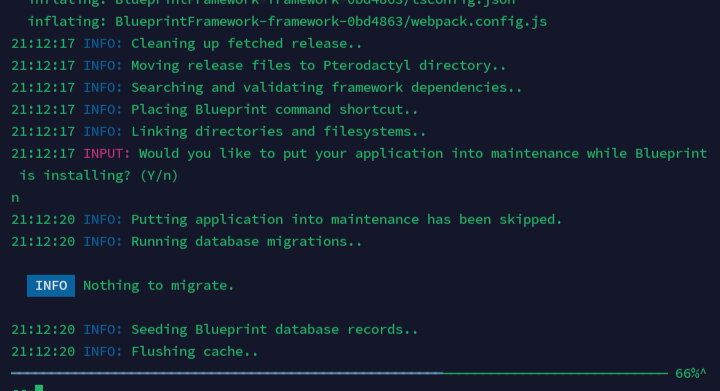
FATAL: Blueprint
root@!𝙍𝙞𝙭𝙎𝙩𝙤𝙣:/var/www/pterodactyl# bash blueprint.sh
mv: cannot move '/var/www/pterodactyl/blueprint' to '/var/www/pterodactyl/.blueprint/blueprint': Directory not empty
13:40:06 FATAL: Blueprint is already installed, use the 'blueprint' command instead....

Nebula Question
Are you able to change the text shown in the image, like rename it from support to something else and also change the icon?

little dots not showing - Nebula
Hello, on one of my pterodactyl panels with Nebula, I have the 3 little dots that appear for the tabs of other modules but on another panel, there are not these 3 little dots. Is it something in the configuration in particular that I missed ? Because I have the impression of literally having the same configuration (blueprint, extension and nebula)
Solution:
This requires editing Nebula's source code- more info about that in #Tutorial: Add a new Button to the nebula sidebar
(Answer Overflow users -> https://www.answeroverflow.com/m/1314144268360876042)...
