
 W
WGoogle Docs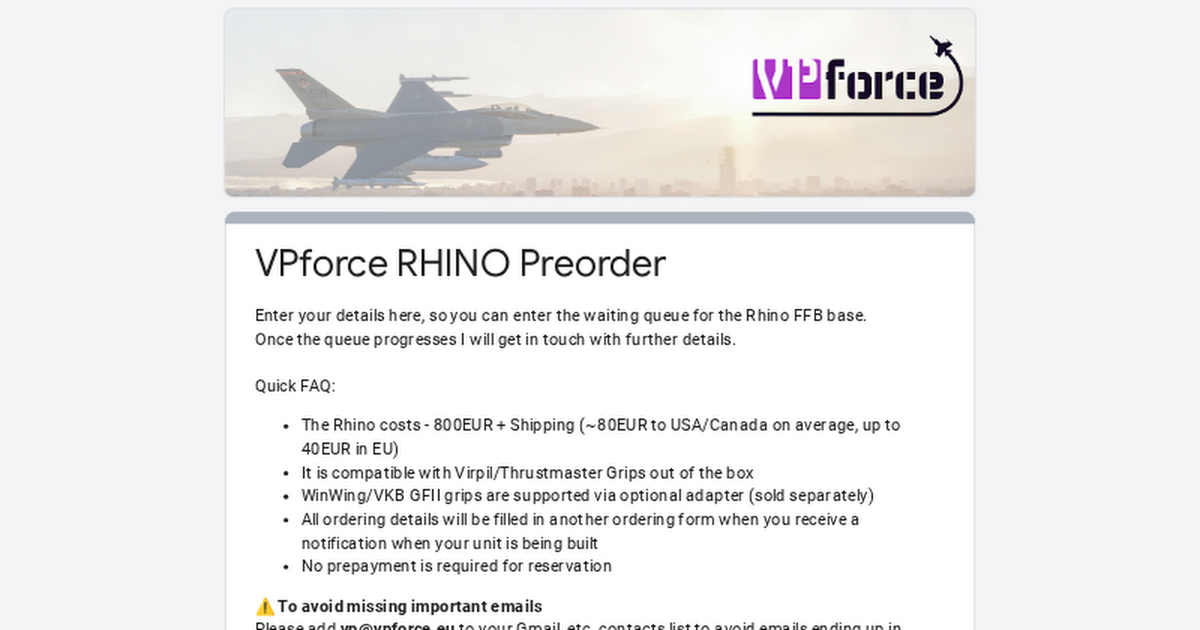
Enter your details here, so you can enter the waiting queue for the Rhino FFB base.
Once the queue progresses I will get in touch with further details.
Once the queue progresses I will get in touch with further details.

 K
KNo I just ordered the collective base with grip. With an order number and everything
KNever heard of the Rhino before, what is it?
KBase I see.. Will it support helicopters?
 W
WYeah, DCS force trim is well supported. You can find more info in the # faq channel about the dimensions, etc.
faq channel about the dimensions, etc. Y
YYou've got something mixed up. Walmis doesn't have a collective
 K
KIt's not part of the virpil product line? 
Wthis is VPforce Discord, nothing to do with Virpil. While the initials might seem similar, VP is my actual first/last name initials 
KLol sorry I mixed it up
KDefinately interested though, I signed up 
KCan I ask how tall this base is from top to bottom? Doing measurements on my rig
Wthere's a drawing in the #faq channel
faq channelKOh, 29cm,thats pretty huge!
KIt looks smaller on videos
KI'll make it fit 
 P
Pit's worth it!
 K
KI bet. I love that it's already extended to some extent. Will be good for helicopter maneuvers etc. I hope itll support no centering, or that we can change cebterpoint/trim on the fly for simulators that's not otherwise supported
PAlready a thing m8! Force trim has worked perfectly for me in the dcs huey & Black Shark 2, msfs2020 dosen't support ffb natively but XPForce or other 3rd party software will give you ffb in msfs, I use XPForce atm & it's good, however it doesn't support force trim, Walmis has just updated the software/firmware for the RHINO base & you can now set force trim in the config software for the RHINO base, so for games that don't support force trim you can still do it through the software.
PFlying heli's in DCS has been so much better!, also the RHINO has a huge throw on it, I use a 200mm extension, but the software allows you to adjust the length of throw for the x & y axis & it auto-magically adjusts the calibration to fit, this is awesome for going from aircraft to aircraft that may have different throw, or even just to make it fit your pit size.
 F
FNext step: a hook for DCS to automatically detect which aircraft you fly and adjust throw accordingly
KThis is literally what I just asked some real pilots about. That was actually my next question.. 20cm extender would be too tall on my rig. I did some measurements, and I cannot use an extender, because the base will cover the whole height.. So I guess with VPforce I won't get as realistic throw as with a real cyclic.. But maybe the fact that it's a freaking force feedback base will weight up for the lack of throw
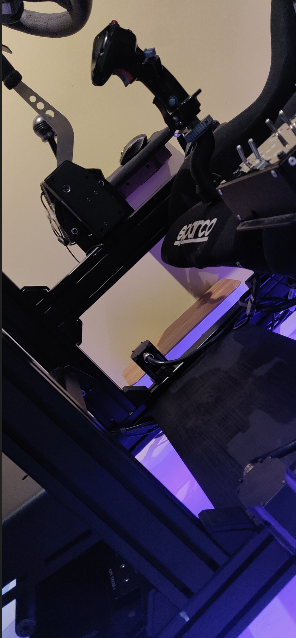
KMy current rig for reference.. It's 29cm from my wooden plate up to the pillow, exactly the same measurement as the VPforce base.
 K
KCould be a bit too short throw, I don't know
KI have another question @walmis.. Does the 'octacon' shape of your grip-mount mean that I can angle my TM grip a bit? I can't see a way to unscrew the DIN-plug in order for this to be possible.
 P
Pyup, exactly. Ok, so one thing I didn't do was unplug it from the wall, will keep that in mind! Thank you!
PWow that's a nice looking sim pit, looks very clean. I think you'll find that even without an extension the RHINO will likely have more throw than the typical Thrustmaster gimbal design or even a cam set like in a VKB or Virpil base.
KThanks! And good to know
KGot motion with all racing equipment, rudders, joysticks and everything. Can post a few pics on showcase
 J
J@walmis what does the new endstop power setting do? is that just an overall force setting
 W
WHey, it's the amount of motor torque it will push to get out of the endstop zone, think of it as a spring force in the endstop zone.
JAre there still plans to let us independently set the logical axis scaling? i.e. set the axis scaled to 60% and the endstop at 30%
JDCS handles asymmetric throw by the upper end of the smaller axis not doing anything (e.g. for the hornet the stick is at full deflection when it's at 50% of it's logical axis, when you push it past that it doesn't actually do anything in the aircraft)
 M
MI think it differs between modules
In the harrier for instance it uses the whole half of the axis but the stick in the cockpit moves far less
In the harrier for instance it uses the whole half of the axis but the stick in the cockpit moves far less
 S
Scan someone post a snippet from their XPForce FS2020 Config.xpfc (don't post your license info!) where the axes are configured? when i try to change the axis definitions, the software hangs. I'm hoping i can just fill out the blanks below so it'll be set up already.
WI think setting the endstop without setting axis scaling would hit the endstop at 50%, while reporting throw as 50% and DCS will register full throw in the hornet? I'll investigate further once I get back to my sim pit
Edit: On a second thought, Independent axis scaling sounds reasonable feature for advanced use cases. I'll revisit this.
Edit: On a second thought, Independent axis scaling sounds reasonable feature for advanced use cases. I'll revisit this.
JIt would but I use an extension so I'm using 60% for *full*
Edit: so I need to scale it to 60% and then set the Y+ to 50% of *that*
Edit: so I need to scale it to 60% and then set the Y+ to 50% of *that*

 D
DDid you end up with fixing this issue, I have the same problem with DCS crashing until I unplug the Rhino
DIt crashes super quick with the viggen, but so far with the hind it doesn't
Dit also crashes quickly with the mosquito

 H
HAre your CPU and motherboard AMD based? If not, the underlying issue is not the same. My problem has to do with the USB controller inside AMD's chipset on the motherboard so it doesn't matter which DCS module is played. DCS freezes as long as FFB gets enabled. Thanks to @swiftvengeance, I purchased a PCIe USB card and its USB controller manages to communicate better with VPForce's USB endpoint. The problem has been completely gone since. At some point, I will write up a summary of what I have done so far to better inform @walmis and the community of this obscure problem and thank @walmis and @swiftvengeance for their help.
DI have AMD CPU and Graphics Card
DDoes it happen in other games? Or just DCS? I am going to try IL-2
DOnly the rhino causes this issue, I have used many other joysticks and it doesnt freeze dcs
DThis is my motherboard
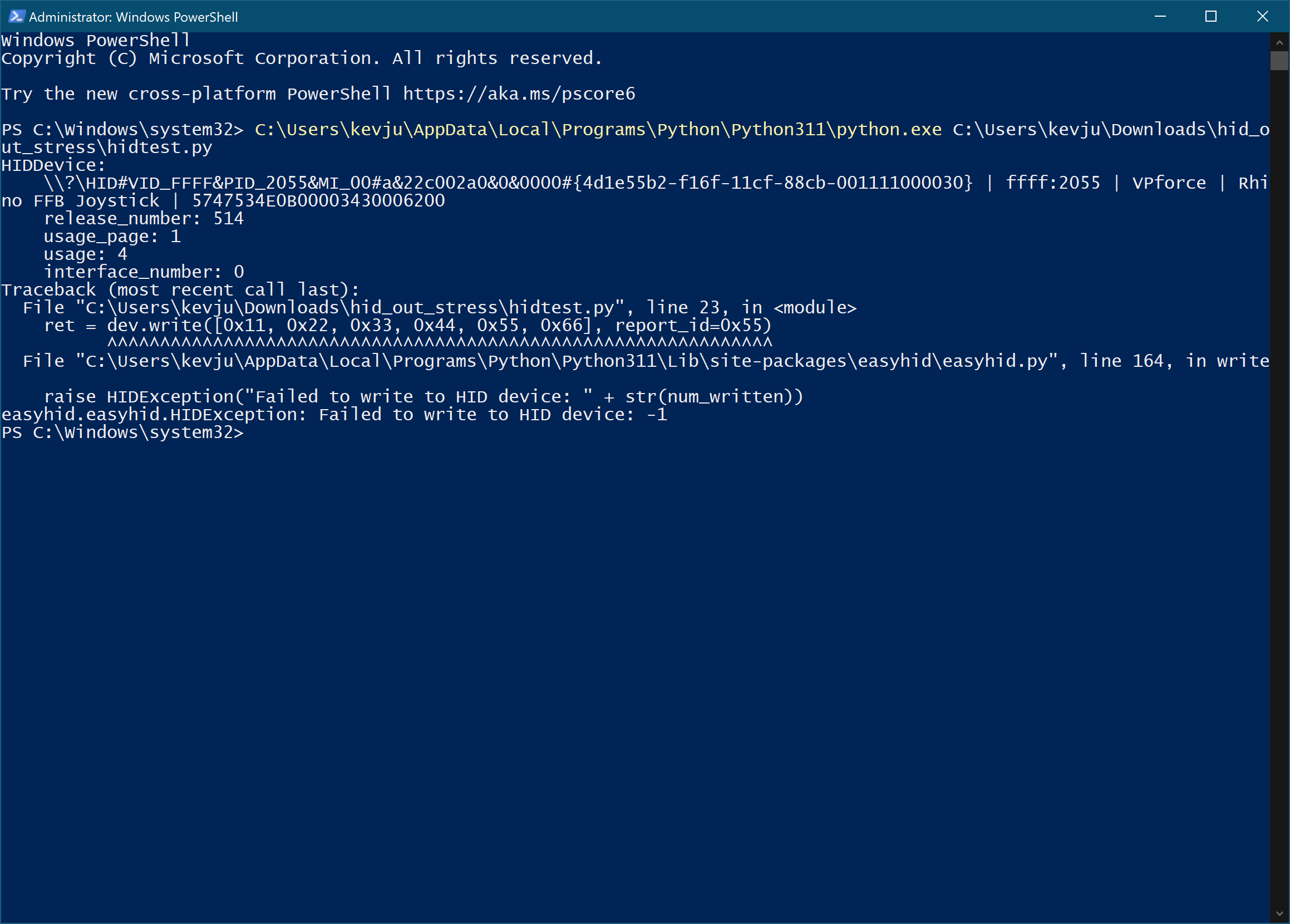
HI have only DCS so I can't comment on other games. I believe not all AMD based motherboards exhibit this issue. For example, this problem shows up on my X570 motherboard but never on my son's B550. The quickest way to find out if it's USB related is to try walmis' little Python program -> 🧰support. It keeps sending "Interrupt OUT" commands to VPForce's endpoint. If the endpoint ever not responds in time, you'll see this pops out on the screen.
 Y
YThe AMD USB controller, specifically the x570chipset, has been an issue with VR as well. It has been common to recommend a PCIE USB card for people having connectivity issues.
Just some additional information to keep in mind
Just some additional information to keep in mind
Dthanks @yeoldgrog
 M
MAargh, I have a ROG Crosshair VIII extreme. I'm using all M2 slots on the board so PCIE-2 is out of order
 Does anybody have a idea how to add a stable usb controller?
Does anybody have a idea how to add a stable usb controller?DI run the python script and it works, until it crashes in DCS
