The “default” option is correct for FFB. The one many think is correct FFB option actually is for turning FFB stick trimmer off. Read it like it was written “without springs and without FFB”. The way it is written can be a bit confusing but there is no need to write the without two times in that sentence. That option was added by ED for people who have no springs in the stick and no FFB.
we're going to see all of these details about which mode is correct and which button to press over and over again unless (and even if, but hopefully to a lesser extent) we start building up a knowledgebase
@walmis I think there is a bug in the endstops function. When activated and the slider (which pops up when you click in the field) is moved to any value greater than 10%, then the end stop is properly activated at the extent specified (for example, setting it to 50% introduces and end stop halfway through the excursion). Progressively reducing the endstop percent does progressively limit the free stick excursion (as it should since the end stops are moving closer to zero) However, when the slider is dragged all the way down, the value in the box reads 10% and endstop is disabled. This is confusing . The default value for the endstop should read 100%, not 10% as it does now. And when the slider is dragged all the way down, it should read zero.
Also, if the endstops are enabled, calibration is wrong because auto calibrating does not disable the endstops function and this limits stick excursion during calibration.
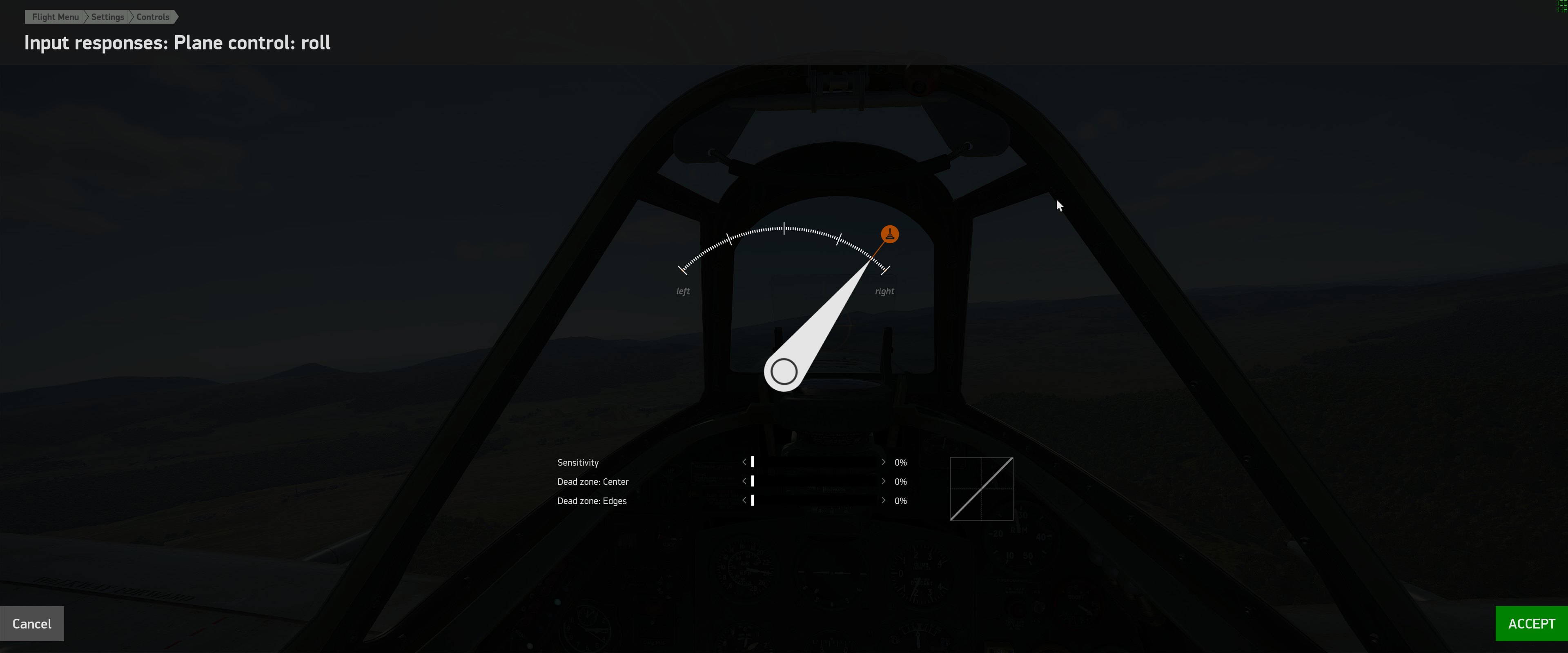
something I am noticing with IL2, not sure if it's intended behavior, a bug, or something else: when the force feedback is active in IL2, i've been noticing what makes it seems like i have very slow roll rates in my planes, when i drop into the key mappings and check the joystick input -- it appears that when i move the stick left and right, it never hits the end, this is where the slider appears at full deflection:
if i alt tab out of the game, the FFB effects seem to get turned off from the game, and if i pop back into this window, now the indicator hits full edge deflection
To run DCS for the Hornet or Apache, what default settings should I be using in the Configurator tool? Under Effects, should I have Spring checked or Forced Effect? What is Forced Effect? I know from reading some posts yesterday that I should keep my FFB settings to default in DCS
Forced effect will overwrite any of that effect in game. The Settings tab are the 'Master Settings" the Effects tab are for the effects felt in game, so if you set spring to 100% in settings tab then in effects tab you set it to 50% the game/sim will be able to use a total spring strength of 50%
IL2 with the Rhino has been awesom! Stick shake/rumble on taxi & take-off, rumble with gear & flaps down, AoA buffeting, gun fire rumble, heaps of effects are simulated
Also this is from Walmis on Saturation setting in effects tab; walmis — 02/21/2023 6:54 PM saturation limits max force with the same slope saturation at 0 is disabled, 100% means limit force value at 100% motor power, 50% limits the force at 50% motor power - etc. Generally you don't need to touch it, unless you know what you're doing I've also moved some settings to "advanced" in the development version, since some of the options add more confusion, than usefulness.
all good, whenever you change a setting, change it one at a time then hit 'Send Config' & test it out, you can get some odd behavior sometimes & you just need to change the setting back & maybe unplug & replug in the Rhino, always rember to keep you finder or foot close to the "Stop" button on the base jic