
FYI requests are fully buffered by default. The request is not sent to your server before the client
FYI requests are fully buffered by default. The request is not sent to your server before the client has finished sending the entire body.

 D
D AADDA
AADDA H
H JHHJJ
JHHJJ HHHH
HHHH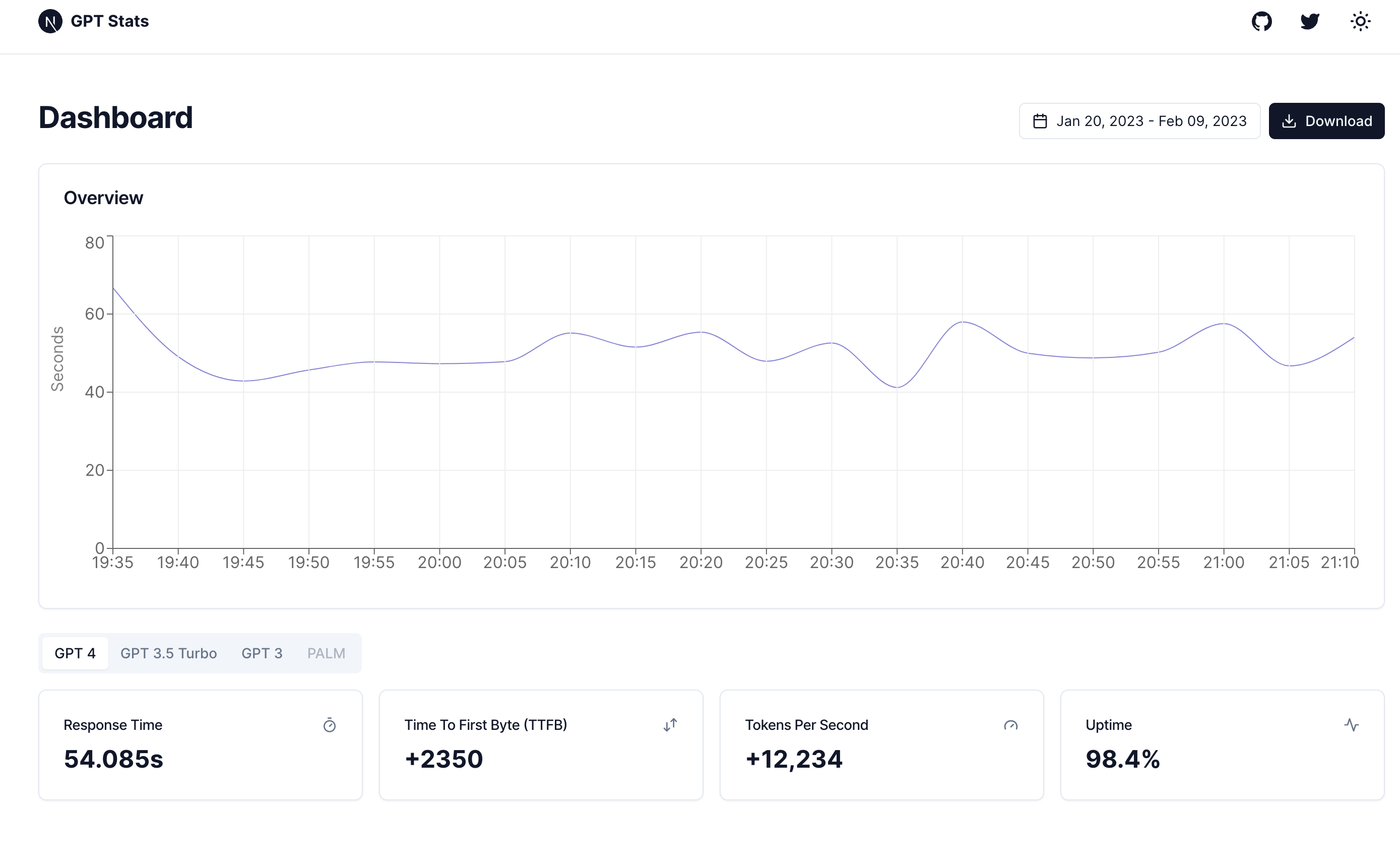
 I
I CC
CC*.example.com/**/*AAAA*.example.com100::Proxiedapi.example.com/**/**.example.com/**.workers.example.com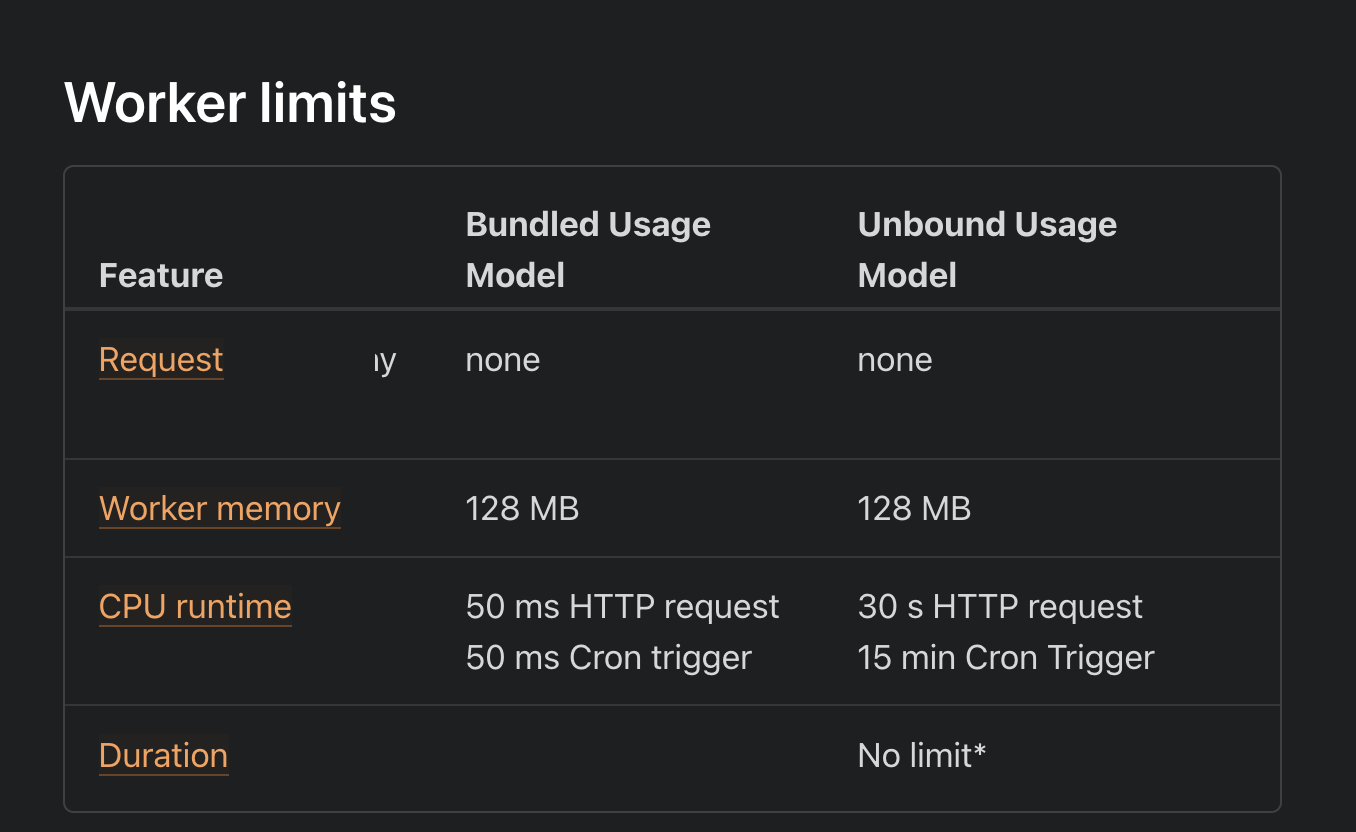
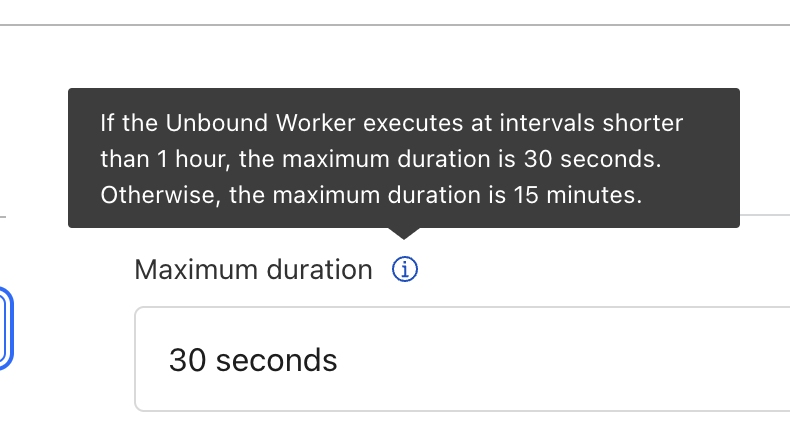
 KK
KKfetchdo stuff with readerthe event stream might not finish within 30sIt's 30 seconds of CPU time, none of this is particularly heavy compute.
HHKconst response = await ...return response IIIIH
IIIIH N
N
 N
N N
N
    const response = await fetch(url, {
      method: "POST",
      headers: {
        "Content-Type": "application/json",
        Authorization: `Bearer ${env.OPENAI_API_KEY}`,
      },
      body,
    })
      .then((res) => response.body)
      .then((body) => {
        const reader = body.getReader()

        // do stuff with reader
      })
const startTime = Date.now()
const response = await fetch(url, {
method: "POST",
headers: {
"Content-Type": "application/json",
Authorization: `Bearer ${env.OPENAI_API_KEY}`,
},
body,
})
if (!response.ok) {
console.log(
`Unexpected response from OpenAI API: ${response.status} ${response.statusText}`
)
return
}
if (!response.body) {
console.log("No response body")
return
}
const reader = response.body.getReader()
// Get first byte
let chunk = await reader.read()
// Log first byte time
const firstByteTime = Date.now() - startTime
// Read the rest of the response
while (!chunk.done) {
chunk = await reader.read()
} const totalTime = Date.now() - startTime
console.log("Time to first byte: " + firstByteTime + "ms")
console.log("Total response time: " + totalTime + "ms")
// Log response time
const client = new Client(env.DB_URL + "?sslmode=require")
await client.connect()
const text =
"INSERT INTO response_times(model, date, ttfb, duration) VALUES($1, $2, $3, $4) RETURNING *"
const values = [
"gpt-4",
new Date(event.scheduledTime),
firstByteTime,
totalTime,
]
try {
const res = await client.query(text, values)
console.log(res.rows[0])
} catch (err) {
console.error(err)
} finally {
ctx.waitUntil(client.end())
} CDCloudflare Developers / general-helpCDCloudflare Developers / general-helpCDCloudflare Developers / durable-objectsCDCloudflare Developers / general-help


