@chientrm I believe `PRIMARY KEY` need to be the last "field", so after createdAt
@chientrm I believe
PRIMARY KEY need to be the last "field", so after createdAtPRIMARY KEY need to be the last "field", so after createdAtPRIMARY KEY C
C C
CD1_ERROR: Error: ERROR 9007: SQL execute error: UNIQUE constraint failed: User.emailD1_ERROR: Error so that I can't detect existed email  C
CERROR 9015: SQL engine error: query error: Error code 2067: A UNIQUE constraint failed (UNIQUE constraint failed: User.email)Cerror.cause?.message 
 MC
MC A
A M
M I
I let me PR that
  I
I M
M U
U
 M
Mwrangler d1 execute?U MA
MA M)M
M)M BMB
BMB CU
CU MM
MMenvcontext.env per the linked docsMM
 CMMC
CMMCSELECT * from items where id=(SELECT item_id FROM parts WHERE ? in (name, id))?0. Here it is in console: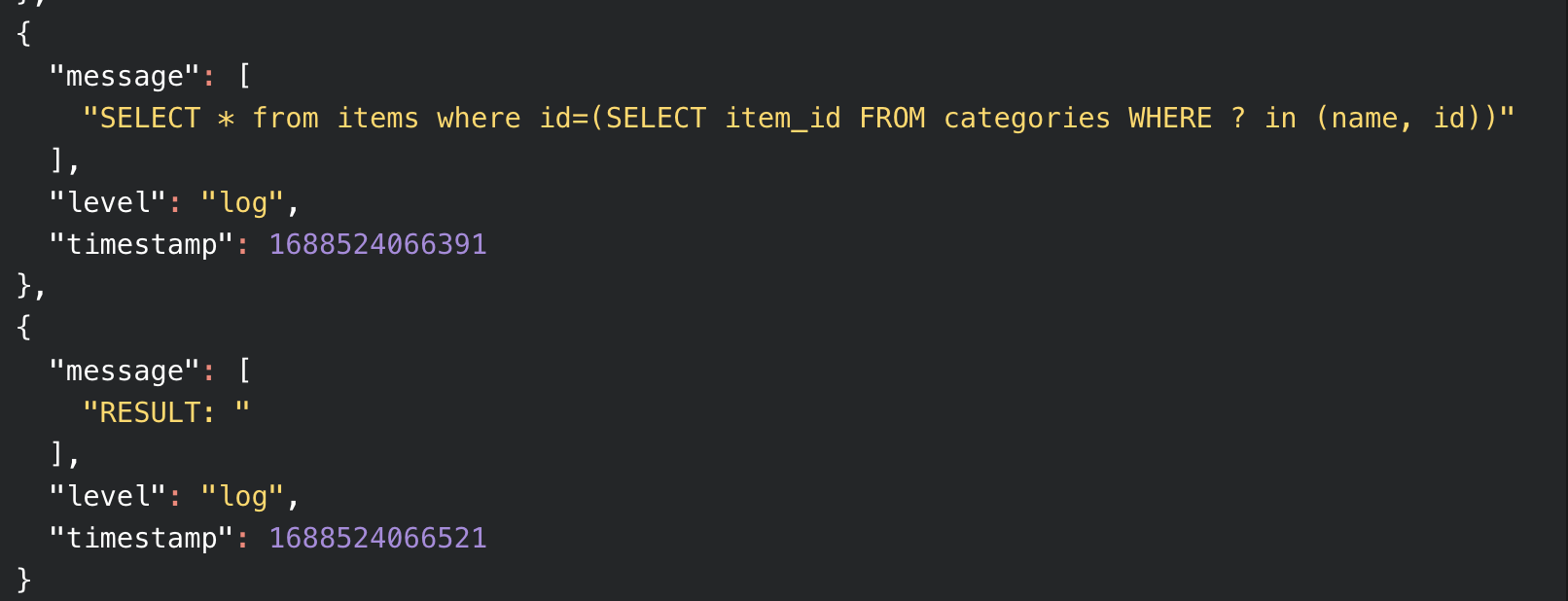
 C
Cstrings to ints. Cvalue'0' and not 0 and my 'Test_Entry' was 'test_entry' which is why nothing was workingBwrangler d1 list. is there similar way to detect what local d1 dbs are available?BBwrangler source dev. Upon execution, this command would switch to the development environment. As a result, any subsequent command using wrangler would interact with local development databases and settings. This approach could simplify the development workflow by eliminating potential confusions related to various flags such as --persist, --local, and others.BBwrangler d1 execute <database-name> --local --file ./schema.sql command creates a db in the .wrangler folder. Is it possible to set a different location to put the db to?B GI
GID1_ERROR: Error: ERROR 9007: SQL execute error: UNIQUE constraint failed: User.emailD1_ERROR: ErrorERROR 9015: SQL engine error: query error: Error code 2067: A UNIQUE constraint failed (UNIQUE constraint failed: User.email)error.cause?.messagewrangler d1 executecontext.envinterface Env {
YOUR_DB: D1Database;
}
export const onRequest: PagesFunction<Env> = async (context) => {
// Create a prepared statement with our query
const ps = context.env.YOUR_DB.prepare('SELECT * from users');
const data = await ps.first();
return Response.json(data);
}SELECT * from items where id=(SELECT item_id FROM parts WHERE ? in (name, id))00stringsint'0''Test_Entry''test_entry'wrangler d1 listwrangler source devwrangler d1 execute <database-name> --local --file ./schema.sql.wranglerconsole.log(query);
result = context.env.db.prepare(query).bind(value);
const res = await result.raw();
console.log("RESULT: "+res);export async function onRequestGet(context) {
const value = 0; // normally this is from the URL
var partialQuery = "SELECT item_id FROM ";
partialQuery+= 'categories';
partialQuery+=" WHERE ? in (name, id)";
var query = "SELECT * from items where id=("+partialQuery+")";
console.log(query);
var result = context.env.DB.
prepare(query).bind(value);
const res = await result.raw();
console.log("RESULT: "+res);
return new Response("");
}