
Either way is fine. As long as you import it correctly, and wrangler can find it, it will build
Either way is fine. As long as you import it correctly, and wrangler can find it, it will build
 I
Ifetch
 KKII
KKII JI
JI
 C
C HCC
HCCfunctions/utils.ts, will that automatically become a route too, or does it need a onRequest or onRequestGet/Post/etc to become a route (which becomes listed in _routes.jsononRequest* export is presentC S
S S
S B
Bnpx wrangler pages dev -- npm run dev http://127.0.0.1:8788/helloworld = "Hello World"nuxt.js) and i don't know how to override this / configure it to point to the pages function.B C
Cfunctionsfunctions/index.ts -> src/schema.ts -> zod)HB/serverdirectory? I've spent hours pouring over docs and I can't figure out how to do it. I'd be happy to write / contribute a documentation snippet or just include it in that github for others, I just don't know what to do.BB will give this a try!B
 E
Egoogle-auth-library that will work in a function? AA
AA S
S/functions to secure some pages. But when the url has double slashes //, wrangler doesn't run the middleware for the url.
 S
S/functions/secure directory to be applied on all routes of /secure./out/secure directory contains a file one.html which should be served at /secure/one (but first the middleware needs to be invoked)/secure/one route but not on the //secure/one, whenever someone uses a double slash before the middleware directory, wrangler doesn't run the middleware and instead directly serve the pages./secure/one route – https://double-slashes-issue.pages.dev/secure/one//secure/one route – https://double-slashes-issue.pages.dev//secure/one/secure/one?allow route – https://double-slashes-issue.pages.dev/secure/one?allow (that's actually allowed by middleware) S
S DC
DCnpx wrangler pages dev . (.functions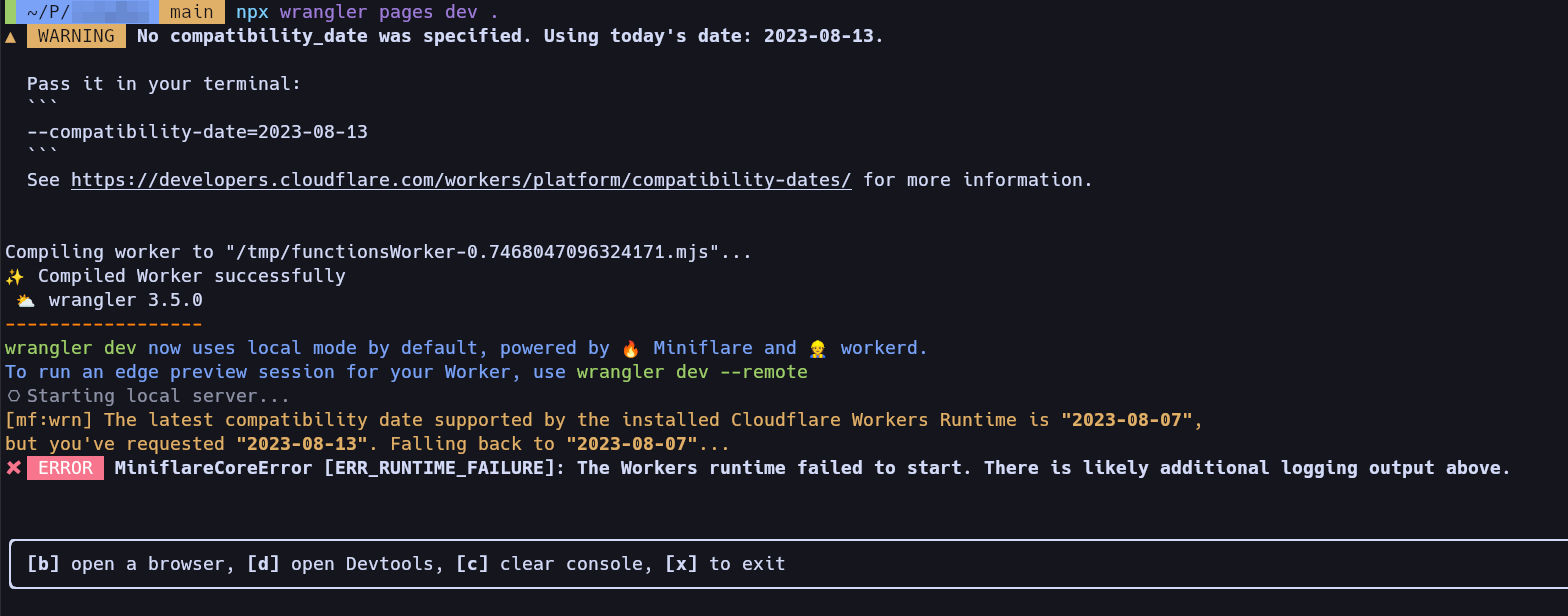 JC
JCworkerd/util/symbolizer.c++:99: warning: Not symbolizing stack traces because $LLVM_SYMBOLIZER is not set. To symbolize stack traces, set $LLVM_SYMBOLIZER to the location of the llvm-symbolizer binary. When running tests under bazel, use --test_env=LLVM_SYMBOLIZER=<path>.functions/utils.tsonRequestonRequestGet/Post/etconRequest*npx wrangler pages dev -- npm run devhttp://127.0.0.1:8788/helloworld = "Hello World"nuxt.jsfunctions/index.tssrc/schema.tszod/servergoogle-auth-librarynitro: {
preset: 'cloudflare-pages'
},/functions///functions/secure/secure/out/secureone.html/secure/one/secure/one/secure/one//secure/one//secure/one/secure/one?allownpx wrangler pages dev .workerd/util/symbolizer.c++:99: warning: Not symbolizing stack traces because $LLVM_SYMBOLIZER is not set. To symbolize stack traces, set $LLVM_SYMBOLIZER to the location of the llvm-symbolizer binary. When running tests under bazel, use --test_env=LLVM_SYMBOLIZER=<path>.

