

 H
HOne of them is a bunch of shims injected by
wrangler--node-compatnode packages directly through the runtime(nodejs_compatAnd Pages only supports the compat flag one.
 H
HNot really. If you are OK with going with the Advanced Mode for Functions, you could compile your Functions as a Worker with
wrangler deploy --dry-run --node-compat --outdir dist and then rename it to public/_worker.js. It just isn't very ergonomic. J
Jmy @sveltejs/adapter-cloudflare is not building properly for node-compat when i am trying to add postgres
Jany idea ?
 S
SHi everyone, i am new to discord and this channel. Please can you help me to fix the build error when deploying gatsby static website to cloudflare pages.
I have attached the Download logs for your reference.
He is an error from the logs
3:35:15.682
13:35:15.682 - index.js:141
13:35:15.682 [adapters]/[p-map]/index.js:141:20
13:35:15.682
13:35:15.682 - Caused By: NestedError: Cannot create directory
13:35:15.682
13:35:15.683 - fs.js:61
13:35:15.683 [adapters]/[cp-file]/fs.js:61:8
13:35:15.683
13:35:15.683 - index.js:15 cpFileAsync
13:35:15.683 [adapters]/[cp-file]/index.js:15:2
13:35:15.683
13:35:15.683 - index.js:269 pMap.concurrency.concurrency
13:35:15.683 [adapters]/[cpy]/index.js:269:6
13:35:15.684
13:35:15.684 - index.js:141
13:35:15.684 [adapters]/[p-map]/index.js:141:20
13:35:15.684
13:35:15.684 - Caused By: Error: EACCES: permission denied, mkdir '/opt/build/cache'
I have attached the Download logs for your reference.
He is an error from the logs
3:35:15.682
13:35:15.682 - index.js:141
13:35:15.682 [adapters]/[p-map]/index.js:141:20
13:35:15.682
13:35:15.682 - Caused By: NestedError: Cannot create directory
/opt/build/cache/cwd/.cache
13:35:15.682 13:35:15.682
13:35:15.683 - fs.js:61
13:35:15.683 [adapters]/[cp-file]/fs.js:61:8
13:35:15.683
13:35:15.683 - index.js:15 cpFileAsync
13:35:15.683 [adapters]/[cp-file]/index.js:15:2
13:35:15.683
13:35:15.683 - index.js:269 pMap.concurrency.concurrency
13:35:15.683 [adapters]/[cpy]/index.js:269:6
13:35:15.684
13:35:15.684 - index.js:141
13:35:15.684 [adapters]/[p-map]/index.js:141:20
13:35:15.684
13:35:15.684 - Caused By: Error: EACCES: permission denied, mkdir '/opt/build/cache'
Sto save you time going through the logs, here is an error from the logs
3:35:15.682
13:35:15.682 - index.js:141
13:35:15.682 [adapters]/[p-map]/index.js:141:20
13:35:15.682
13:35:15.682 - Caused By: NestedError: Cannot create directory
13:35:15.682
13:35:15.683 - fs.js:61
13:35:15.683 [adapters]/[cp-file]/fs.js:61:8
13:35:15.683
13:35:15.683 - index.js:15 cpFileAsync
13:35:15.683 [adapters]/[cp-file]/index.js:15:2
13:35:15.683
13:35:15.683 - index.js:269 pMap.concurrency.concurrency
13:35:15.683 [adapters]/[cpy]/index.js:269:6
13:35:15.684
13:35:15.684 - index.js:141
13:35:15.684 [adapters]/[p-map]/index.js:141:20
13:35:15.684
13:35:15.684 - Caused By: Error: EACCES: permission denied, mkdir '/opt/build/cache'
3:35:15.682
13:35:15.682 - index.js:141
13:35:15.682 [adapters]/[p-map]/index.js:141:20
13:35:15.682
13:35:15.682 - Caused By: NestedError: Cannot create directory
/opt/build/cache/cwd/.cache
13:35:15.682 13:35:15.682
13:35:15.683 - fs.js:61
13:35:15.683 [adapters]/[cp-file]/fs.js:61:8
13:35:15.683
13:35:15.683 - index.js:15 cpFileAsync
13:35:15.683 [adapters]/[cp-file]/index.js:15:2
13:35:15.683
13:35:15.683 - index.js:269 pMap.concurrency.concurrency
13:35:15.683 [adapters]/[cpy]/index.js:269:6
13:35:15.684
13:35:15.684 - index.js:141
13:35:15.684 [adapters]/[p-map]/index.js:141:20
13:35:15.684
13:35:15.684 - Caused By: Error: EACCES: permission denied, mkdir '/opt/build/cache'
 F
FHow can CF Pages support virtually unlimited bandwidth? I'm surprised why it's free and I've never seen it crash, I've had DDos attacks done to my pages
 K
KIt's Workers & KV so the load is spread across hundreds of colos.
 U
Uit being free is a marketing tactic to get a lot of people to use it for hobby projects which makes companies pick it up because lots of people use it personally and they charge companies the big $$$
Usame reason any company has a free tier is to get people hooked on it without having to pay and then the bigger players in the space will pay a lot of money
SAnyone can help me with this?
 H
HTry
wrangler pages deploy output X
XHi
XHow can I report about Phishing site that upload to pages.dev?
 F
FIf you feel that a site is engaging in illegal or inappropriate activities, you can submit an abuse report at https://abuse.cloudflare.com/. The Trust and Safety team will then review the details and reply if appropriate. You can also report the site to your relevant local authorities. Reports cannot be filed via Discord or individual employees.
 J
JYou can pass
--project-name and --branch which'll probably give you what you're loooking for?JIf you're deploying via GitHub or something,
pages-action is a good solution too: https://github.com/cloudflare/pages-action Z
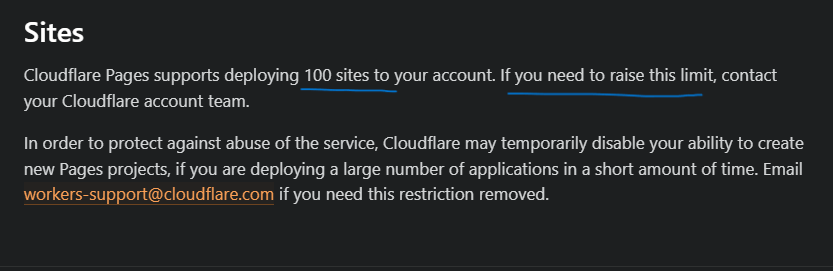
ZI'm reached the pages 100 soft limit, Can someone help me to increase the limit?
JI’d recommend you submit a ticket with reasoning. It your use-case is valid, they’ll happily raise this for you 

 C
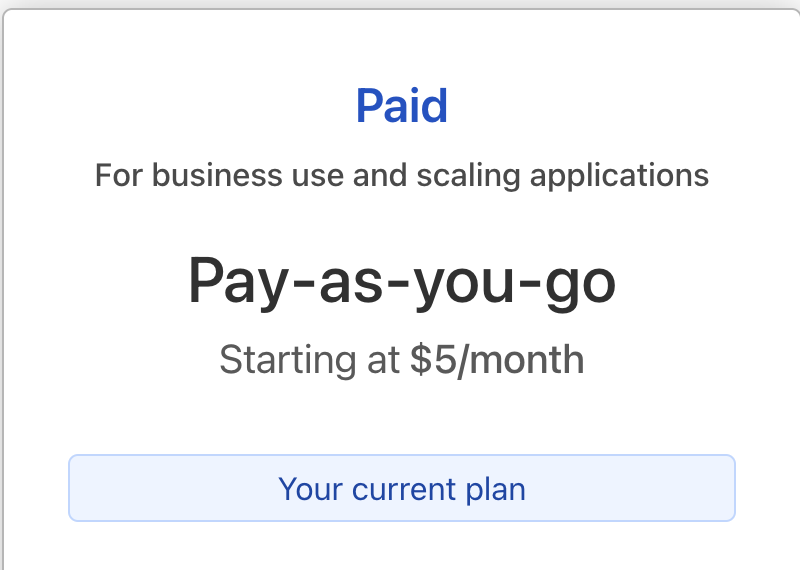
CFree plan with workers paid?
ZYes
 F
FIs it my imagination, or when CF Pages hosts a simple static page, does it not generate cookies for the page visitor?

 I
IPages generates no cookies on its own.
 J
JYou might want to follow up in https://github.com/cloudflare/workers-sdk/issues/3789. Seems this is a common issue
GitHub Home to Wrangler, the CLI for Cloudflare Workers® - Issues · cloudflare/workers-sdk
Home to Wrangler, the CLI for Cloudflare Workers® - Issues · cloudflare/workers-sdk F
FHey peeps, I use GitHub Actions to deploy to pages with
The logs state:
However I don't see an issue with the token, I haven't changed anything related to cloudflare in the project and on the dashboard the token I'm using still is active and has the same permissions as before, additionally it does report "active" when actions tries to do a deploy so i'm confused, has anything changed? Is a new scope needed?
cloudflare/pages-action but I have been getting deployment failures for about 3 days now.The logs state:
However I don't see an issue with the token, I haven't changed anything related to cloudflare in the project and on the dashboard the token I'm using still is active and has the same permissions as before, additionally it does report "active" when actions tries to do a deploy so i'm confused, has anything changed? Is a new scope needed?
 S
Sfor workers there's
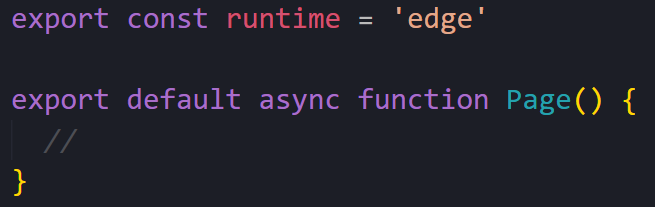
request.cf - is there something similar for cloudflare pages that can be accessed from a next.js server component?
 U
Upages is a worker so its the same might be a very slight difference in the returned props like an added variable / missing variable but that should be it
Sdo you know how i can access it?
 U
UNo clue dont do nextjs 
Swhat's interesting is that there are several
x-vercel-? headers, e.g. x-vercel-ip-longitudeSseems like nextjs parses the data from cloudflare or smth
UIf you are using next-on-pages: https://github.com/cloudflare/next-on-pages/blob/cb32bafc904b0b4094af6b09fa3c8462d8a92fcc/packages/next-on-pages/templates/_worker.js/utils/request.ts#L9
GitHub
CLI to build and develop Next.js apps for Cloudflare Pages - cloudflare/next-on-pages
Uthats where they add the vercel headers
Sah interesting
Swhy the x-vercel though
Sxd
Uprobably because nextjs is a vercel product and vercel likes to make it very tied in to their ecosystem to try and force you to use vercel
Sgod, i hate vercel
S& love cloudflare
Svercel is literally just a simplification of aws
S(like a dozen other services out there)
