that entirely depends on the thickness of the plate. I assume 4 to 6mm to be plenty strong steel, alu might need a little more, havent calculated that correctness though
I was concerned about the plate thickness, but Walmis said it was plenty and that turns out to be true.
I didn't realize this until I took the first pic above that the profile that the Rhino plate attaches to is sagging (it's not the plate). I just tried to tighten everything up but it's still doing it. I'm contemplating putting something under it that sits on the floor to support it (not that it matters, other than visually and to my OCD's insistence on orthogonality).
But I think you need a short piece of profile that mounts to the front of the bottom-most profile in the picture (you marked the latter red) and then the Rhino plate would attach to that. IOW, what I did but centered on the frame rather than sidestick-style. Maybe that's what you are intending but if not, I would not mount the plate directly to the top of the profile. It might be fine, but I do think the plate needs some support for at least part of its front-to-back length, as I have done. Either that, or put something under it for support that goes to the floor.
I personally got 50% and 25% limiters for mine, so limits half the throw, or only 25% of the throw. I kept mine consistent for both axis. The 50% I plan to use with a 200mm extension, the 25% is future proofing should I ever use it differently such as with a 100mm extension
You can of course use the software limiter, but the physical one protects you, your hardware, and the rhino when used in addition to software limiter
@walmis I plan on designing and building my own ffb rudder pedals with toe brakes in (hopefully) the not too distant future. What do you suggest in order to get the toe brakes as two seperate axes? I was planning on using rotary incremental encoders. Would the shift register be able to be used in this manner?
15 degrees fore and aft is ok to not collide with monstertech desk mount without any extension. It's also the limit for a Virpil base. The stock 22 degrees of the Rhino is too much for me.
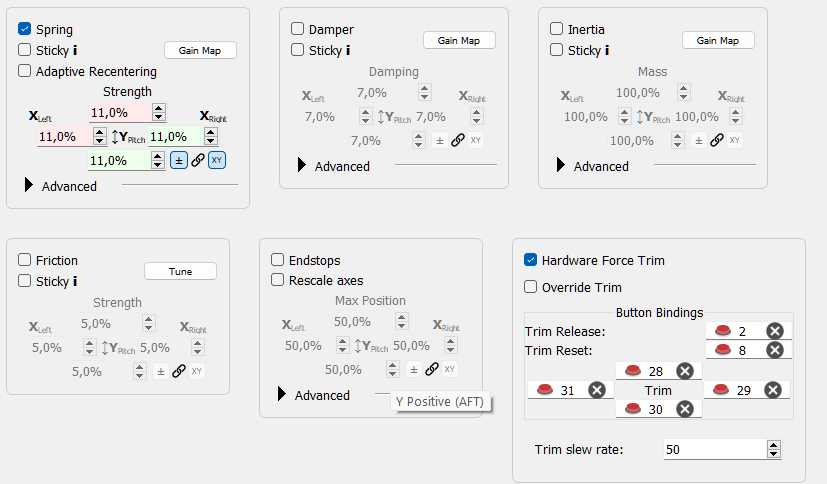
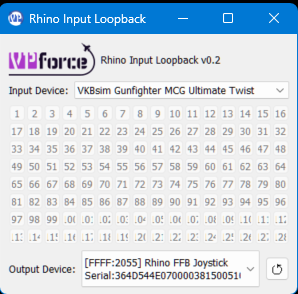
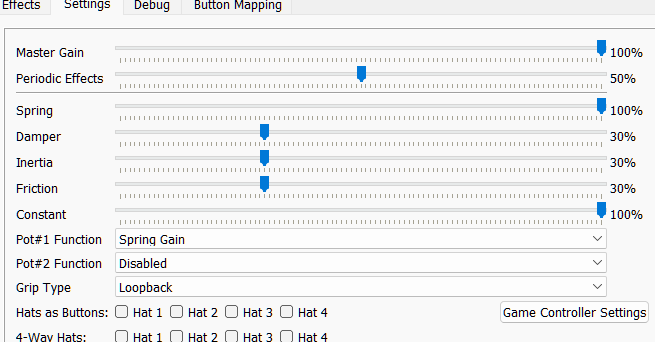
hi, can anybody help me with the trim setup in fs2020? the stick doesn't move when i trim on the assigend buttons, only ingame. trim buttons are also assigned in spad.next. here are my settings, thanks
i havent set it up myself yet, but i think you have to click 'override trim' and then remove any ingame trim settings you have for the 4-way beep trim buttons. But your button [2] should release the springs and relatch when you let go as your settings are now.
the force trim in TelemFFB only applies to the "mag brake" release/new-center aspect of force trim. It does not support the trim-hat. As smitty said, if you want the stick to move with the trim-hat, you'll need to enable override trim.
There are others here that have made those, you probably want to ask them. (Ppl that have added toe brakes to the vkb mk 4 rudder might be able to help as well)
The easiest way - The pot inputs can be used for toe brakes with a pot or an analog signal. Hard way - wiring an arduino spi slave to send digitized data via the 5 pin grip connector.
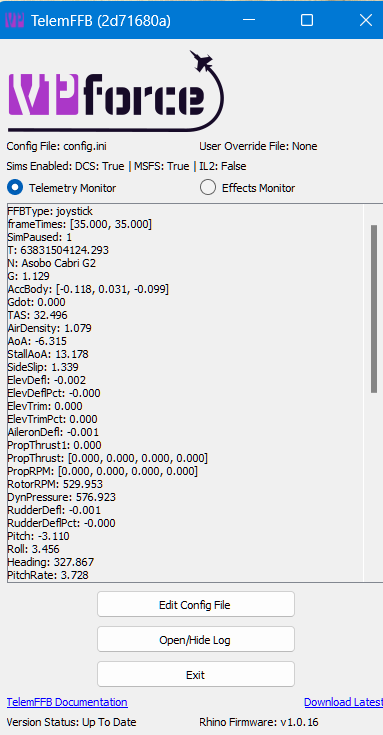
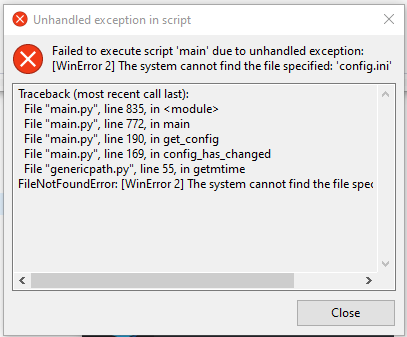
I tried running Telem FFB via a bat-file, or via the MSFS exe.xml, but I just get an error. When I run it by clicking it, it works. What am I doing wrong?
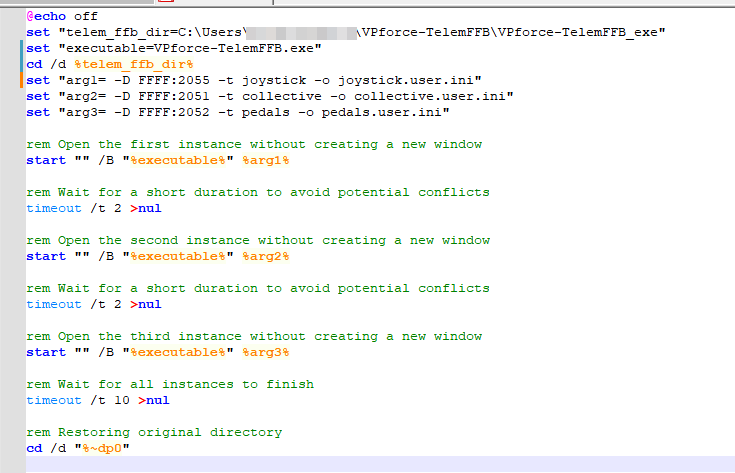
the app is fairly sensitive to pathing. If you want to start it from a batch script, you need to "cd" into its directory.. for example.. my batch file that launches 3 instances...
Got mine yesterday and I am currently remapping all the buttons. Any idea if there's any way to use VIRPIL mapping software to keep mode switched and advanced button programming?
Well it actually talks to the controller card... one of which I installed in my MSFFB2 and could program the thing so I'm pretty sure the same could be done here, with the caveat of having x2 USB cables coming out of the system (but the same happens with the VKB adapter if I'm not mistaken?)
OR
We get VIRPIL-ish functionality embedded in the sw at some point.
I think you would need to use one of the various joystick utilities. I wish I knew what the differences are between Axes and Ohs, Spad.nExt, Joystick Gremlin, and FSUIPC (which I used a lot with FSX but haven't touched it since). (I'm sure there are others.) I don't care so much about combining multiple devices into a single virtual one, but I would like to have advanced button/hat programmability. I just got a VKB throttle setup, and although the software seems to be very powerful it's almost as hard to understand as Virpil's stuff , and so it would be nice to have one utility that I can pipe all of my controller toys through and yet get the advanced button/axis functionality.
Personally I can recommend spad.next. I used it extensively when I was big into Msfs and still use it for a lot of little things in DCS. To me it is far more intuitive than the Virpil software is.
Trying out the pedals/stick on MSFS2020 for first time, I feel like I'm missing something. Stick wont stay centered, almost zero vibrations felt, FFB enabled.
Another question, I have pulled the TelemFFB (the python version), installed the requirements and all but when I try to launch it I get ..\python main.py Traceback (most recent call last): File "..\Desktop\Joystick\VPforce-TelemFFB\main.py", line 81, in <module> from PyQt5 import QtWidgets ImportError: cannot import name 'QtWidgets' from 'PyQt5' (unknown location)
which helo? Unlike DCS, there aren’t a lot of default aircraft profiles inside the config. You need to make sure there’s an entry and that it’s identified as a helicopter.
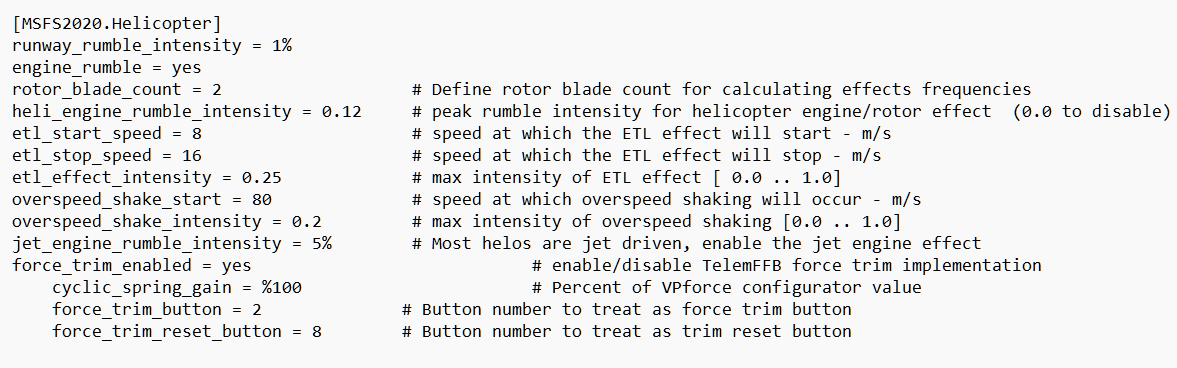
And for helicopters you will either have to use the VPf configurator sticky spring + force trim. Or you can enable the force trim implementation in TelemFFB MSFS.Helicopter section.
Quick question, of course I did edit the normal user.ini and not the README.ini… is there a way to correct it and get the original back? Sorry if that’s a stupid question, maybe there is a button to reset it but I am not home at my PC these days.. just re-reading the manual again and thought I should better follow the correct way with both .ini
I didn't know you could turn on h/w trim in the TelemFFB config.user.ini file. What do I need to add to the ini file to turn on h/w trim in MSFS without having to switch it on and off in the Configurator app? (I bounce between MSFS and DCS constantly.)
Well I surely didn't realize that config.ini had been enhanced so much since the last time I copied it to config.user.ini!!! Suggestion: add a version note to the top of config.ini...