
Or I can actually fan out the work to multiple browsers, it's jut that it's going to cost a lot more
Or I can actually fan out the work to multiple browsers, it's jut that it's going to cost a lot more?
 Z
Z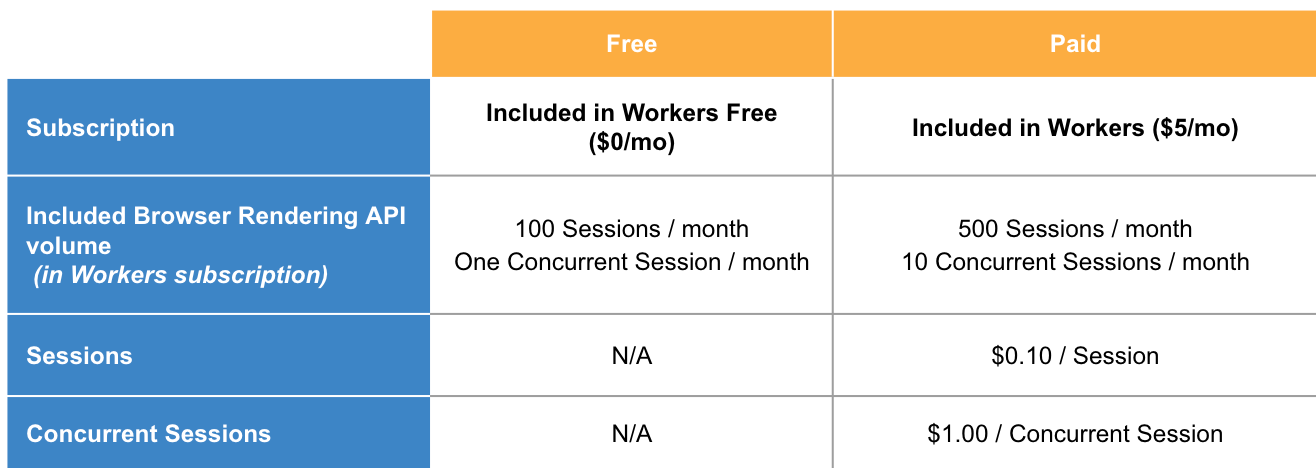
 VVVV
VVVV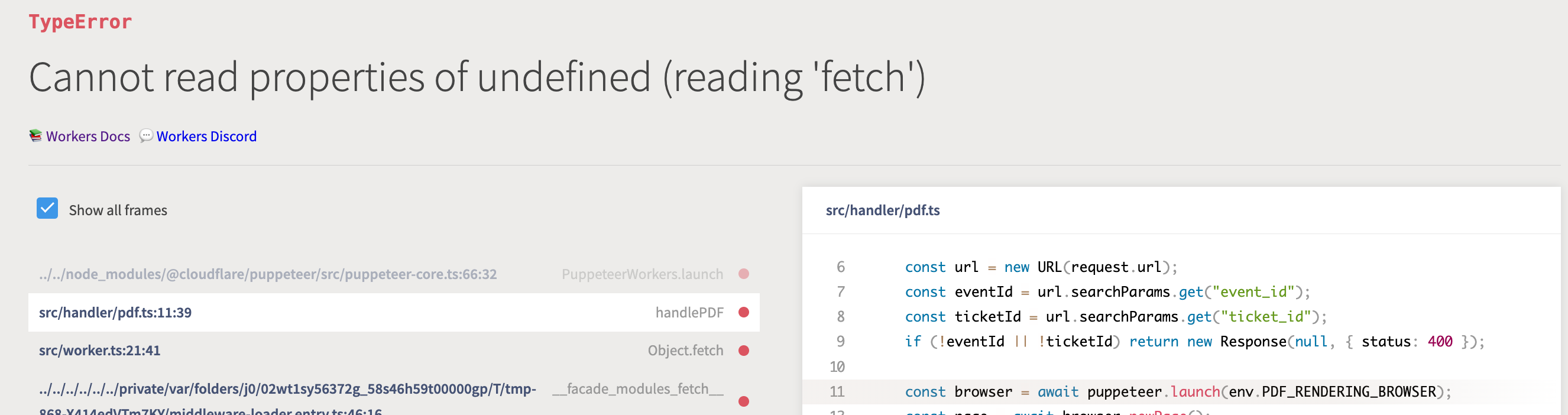
 C
C T
T Hello all - how can I get access to the beta? I'm looking to replace prerender.io in our stack, and would love to use Browser Rendering API. We already love using pages, workers and the new Workers AI too
  ZTT
ZTTnode_compat but in the getting started example (https://developers.cloudflare.com/browser-rendering/get-started/screenshots/#4-configure-wranglertoml) its compatibility_flags = [ "nodejs_compat" ] A how long does it take to spin up a new browser instance? I am running this code:A
 Varying CPU times, some exceeded, some not
 KKK
KKK CC
CC MZ
MZ I
I.pdf() doesn't work but this does: E
EfetchRequest out of the parameters you specify (/v1/acquire) it (obviously) fails because /v1/acquire is not a valid URL.fetchfetch@cloudflare/puppeteer?EEKE
 N
N3e38dc7049f501248503b981bf442450ZE@cloudflare/puppeteer package, I realised that while adding the spans is going to be very straightforward, it would be quite a bunch of work figuring out what to instrument. So if someone else wants to do that, I would be more than happy to help that. But I am going to focus on the core library in the copious spare time that I have 
 C
Cworkers.api.error.no_access_to_browser_worker, do we need to enable it?dev or deploy 7CZCZC
 HH
HH459755459117711362. It can be used in a attack, but it is by no means what determines whether you are vulnerable or notHC A
A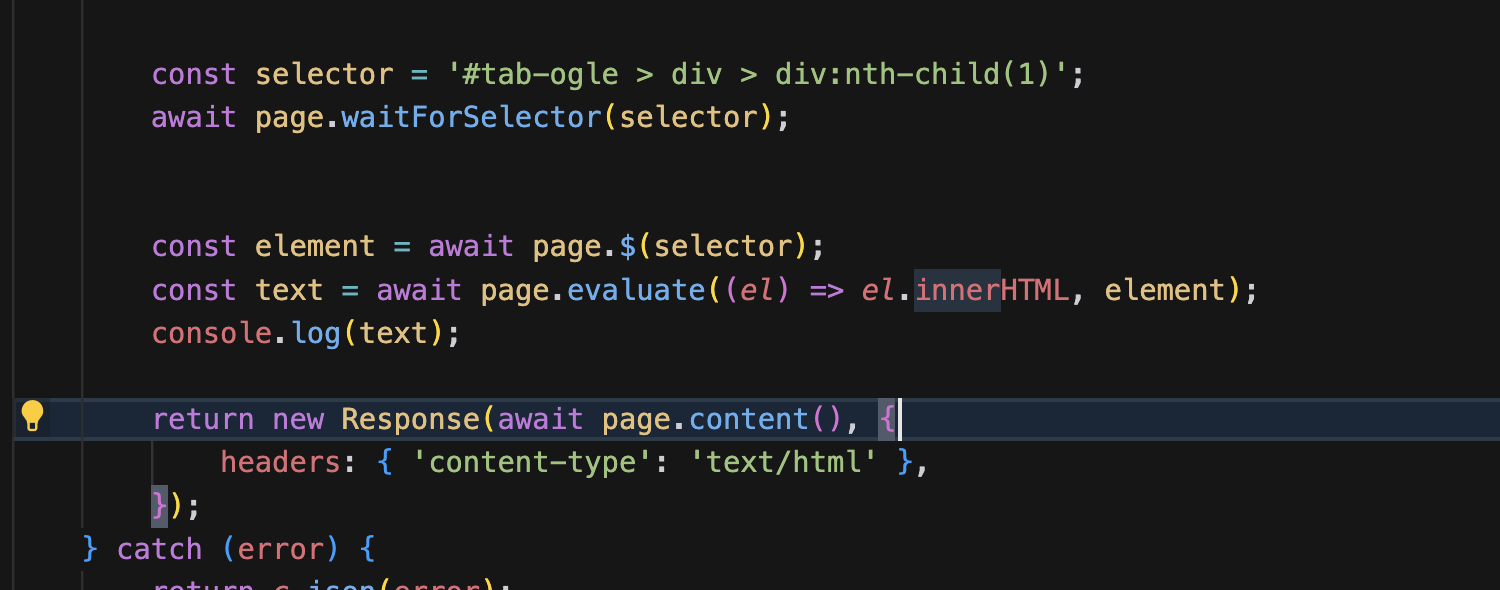 AAA
AAA
 WT
WT
 J
Jscreenshot() method, and even with fullPage: false i'm getting the full site instead of just the view port. When I also pass captureBeyondViewport: false i am getting only the viewport, however, I also get the scrollbar - which I don't want. Is there a reason I'm getting the full page even when setting it to false. I'm manaully setting the viewport as well. AAA
AAAnode_compat const browser = await puppeteer.launch(env.BROWSER);
const page = await browser.newPage();
const [res] = await Promise.all([
page.waitForResponse(res => res.url().includes('something') && res.request().method().toUpperCase() !== "OPTIONS", {timeout: 10 * 1000}),
page.goto('https://someurl.com', {waitUntil: "domcontentloaded"}),
]);.pdf() const qoutePdf = await page.createPDFStream({
printBackground: true,
format: 'a4',
});
// Create web compatible readable stream
const { readable, writable } = new TransformStream();
const writer = writable.getWriter();
qoutePdf.on('data', (chunk) => {
writer.write(chunk);
});
qoutePdf.on('end', () => {
writer.close();
});
return new Response(readable, {
status: 200,
headers: {
'Content-Type': 'application/pdf',
},
});Request/v1/acquire/v1/acquire@cloudflare/puppeteer@cloudflare/puppeteer3e38dc7049f501248503b981bf442450workers.api.error.no_access_to_browser_workerdev459755459117711362screenshot()fullPage: falsecaptureBeyondViewport: false


