Please report bugs through the report feature in the top-right corner during matches or from the bottom-right corner of the main menu, @Emperor D Shadow. You can also submit a report in #bugs in compliance with the channel's pinned instructions.
There are different types of emulators available, but the only recommended emulator is GameLoop. For further assistance related to GameLoop, please visit their website: https://www.gameloop.com/.
You can apply for World of Wonder creator access by tapping on Become a Creator option through inside the game. If you have already applied for the World of Wonder creator access, you can expect a response within 30 days if your application is approved.
it mostly depends on the android device you are comparing with but most mid end and low end devices do not have good enough software, hardware, resolution, and optimization to compete with the iphone 11 ! However according to latest reviews from people, iphone 11 has been slowing down after the latest ios update.
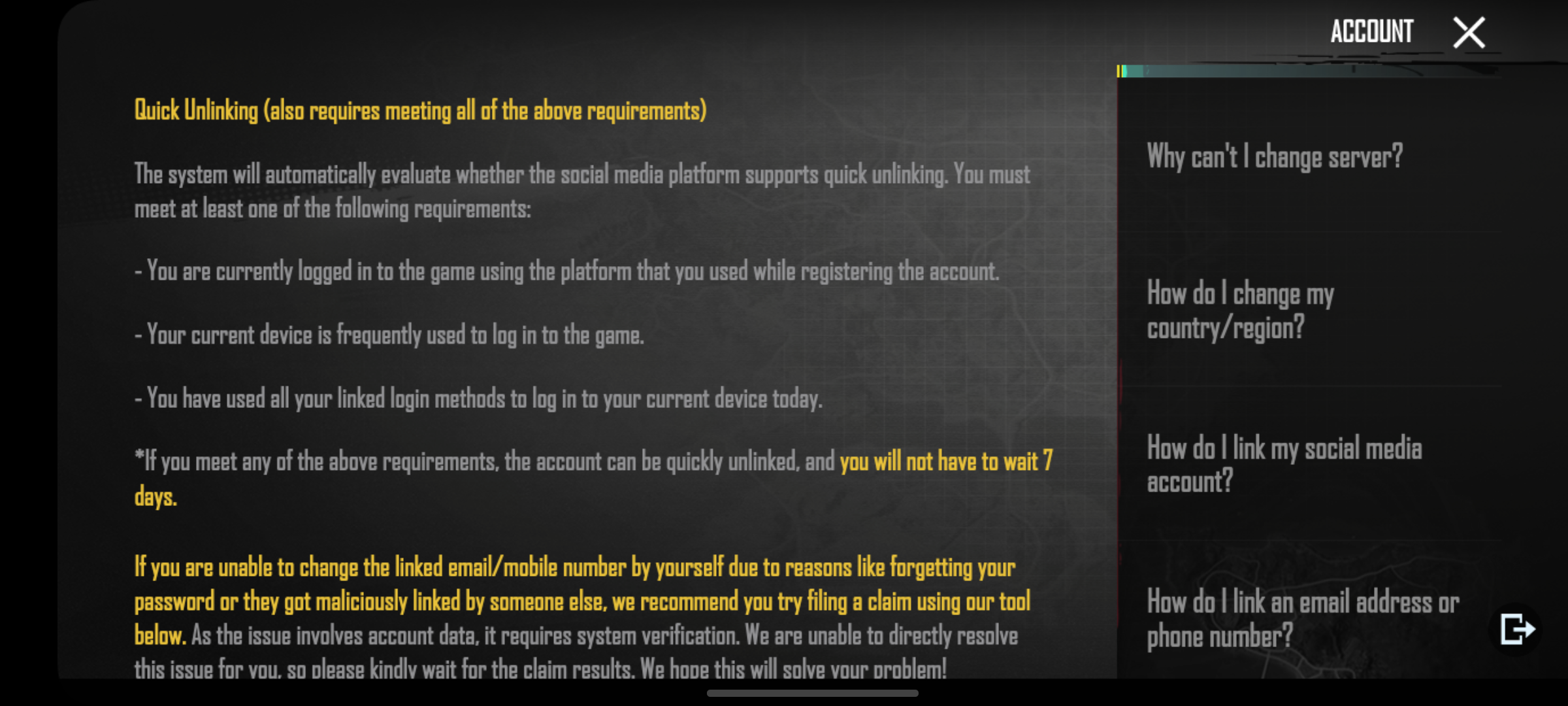
Hey can I get some help. I logged in after a really long time and found out my account was being used by some other guy for the past few months. I assume its hacked. The name has also been changed and some othet account except my own has also been linked. Thankfully it still logs in. How can I recover it because pubg is not letting me unlink any of those accounts because I haven't logged in for 15days from this device.
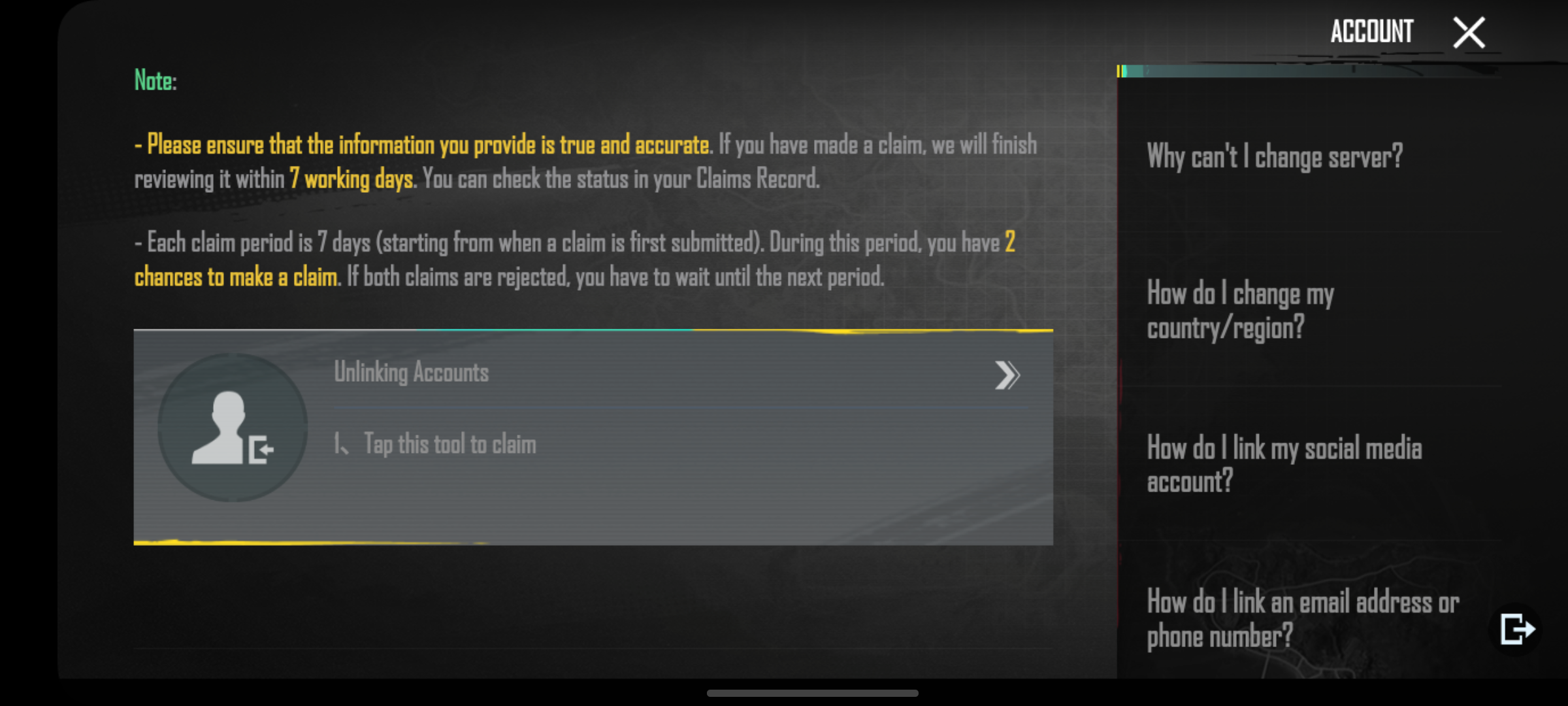
Go to Customer Support in your account ー Select "Account" ー Select "How do i unlink or remove Social media account from game" ー Scroll to the bottom ー Check if your account meets the requirements and claim.
• Ensure that your device meets the minimum system requirements for PUBG Mobile. If your device is not powerful enough, it may struggle to handle the game, leading to performance issues.
Graphics Settings:
• Adjust the in-game graphics settings to a level that is suitable for your device. Lowering the graphics quality and frame rate can improve performance.
Network Connection:
• A stable and fast internet connection is crucial for smooth gameplay. Ensure that you have a reliable network connection to reduce lag.
Background Apps:
• Close unnecessary background apps on your device to free up resources. Running multiple apps simultaneously can affect game performance.
Storage Space:
• Ensure that your device has sufficient free storage space. Running out of storage can lead to performance issues and crashes. Device Overheating:
• Excessive heat can cause performance issues and crashes. Avoid playing for extended periods, especially if your device tends to overheat.
Game Updates:
• Make sure that PUBG Mobile is updated to the latest version. Developers often release updates to address performance issues and bugs.
Device Maintenance:
• Regularly maintain your device by clearing cache, removing unnecessary files, and updating software. This can help improve overall performance.
Reinstall the Game:
• If the issues persist, consider uninstalling and reinstalling PUBG Mobile. This can resolve corrupted files and improve the game's stability.
Check for System Updates:
• Ensure that your device's operating system is up to date. System updates may include optimizations that improve overall performance.