


 B
Bhi if i buy kit with two motors and usb ... what else do i need
base i know but on electronic side of things ... is the USB the controler for servos or i need something else... and power suply does it just go to usb bord ???
sory for stupid questions ...
base i know but on electronic side of things ... is the USB the controler for servos or i need something else... and power suply does it just go to usb bord ???
sory for stupid questions ...

 T
TPower supply and USB cord are required. Recommended also are some potentiometers and an emergency stop button. You will also need a grip but I am assuming you have one that is compatible but make sure you don’t need any of the optional adapters.
 B
Bnice tnx
TAdd fans also on the recommendation list for motor cooling.
 S
SToday while flying the Spit in DCS I heard a loud crack and the stick went limp in the Y axis. Fearing the worst I took of my VR googles and turned the Rhino off and on after a quick inspection where I found no obvious fault. I then preceded to try and replicate this, and it looks like my belt in the Y axis is way looser than the X axis causing it to skip. I also get a Fault_Encoder_Magnet or Fault_Unexpected_D_Current then the belt skips. Hopefully I have not damaged anything and it’s just the loose belt. Any way to tighten the belt?
 I
Ithe new version doesn't support windows scale layout at 3840x2160 and scale layout 150%
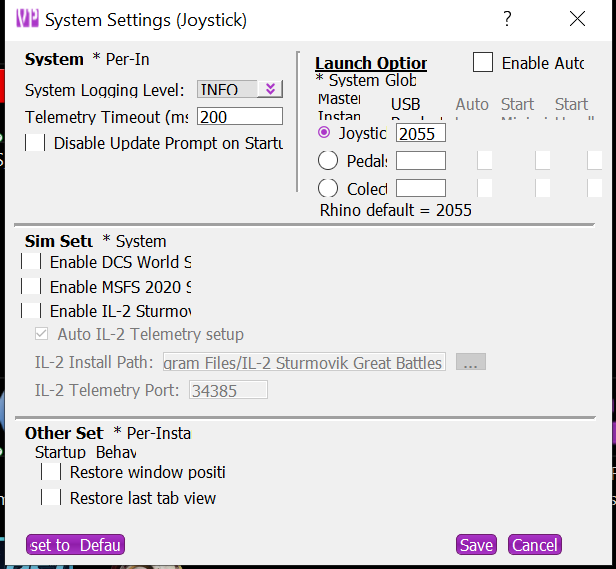 I
Iafter launch with joystick and pedals
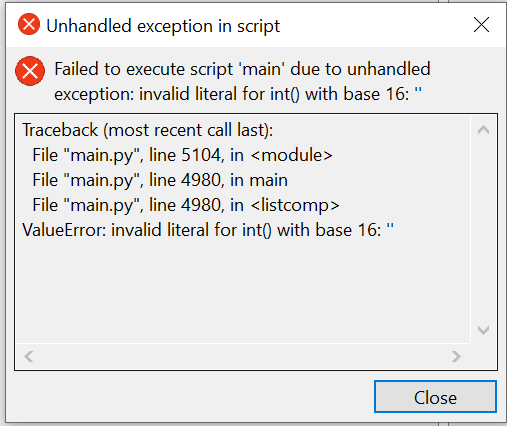

 N
NCongratulations on being the first to report an issue. Not even sure how to start going about the resolution issue but will look into it.
How do you have the launch settings set up? You don’t want to start TelemFFB with any launch args. Just open the exe
How do you have the launch settings set up? You don’t want to start TelemFFB with any launch args. Just open the exe
N(p.s.) fix identified for the scaling issue
II launched TelemFFB as always and said yes to the auto-update after finished the new TelemFFB, which was displayed with the wrong UI size.
On the second error, I checked in System Settings the auto-launch and start headless for pedals and collective but I don't have collective, and because it is not visible, I couldn't enable the joystick option
On the second error, I checked in System Settings the auto-launch and start headless for pedals and collective but I don't have collective, and because it is not visible, I couldn't enable the joystick option
Ialso, it will be great to have a revert to last previous version as a safe
Nwere you on the very latest version before you updated to this version?
Nwhy did you enable auto launch for a device you dont have?  OK.. so it shouldn't let you save under that condition but....
OK.. so it shouldn't let you save under that condition but....Nif so.. check this folder for your backup... if not.. well... moving forward... you can check this folder for the backup from the previous version
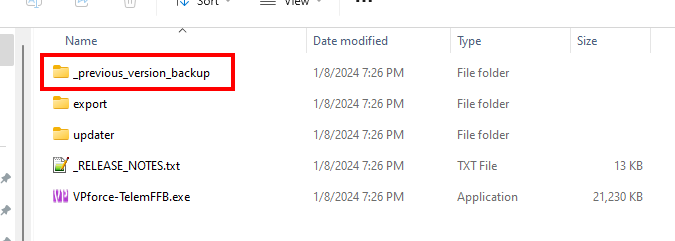
 I
Ithnaks for the tip about the last version, I didn't know
NIts a brand new feature that I shoved into the very last commit before this new version and didn't document anywhere.. 
NWere you able to get the new version started with only the pedals selected in the launch options? Because of the error state you may need to delete the system settings from the registry... Computer\HKEY_CURRENT_USER\Software\VPforce\TelemFFB you can just delete the whole TelemFFB key
Njust pushed a new build that should fix the DPI scaling, disallow erroneous autolaunch configs and allow you to at least startup with your corrupted registry settings (though you will see "cant connect to "FFFF:" errors)...
 E
E@walmis Recently, I've been experiencing frequent protective shutdowns on the Y-axis. I will make a video to show the situation. At that time, I will also share my debugging and configuration files. Could you help me take a look and see where the problem might be?
E@walmis Recently, I've been experiencing frequent protective shutdowns on the Y-axis. I will make a video to show the situation. At that time, I will also share my debugging and configuration files. Could you help me take a look and see where the problem might be?
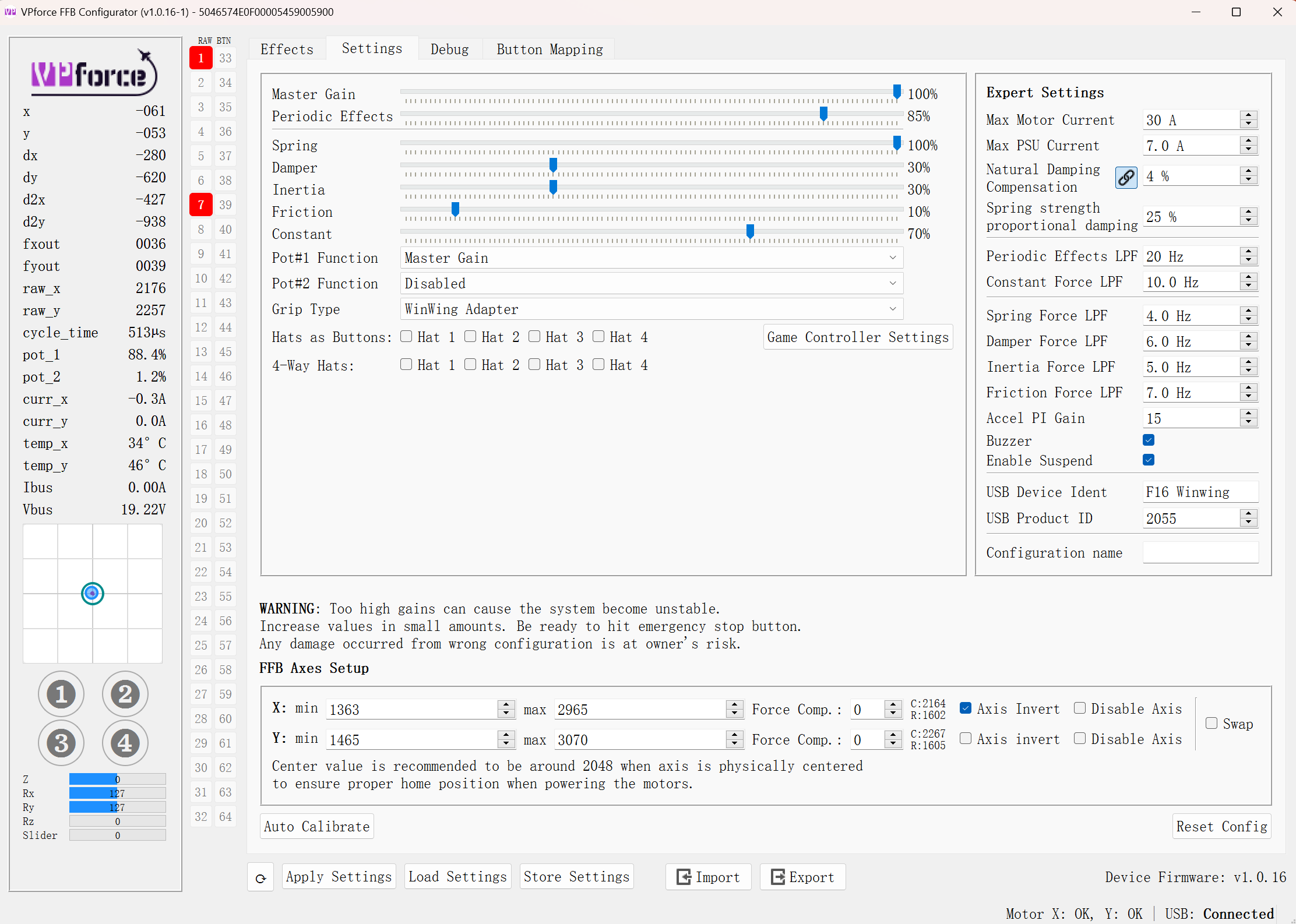
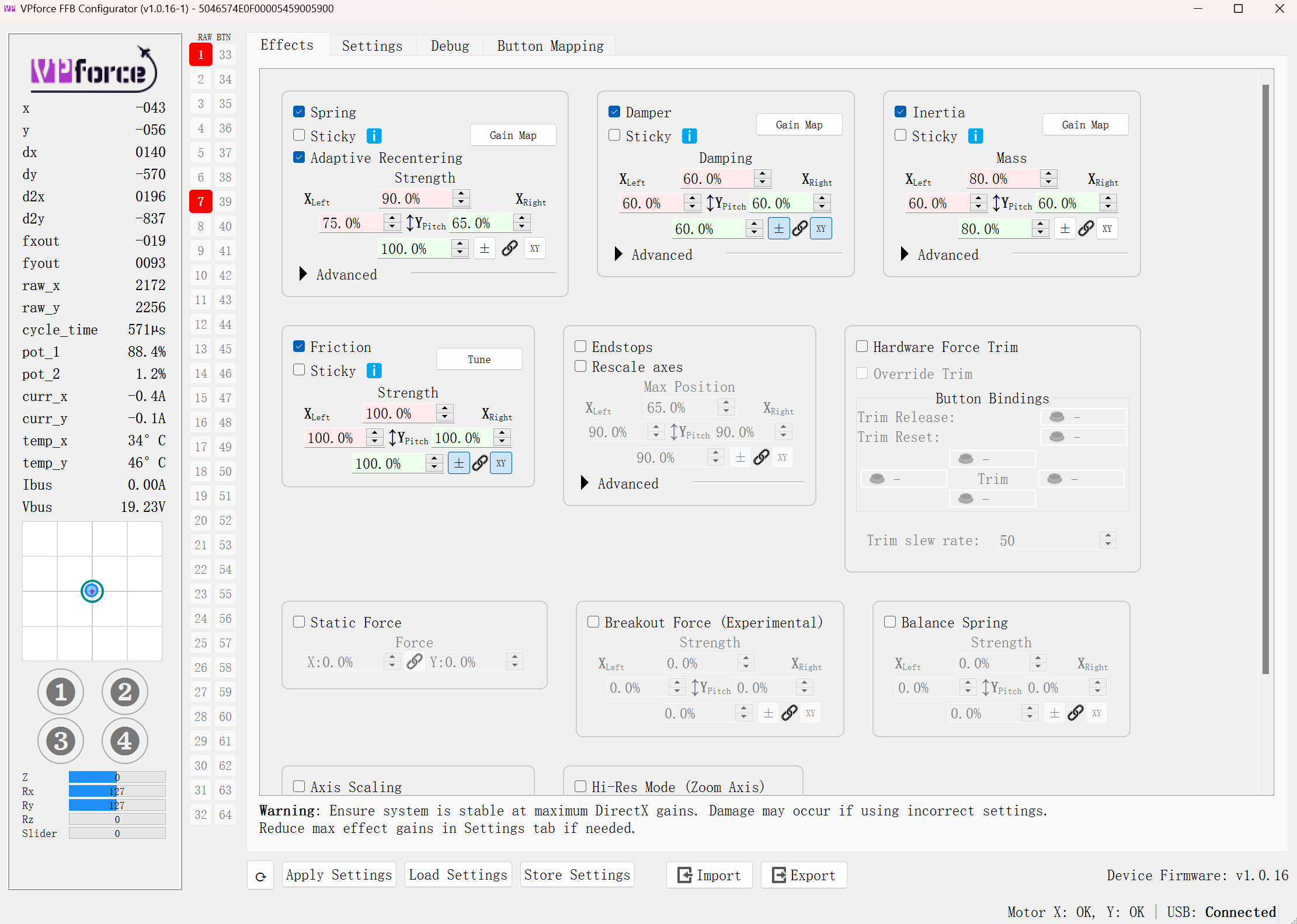
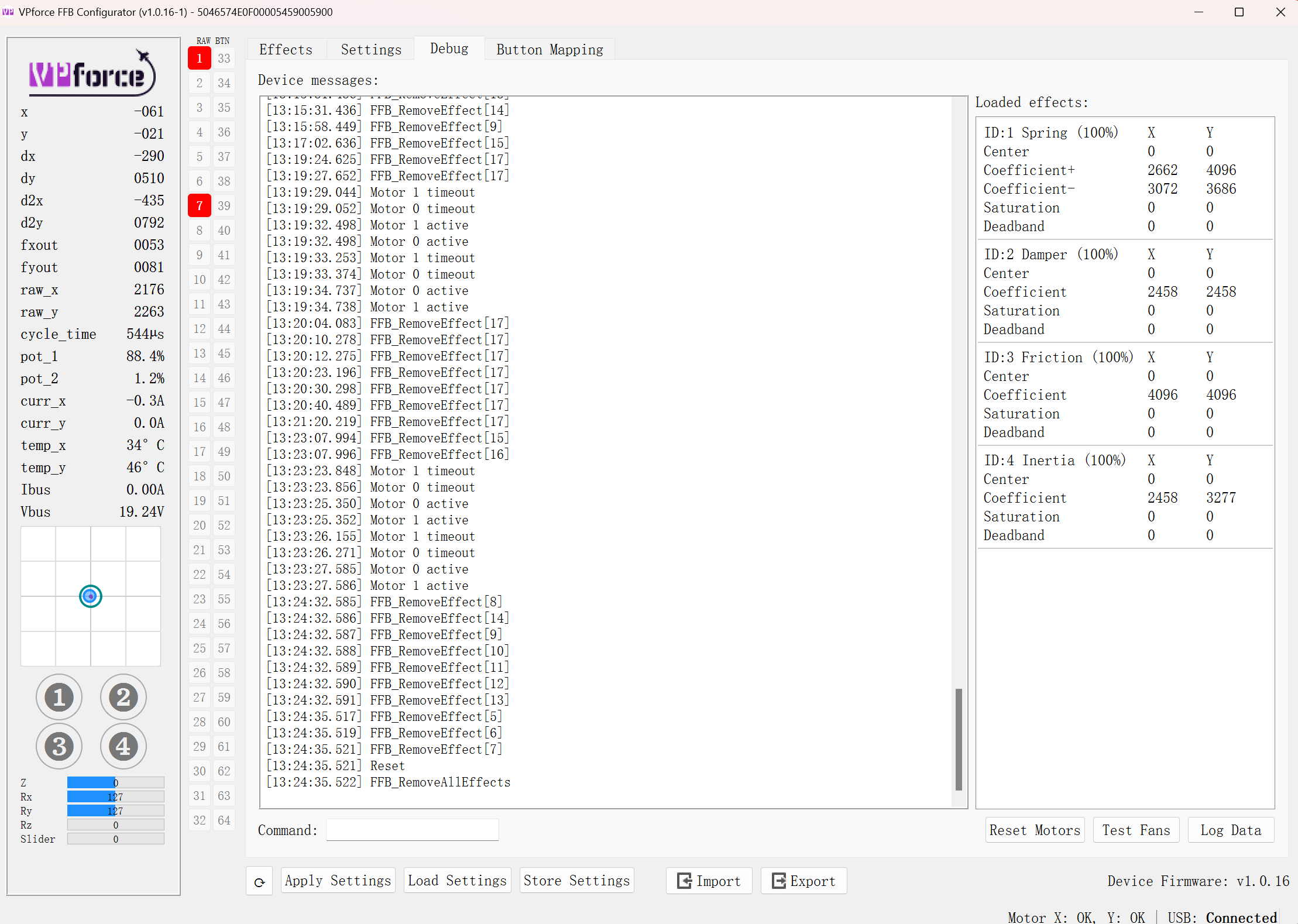 E
EThis issue often occurs during stall shuddering and the instant of firing the machine gun, and it always results in a shutdown of the Y-axis.
 W
WHey, try reducing the damper/inertia/friction LPFs in the configurator, I see you use all the effects simultaneously (damper/inertia/friction) so that might cause instabilities with the current settings.
EWhat would be the appropriate values to set for each LPF?
WTry experimenting, but I've found down to 2Hz is slow, but reliable
WNo worries, your Rhino is safe, motors enter into self protection if there is unusual stuff happening.
You can follow the manual to retighten the belts:
https://docs.google.com/document/d/1YL5DLkiTxlaNx_zKHEYSs25PjmGtQ6_WZDk58_SGt8Y/edit#heading=h.z337ya
You can follow the manual to retighten the belts:
https://docs.google.com/document/d/1YL5DLkiTxlaNx_zKHEYSs25PjmGtQ6_WZDk58_SGt8Y/edit#heading=h.z337ya

 P
PHey guys how do I go about downloading & installing the new TelemFFB software? can I just do a git pull? or should I reinstall?
Plol, nvn I used my brain & found the download
 N
Nif you're running the exe package, it will auto-update
Poh I've just been using the python install of telemffb & doing a git pull to update, but I just dl'ed the new version & used the .exe, will that be ok? cheers
Palso thanks heaps for all the work you & others done with this
Nyeah, just make sure you grab the latest zip from #VPforce-TelemFFB . The 'stable release' posted on GitHub is a snapshot of the WiP branch from a couple days ago.
Poh the bottom link?
P3017d8df
Nyeah.. or you can hit the link in the pinned messages in that channel which should bring you to the download site with the page already sorted by newest
Pyeah sweet looks like I dl'ed the 3017d8df one, so I'm on the new one?
Nyessir
Nhah.. runway rumble is one of those weird effects that didn't blow up if you set the value higher than 1.0 in the original configs and I think there were some aircraft that had that set as the default.
One of the new aspects of this new UI is that the settings sliders can be made so that they only offer a useful range, even though they display %0-100.
So many of the usable effect intensity values are in the 0.1-0.2 range, that the sliders are actually applying a scaling factor under the hood to 1.) only provide a usable setting range and 2.) give more granularity inside that setting range.
So there are some artifacts like that (%750) on a few of the old default values.
One of the new aspects of this new UI is that the settings sliders can be made so that they only offer a useful range, even though they display %0-100.
So many of the usable effect intensity values are in the 0.1-0.2 range, that the sliders are actually applying a scaling factor under the hood to 1.) only provide a usable setting range and 2.) give more granularity inside that setting range.
So there are some artifacts like that (%750) on a few of the old default values.
Nthe slider range for the runway rumble may need to be adjusted (in a subsequent version)
Pahh ok lol, once I touched that slider & set it to full it's at 100%, hiting the 'x' will put it back to 750%
Nyeah, the x button reverts the setting to what is in the default config
NBTW, since you migrated from source.. you can take your old user config and drop it in the exe folder. If it is named
If it has a different name, you will need to start telemFFB with the
config.user.ini, telemFFB will see it when starting and offer to convert those settings to the new model for you.If it has a different name, you will need to start telemFFB with the
-o <userconfig filename> runtime flag in order for it to pick it up for conversion.Poh I never editied the .ini
 T
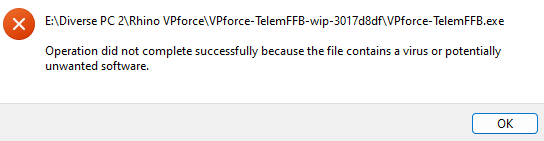
Tvirus detected on Windows 11
VPforce-TelemFFB-wip-3017d8df (latest release)
VPforce-TelemFFB-wip-3017d8df (latest release)
 M
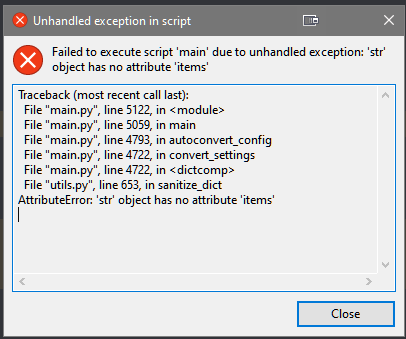
MJust updated to TelemFFB 1.0, getting this error on trying to convert the user.ini, halp?
 J
J@walmis @Number481 The latest auto update has made a mess. It did not restart after the update and the updater now enters a continuous cycle of updating from the former start shortcut. No new install location can be found. Is there a manual version of importing the previous *.VPconf files and User.ini?
Mexept in my case it does not work?
 N
Ncommon occurence for apps bundled with pyinstaller.. Windows defender and some other AV tools will sometimes flag a given build as a virus. This is because it is written in Python and compiled with ‘pyinstaller’ which can sometimes result in certain partial file hashes that have been previously found in low tech malware that is commonly also written in Python and compiled with pyinstaller