
 J
Jk, which instructions are you following?

 M
MThis one
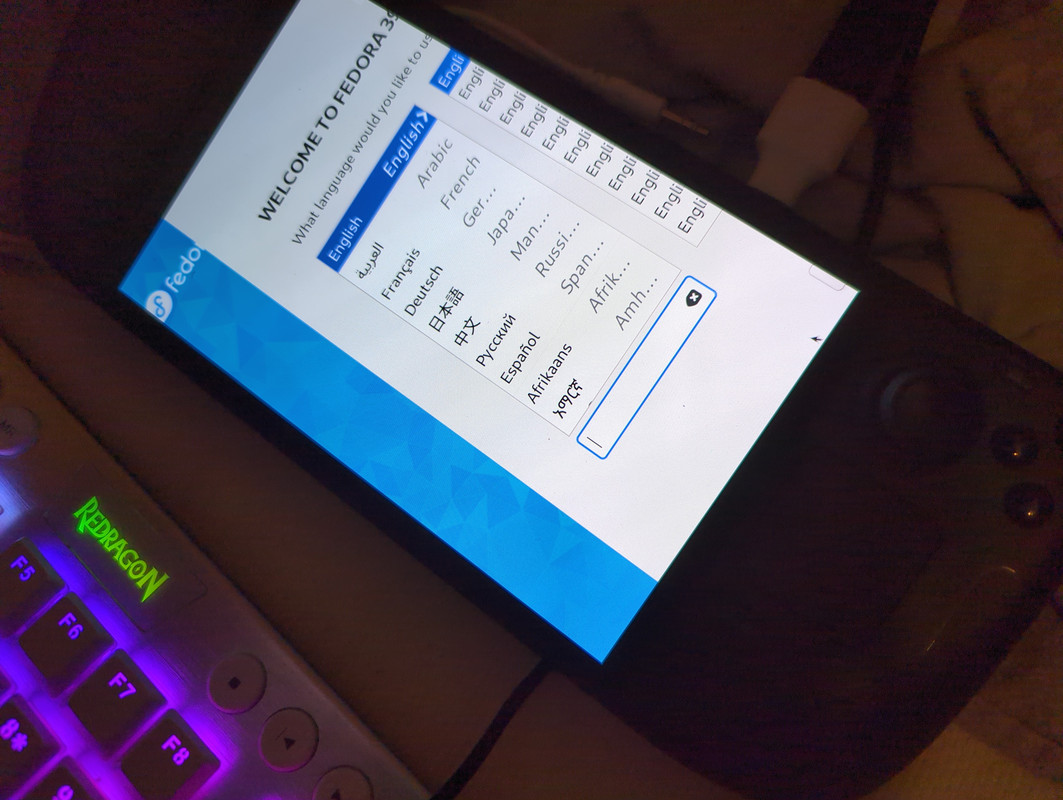
MI flashed the kinoite 39 iso on a usb
MAnd ran it
Jhave you seen this?
JUniversal Blue
Fedora’s installer has some issues with OCI images currently since this feature is still new. There is currently a new installer in the works that should fix most of the issues. If you have any issues installing, then please consult our Installation Troubleshoot page. Our ISOs require an internet connection! Make sure to connect to a wireless...
 M
MI did now, but im not trying to install bazzite yet
MI wanna rebase it into bazzite later
MI need wifi and i wanna get hdr support
Jyeah I'm not sure how it works since the fedora upstream installer doesn't adjust to the steam deck screen, there may be an argument you can pass to it
MCan you help me figure out which argument?
JI'm searching but I'm not an expert at this
MAhh oki
MDo you know if there is any other way to install bazzite on my steam deck oled that still supports hdr, and can be run with wifi?
Junsure, but someone in here will know, I'd post in the #bazzite-help so other people see it
 X
Xhuh, my ally is really slow to reboot now
Xi'll give it a few minutes then force reboot it

 T
TI don’t know the way to force a rotate. Way back when, I just used the keyboard with tab and space/enter without being able to see everything
Xwtf it didn't install the package?
Xi'm gonna hack around a little, might reinstall bazzite to be sure i didn't heck something up
Xis there a way to see journalctl logs while the device reboots?
 C
CAh so is not my mobile data, got it
 I
I@Kyle Gospo Hello there.
I have an idea which I may be the only one interested in, but I have share it. I'm in the process of making my own image and I was thinking that It would be awesome if I can switch to bazzite during the weekends just to do some gaming. But I want to make sure my $HOME is left untouched and that when I rebase back to my image I won't have new flatpaks or configs leftover.
This would require patching all auto update/install scripts to check for a
I have an idea which I may be the only one interested in, but I have share it. I'm in the process of making my own image and I was thinking that It would be awesome if I can switch to bazzite during the weekends just to do some gaming. But I want to make sure my $HOME is left untouched and that when I rebase back to my image I won't have new flatpaks or configs leftover.
This would require patching all auto update/install scripts to check for a
do_not_touch_anything file. Right before checking if an install script has run (example), it could look for a /etc/fedora_oci_commmunity/do_not_touch_anything file, and exit if it exists.IIt could also be added in Bluefin and make it kind of a standard across custom OCI images.
A secondary yafti file could be used to recommend which flatpaks will provide a better bazzite experience.
Does it sound interesting or duable?
A secondary yafti file could be used to recommend which flatpaks will provide a better bazzite experience.
Does it sound interesting or duable?

 B
Bwhy not just use a separate user for gaming?
Bsteam puts everything in your $HOME/.steam by default, even flatpak'd
 I
II considered it, but It wouldn't be convinient for me
Ialso flatpaks will still be an issue
Bnot if you only install the flatpaks for that user
Bflatpak install --user project.nameISee the example I linked. Bazzite installs flatpaks systemwide
IAm I misunderstanding your suggestion?
Bno, i misunderstood you, i thought you just wanted to separate your gaming, but you want to seperate your entire os
Bbut you can install flatpak's for that user, even in bazzite
BIIRC you just need to add the remote for the
--user option, and then you can install it either via discover/gnome software or via cliIthey will also be installed system wide and Im proposing a "flag" to make this easier for everyone to "image hop" (is this a phrase or can I say that I coined it?)
ICreating a separate user and installing all the flatpaks again means tens of gigabytes of wasted space and I wouldnt be able to start a quick Rocketleague game while I'm waiting for something to finish
Ianyway, lets wait for kyle to get his opinion. I can just create the files needed to skip any installs in my user/system. I'm just trying to solve once and for everyone like me.
 P
PIn my spare time I’ve been chipping away at getting multi-Unix-user Steam working properly so your flatpaks are isolated (don’t want others opening your discord/chrome!!) and got as far as making a shared game directory, but I need to revisit ensuring permissions stay consistent.
Not sure if it would be better to play with file system attrs or write a service
Not sure if it would be better to play with file system attrs or write a service
 B
Bnot sure what you've tried already, but you could try a service that on boot that basically sets
GAMES_DIR=/var/opt/games chown -R nobody:nobody "$GAMES_DIR" && chmod -r 777 "$GAMES_DIR" and a user service that when logged in, takes owner ship of that directory and/or symlinks it to your steam dirBi'm really priviledged that no one else uses my computer for anything, so i havent ran into these kind of issues

 K
KCan you send me that patch again? I'll double check

 A
AUnfortunately no patch
AIt got upstream 2 months ago
KOh, then all we need is that service?
KThat's easy, I'm happy to add that
AProbably better to pull the patch from the upstream kernel
AIt's part of Linux as of two months ago, see the Asus WMI history for it
KIf it's upstream and simply not in a released kernel then we should be getting 6.7 here within a week or two
