
Are you using a wrangler.toml file? You get undefined because it cant find the key anymore
Are you using a wrangler.toml file? You get undefined because it cant find the key anymore
 MMMM
MMMM BB
BB H
Hwrangler pages devnext devwrangler.toml S
S JMMMM
JMMMM D
D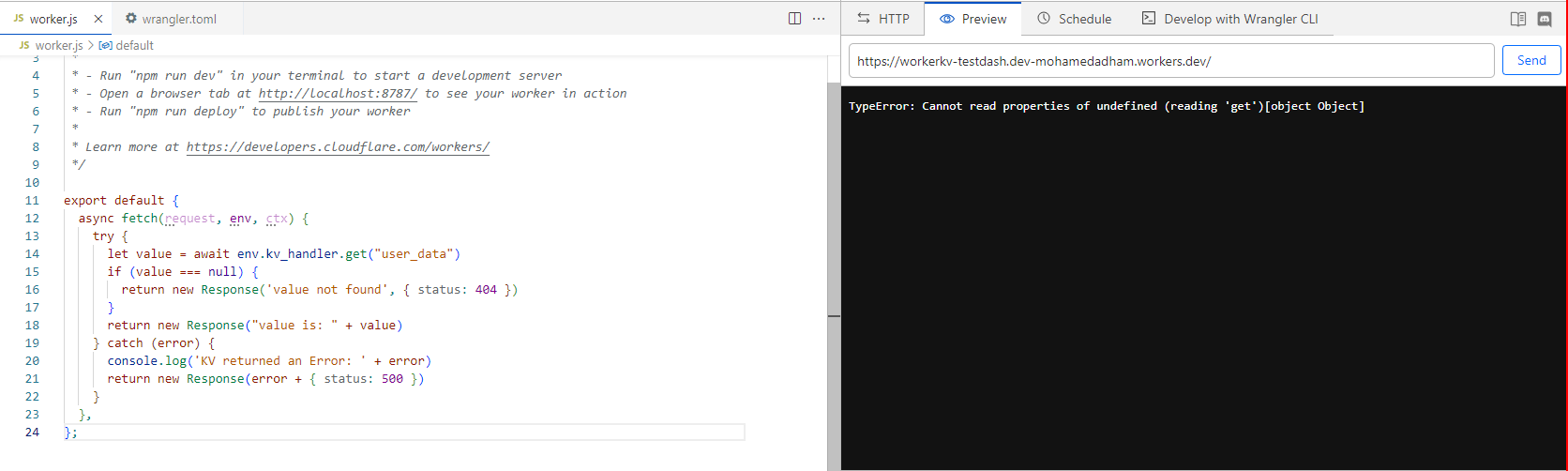 H
H RJ
RJ MMJJMJM
 AS
ASreact-error-boundary to wrap my app like this, and now it catches everything and allowed us to customize the error page:JJMMJ RMMMM
RMMMM<Image /> component it doesn't work, and no images serve even the static in the public directoryMJpnpm create cloudflare it will initialise a new Next.js project for you. In there, you will find commented out example usage of KV. You can uncomment this in next.config.mjs, env.d.ts, and app/api/hello/route.ts. Then if you run your app, you will see it putting + getting with kvJJB ⚡️ The project is set up for pnpm but it is currently being run via npm this might lead to build errors, please be sure to use the same package manager your project uses when running @cloudflare/next-on-pages22:43:28.203 ▲ Build Completed in .vercel/output [1m]
22:43:28.315 ⚡️ Completed `npx vercel build`.
22:43:30.081 ⚡️ Unexpected error: ENOENT: no such file or directory, copyfile '/opt/buildhome/repo/.vercel/output/functions/og.func/wasm/wasm_a7e702bc5ba9227243abda7977c8096f59478d3f.wasm' -> '/opt/buildhome/repo/.vercel/output/static/_worker.js/__next-on-pages-dist__/wasm/wasm_a7e702bc5ba9227243abda7977c8096f59478d3f.wasm'
22:43:30.137 Finished
22:43:30.138 Found _worker.js in output directory. Uploading.react-error-boundary<Image />pnpm create cloudflarenext.config.mjsenv.d.tsapp/api/hello/route.ts<ErrorBoundary
onError={(error, errorInfo) => {
if (window.Sentry) {
window.Sentry.captureException(error);
}
}}
fallbackRender={({ error, resetErrorBoundary }) => (
// add your own UI
)}
>
<Component {...pageProps} />
</ErrorBoundary> CDCloudflare Developers / workers-and-pages-helpCDCloudflare Developers / pages-helpCDCloudflare Developers / pages-helpCDCloudflare Developers / pages-help


