SearchSetup for Free
Cloudflare DevelopersCD
Cloudflare Developers•2y ago
crux

Hi. Looks like Sippy cannot work with files whose names contain non-Latin characters. Two examples

Hi.
Looks like Sippy cannot work with files whose names contain non-Latin characters.

Two examples of links copied from the GCS console and translated into links for R2 with a domain bound to a bucket.

  1. GOOD
    GCS:
    https://storage.googleapis.com/qq-prod/game/f5c34964-cf4e-491f-aa64-9722b3b1871f/DetectiveParty_Afisha_Ciga-ihOqGbapPi7f-648395.jpg
R2:
https://r2.qq.land/game/f5c34964-cf4e-491f-aa64-9722b3b1871f/DetectiveParty_Afisha_Ciga-ihOqGbapPi7f-648395.jpg

  1. BAD
    GCS:
    https://storage.googleapis.com/qq-prod/game/03bd26d3-ecb6-4a89-b130-b771e6d1dc87/QQ_%25D0%25B4%25D0%25BE%25D1%2581%25D1%2582%25D0%25B0%25D1%2582%25D1%258C%2520%25D0%25BD%25D0%25BE%25D0%25B6%25D0%25B8%2520%25D0%25BA%25D0%25BE%25D0%25BF%25D0%25B8%25D1%258F1-cAZHN4ZClv7y-115610.jpg

R2:
https://r2.qq.land/game/03bd26d3-ecb6-4a89-b130-b771e6d1dc87/QQ_%25D0%25B4%25D0%25BE%25D1%2581%25D1%2582%25D0%25B0%25D1%2582%25D1%258C%2520%25D0%25BD%25D0%25BE%25D0%25B6%25D0%25B8%2520%25D0%25BA%25D0%25BE%25D0%25BF%25D0%25B8%25D1%258F1-cAZHN4ZClv7y-115610.jpg

Cloudflare DevelopersJoin
Welcome to the official Cloudflare Developers server. Here you can ask for help and stay updated with the latest news
83,498Members
View on Discord

Similar Threads

Was this page helpful?

Product

PricingDocsCommunities

Resources

AboutBlogChangelogContributors

Legal

TermsPrivacyCookiesEULA
TwitterGitHubDiscord

© 2026 Hedgehog Software, LLC. All rights reserved.

© 2026 Hedgehog Software, LLC

TwitterGitHubDiscord
More
CommunitiesDocsAboutTermsPrivacy
cruxCcruxHi. Looks like Sippy cannot work with files whose names contain non-Latin charac...
KarewK
Karew•3/18/24, 9:00 AM
I'd suggest migrating directly instead, using something like Rclone https://rclone.org
KarewK
Karew•3/18/24, 9:01 AM
Although I would consider filenames like this one to be a smell https://r2.qq.land/game/03bd26d3-ecb6-4a89-b130-b771e6d1dc87/QQ_%D0%B4%D0%BE%D1%81%D1%82%D0%B0%D1%82%D1%8C%20%D0%BD%D0%BE%D0%B6%D0%B8%20%D0%BA%D0%BE%D0%BF%D0%B8%D1%8F1-cAZHN4ZClv7y-115610.jpg
KarewKKarewAlthough I would consider filenames like this one to be a smell <https://r2.qq.l...
cruxC
cruxOP•3/18/24, 9:03 AM
This is User Generated Content and this does not mean that files with such names should not be processed.
KarewK
Karew•3/18/24, 9:04 AM
You should not be letting users name the file keys you store in S3-like services, you should ideally track that filename seperately somehow and store the file under a predictable key
cruxC
cruxOP•3/18/24, 9:06 AM
However, this is a bug. Files with such names are possible, do not violate any standards and work with direct distributions from other S3-like services. In addition, I want to serve files directly from R2/S3, and not waste resources on retrieving a separately stored name.
Isaac McFadyenI
Isaac McFadyen•3/18/24, 12:13 PM
One of the issues with letting users name their own files is that they could upload a file with / I think?
Isaac McFadyenI
Isaac McFadyen•3/18/24, 12:13 PM
Then suddenly they've created a new "directory" in your R2 bucket.
Hello, I’m Allie!H
Hello, I’m Allie!•3/18/24, 12:19 PM
Good think you can't do directory traversal ala
../
../
cruxCcruxHi. Looks like Sippy cannot work with files whose names contain non-Latin charac...
cruxC
cruxOP•3/18/24, 1:38 PM
This is not about how to “correctly” host user files. The point is that Sippy is expected to correctly migrate a file with URL-coded characters in the name.
dskyD
dsky•3/18/24, 2:12 PM
Hi, I'm new to R2 and have read the docs and tried to use the Postman collection. I am not using S3 but simply want to push files via an API to R2. I do not find a proper APi documentation on how to send proper requests. Can anybody point me to what I might be missing please?
dskyDdskyHi, I'm new to R2 and have read the docs and tried to use the Postman collection...
ChaikaC
Chaika•3/18/24, 2:13 PM
The API you want to use is the S3 Compatible API, only publicly documented option
dskyD
dsky•3/18/24, 2:14 PM
so I have to do the AWS signing stuff even though I'm not using S3?
ChaikaC
Chaika•3/18/24, 2:14 PM
You will be using the S3 Compatible API, so yes
ChaikaC
Chaika•3/18/24, 2:15 PM
There's examples here: https://developers.cloudflare.com/r2/examples/, and lots of libraries which support S3 which mostly just work with R2, as long as you configure them right
dskyD
dsky•3/18/24, 2:16 PM
thanks @Chaika - no sdk for Java right? just double checking
dskyDdskythanks @Chaika - no sdk for Java right? just double checking
ChaikaC
Chaika•3/18/24, 2:17 PM
There's an AWS SDK for Java which you can use. The point of using the S3 Protocol rather then reinventing the wheel is that there are tons of existing libraries which work
dskyD
dsky•3/18/24, 2:18 PM
thank you Chaika for the quick help, I appreciate it
João PedroJ
João Pedro•3/18/24, 2:51 PM
Hi guys. Im having a problem with R2 usage metrics, when i obtain a object a just one time from s3 api, the metrics put a class A operation. Why this is happening??
João PedroJ
João Pedro•3/18/24, 3:04 PM
Then, how can i measure operations without dashboard?
Original message was deleted
João PedroJ
João Pedro•3/18/24, 3:23 PM
Where is located at?
João PedroJ
João Pedro•3/18/24, 3:35 PM
Ok, thanks 🫶🏼
JuansecuJ
Juansecu•3/18/24, 5:32 PM
Hi.

I configured a R2 bucket to use a custom domain, but when I try to access its objects from browser, I receive a 403 error code.

What could be the cause of it, and how can I fix it?
JuansecuJJuansecuHi. I configured a R2 bucket to use a custom domain, but when I try to access i...
ChaikaC
Chaika•3/18/24, 5:38 PM
Is it a 403, or a 404? Screenshot of the error page?
ChaikaCChaikaIs it a 403, or a 404? Screenshot of the error page?
JuansecuJ
Juansecu•3/18/24, 5:48 PM
It was a 403 error, but I found the cause. It was a rule I previously configured. Just fixed it.
wildchifrijoW
wildchifrijo•3/18/24, 11:39 PM
Hey all. Got a weird problem with R2 in an account of a client of ours. We host the images for their WordPress site in R2. Some days ago, it looks like their R2 subscription was cancelled, and ever since we've not been able to enable it back. Images are down in the site, client's upset, I'm sweating bullets. 😅 I see there is a billing migration going on, I imagine this issue might be related to that, but does any one know a workaround for this?
wildchifrijoW
wildchifrijo•3/18/24, 11:41 PM
Btw, I have pressed the "Billing" link in the upper alert and it doesn't show any subscription to be re-enabled.
imagen.png
UnsmartU
Unsmart•3/19/24, 12:06 AM
?support
FlareF
Flare•3/19/24, 12:06 AM
To contact Cloudflare Support about an issue, please visit the Support Portal and fill in the form on the portal. After submission, you will receive confirmation over email.

Some issues, such as Account or Billing related issues, cannot be solved by the community.
Any plan level (including Free plans) can open tickets for Account, Billing or Registrar ticket categories. Make sure to select the correct category to ensure it goes to the right place.
For more information on the methods by which you can contact Support for your plan level, see Contacting Cloudflare Support - Cloudflare Docs
SaketSSaketHi team, Haven't had this issue before. I have a website deployed to Cloudflare ...
trogdorT
trogdor•3/19/24, 12:53 AM
@Saket did you figure this out? I'm having the same problem.
Caleb HaileyCCaleb HaileyHey all... I've tried reading the (hundreds?!) of previous posts on CORS config,...
notjoemartinezN
notjoemartinez•3/19/24, 2:51 AM
I was able to fix this by adding headers
[
  {
    "AllowedOrigins": [
      "*"
    ],
    "AllowedMethods": [
      "GET",
      "PUT",
      "POST"
    ],
    "AllowedHeaders": [
      "*"
    ]
  }
]
[
  {
    "AllowedOrigins": [
      "*"
    ],
    "AllowedMethods": [
      "GET",
      "PUT",
      "POST"
    ],
    "AllowedHeaders": [
      "*"
    ]
  }
]
notjoemartinezN
notjoemartinez•3/19/24, 3:01 AM
I have cloudflare worker using the AWS sdk bucket for CRUD operations on a R2 bucket. I'm trying to implement the Delete part and I'm running into a problem with the
@aws-sdk/client-s3
@aws-sdk/client-s3
DeleteObjectCommand
DeleteObjectCommand
.
    try {
        const url = new URL(request.url);
        const params = url.searchParams;
        const key = params.get('key');

        console.log('key', key);
        const data = await S3.send(new DeleteObjectCommand({
            Bucket: 'fakeBucket',
            Key: key
        }));

        return new Response(JSON.stringify({
            msg: 'I mean, something happened!',
            data: data
        }), {
            status: 200,
            headers: headers
        });

    } catch (err) {
        return new Response(JSON.stringify(
            { 
                msg: 'Error', 
                error: err 
            }), 
            { 
                status: 500, 
                headers: headers 
            });
    }
    try {
        const url = new URL(request.url);
        const params = url.searchParams;
        const key = params.get('key');

        console.log('key', key);
        const data = await S3.send(new DeleteObjectCommand({
            Bucket: 'fakeBucket',
            Key: key
        }));

        return new Response(JSON.stringify({
            msg: 'I mean, something happened!',
            data: data
        }), {
            status: 200,
            headers: headers
        });

    } catch (err) {
        return new Response(JSON.stringify(
            { 
                msg: 'Error', 
                error: err 
            }), 
            { 
                status: 500, 
                headers: headers 
            });
    }

it still deletes the object but my worker returns an error
{
    "msg": "Error",
    "error": {
        "$metadata": {
            "attempts": 1,
            "totalRetryDelay": 0
        }
    }
}
{
    "msg": "Error",
    "error": {
        "$metadata": {
            "attempts": 1,
            "totalRetryDelay": 0
        }
    }
}

I know
DeleteObjectCommand
DeleteObjectCommand
is technically not supported yet but are there any other ways to do this from workers?
notjoemartinezNnotjoemartinezI have cloudflare worker using the AWS sdk bucket for CRUD operations on a R2 bu...
SamS
Sam•3/19/24, 8:21 AM
https://developers.cloudflare.com/r2/api/workers/workers-api-usage/
Cloudflare Docs
Use R2 from Workers · Cloudflare R2 docs
C3 (create-cloudflare-cli) is a command-line tool designed to help you set up and deploy Workers & Pages applications to Cloudflare as fast as …
EgomesE
Egomes•3/19/24, 2:58 PM
I have a r2 bucket that keeps giving me Error 404
This object could not be viewed
You are not authorized to view this object

I went to see if the link structure was correct and in my production website it gives me this link : https://www.spsfeed.com/postLogoThumbnails/NZ3CUqNxRqn5iQrU0psMiVpI8j2FcIquSn8Z6ZL8.jpg

and in the r2 bucket preview link :https://www.spsfeed.com/spsfeed%2FpostFeaturedImage%2F0GHyZIAagjvH7Da2tKmPCV0fmzGToVn2elezP42O.webp

One uses / other users %2F
And now i cant show my images
I have it connected through my custom domain, added it to cors too, wasn't a couple days ago.

Ignore the different file happens to every file

Is there a way to fix this ?
BonadioB
Bonadio•3/19/24, 6:44 PM
Hi, I have a CORS error in Safari trying to get a javascript widget that I host on cloudflare R2.

Running on Chrome everything works, but in Safari I get the error:
Failed to load resource: Origin https://sabetudo.ai is not allowed by Access-Control-Allow-Origin. Status code: 200


In our website https://sabetudo.ai we have a widget that is loaded as a script from https://cdn.sabetudo.ai/webwidget.js

https://cdn.sabetudo.ai is a R2 bucket connected to a domain.

If I disable the CORS checking in Safari it works.

This is the CORS config that I have in my bucket

[
  {
    "AllowedOrigins": [
      "*",
      "https://sabetudo.ai",
      "https://www.sabetudo.ai",
      "http://localhost"
    ],
    "AllowedMethods": [
      "GET",
      "HEAD"
    ],
    "ExposeHeaders": [
      "Content-Type",
      "Access-Control-Allow-Origin",
      "ETag"
    ]
  }
]
[
  {
    "AllowedOrigins": [
      "*",
      "https://sabetudo.ai",
      "https://www.sabetudo.ai",
      "http://localhost"
    ],
    "AllowedMethods": [
      "GET",
      "HEAD"
    ],
    "ExposeHeaders": [
      "Content-Type",
      "Access-Control-Allow-Origin",
      "ETag"
    ]
  }
]


Any help would be greatly appreciated
SkovinSSkovincan't access the dashboard
BonadioB
Bonadio•3/19/24, 6:48 PM
No its working for me
Original message was deleted
BonadioB
Bonadio•3/19/24, 7:24 PM
I updated but there seems to have some cache on R2, the response I get is different from what I have in the cors config
Original message was deleted
BonadioB
Bonadio•3/19/24, 7:25 PM
Will try that
SkovinSSkovinThanks Bonadio, I see this error now,
ErisaE
Erisa•3/19/24, 9:16 PM
If this happens again please follow the instructions here general-discussions
stachuS
stachu•3/19/24, 9:48 PM
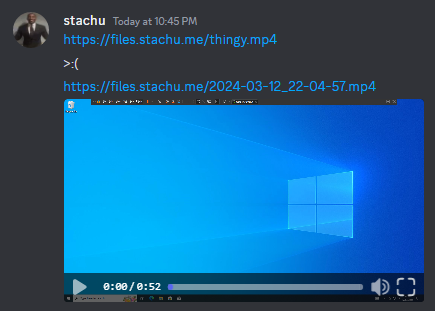
hi, when i send a link to a video on my r2 thingy, discord only embeds the small videos.
is it possible to make the bigger videos embed as well?
the first video is ~196mb and the second one is ~27mb
image.png
zegevlierZ
zegevlier•3/19/24, 9:52 PM
There's https://support.discord.com/hc/en-us/community/posts/9164583446807-Video-embed-size-limit, which seems to imply that this is a discord limitation
stachuS
stachu•3/19/24, 9:53 PM
damn alright
stachuS
stachu•3/19/24, 9:53 PM
well ty
rezonantR
rezonant•3/20/24, 3:14 AM
I've been doing a multi-day test to send live HLS into R2 and for most of that test everything worked very well. I've got 4 second segments so each rendition segment needs to be up in R2 within a 4 second window. Usually I get on average 200-400ms uploads which is quite acceptable. Suddenly I'm getting a lot of (but not all of) requests taking up to 10 seconds and my streaming tool has to resend them-- online there's talk that as late as March 2023 the automated abuse systems had issues differentiating this sort of supported case with abuse cases-- was that fixed? do others have success with this sort of thing for sustained HLS streams?
rezonantR
rezonant•3/20/24, 3:18 AM
fwiw in my test this is a grand total of about 800GB ingested to CF, less than the free tier number of class A operations, and the stream is pulled by exactly 1 player (my machine), and my class B operations are a fraction of my class A operations. As of right now I expect to only pay for storage when the bill comes.
Next page
[
  {
    "AllowedOrigins": [
      "*"
    ],
    "AllowedMethods": [
      "GET",
      "PUT",
      "POST"
    ],
    "AllowedHeaders": [
      "*"
    ]
  }
]
[
  {
    "AllowedOrigins": [
      "*"
    ],
    "AllowedMethods": [
      "GET",
      "PUT",
      "POST"
    ],
    "AllowedHeaders": [
      "*"
    ]
  }
]
    try {
        const url = new URL(request.url);
        const params = url.searchParams;
        const key = params.get('key');

        console.log('key', key);
        const data = await S3.send(new DeleteObjectCommand({
            Bucket: 'fakeBucket',
            Key: key
        }));

        return new Response(JSON.stringify({
            msg: 'I mean, something happened!',
            data: data
        }), {
            status: 200,
            headers: headers
        });

    } catch (err) {
        return new Response(JSON.stringify(
            { 
                msg: 'Error', 
                error: err 
            }), 
            { 
                status: 500, 
                headers: headers 
            });
    }
    try {
        const url = new URL(request.url);
        const params = url.searchParams;
        const key = params.get('key');

        console.log('key', key);
        const data = await S3.send(new DeleteObjectCommand({
            Bucket: 'fakeBucket',
            Key: key
        }));

        return new Response(JSON.stringify({
            msg: 'I mean, something happened!',
            data: data
        }), {
            status: 200,
            headers: headers
        });

    } catch (err) {
        return new Response(JSON.stringify(
            { 
                msg: 'Error', 
                error: err 
            }), 
            { 
                status: 500, 
                headers: headers 
            });
    }
{
    "msg": "Error",
    "error": {
        "$metadata": {
            "attempts": 1,
            "totalRetryDelay": 0
        }
    }
}
{
    "msg": "Error",
    "error": {
        "$metadata": {
            "attempts": 1,
            "totalRetryDelay": 0
        }
    }
}
[
  {
    "AllowedOrigins": [
      "*",
      "https://sabetudo.ai",
      "https://www.sabetudo.ai",
      "http://localhost"
    ],
    "AllowedMethods": [
      "GET",
      "HEAD"
    ],
    "ExposeHeaders": [
      "Content-Type",
      "Access-Control-Allow-Origin",
      "ETag"
    ]
  }
]
[
  {
    "AllowedOrigins": [
      "*",
      "https://sabetudo.ai",
      "https://www.sabetudo.ai",
      "http://localhost"
    ],
    "AllowedMethods": [
      "GET",
      "HEAD"
    ],
    "ExposeHeaders": [
      "Content-Type",
      "Access-Control-Allow-Origin",
      "ETag"
    ]
  }
]

Similar Threads

Getting Error configuring sippy
Cloudflare DevelopersCDCloudflare Developers / general-help
2y ago
Case-insensitive LIKE query with unicode characters not working
Cloudflare DevelopersCDCloudflare Developers / d1-database
10mo ago