
So yes, it must be set to `automatic` to be able to watch it using the Stream player.
So yes, it must be set to
automatic to be able to watch it using the Stream player.automatic to be able to watch it using the Stream player.automatic J
J A
A M
M
 J
J
 AJJ
AJJ B
B TTBB
TTBB D
Dnet::ERR_CONNECTION_RESET It is a next.js project. This is my api endpoint code to create a unique url.import { NextRequest, NextResponse } from "next/server";
export async function POST(request: NextRequest) {
try {
const { CLOUDFLARE_ACCOUNT_ID, CLOUDFLARE_API_TOKEN } = process.env;
const endpoint = https://api.cloudflare.com/client/v4/accounts/${CLOUDFLARE_ACCOUNT_ID}/stream?direct_user=true`;bearer ${CLOUDFLARE_API_TOKEN},DD DDDD
DDDD JD
JDconst options: tus.UploadOptions = {
endpoint: "/api/cloudflare",
// chunkSize: 50 * 1024 * 1024,api/cloudflare is the endpoint that generates the tokenized url and send it in the location header. When I check this request, it succeeds and return the uri sth like https://videodelivery....... But then tus client is unable to handle the upload and I get the above error net::ERR_CONNECTION_RESETJJJ SS
SS
 A
A DDD
DDD DD
DD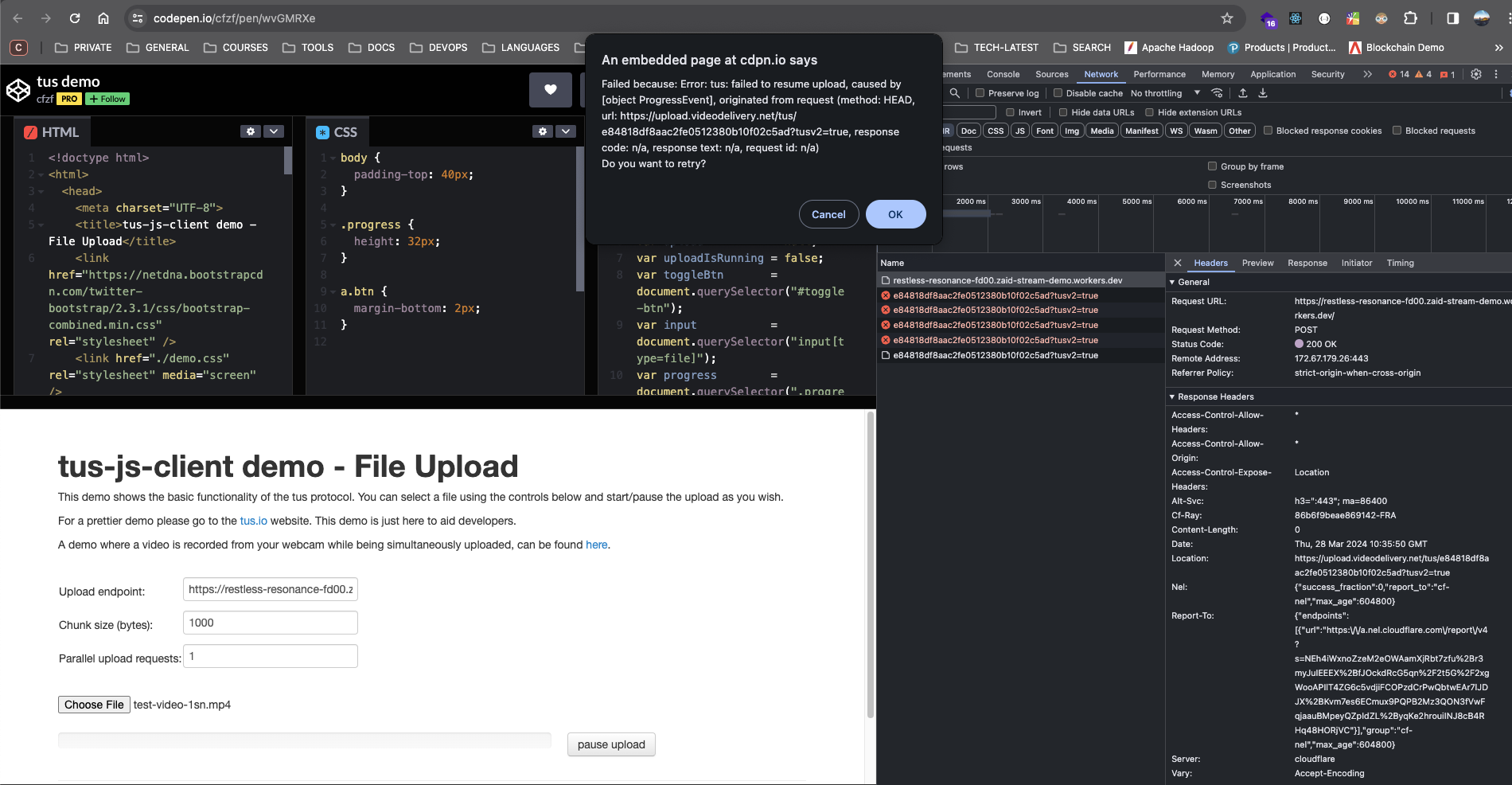 J
J I
I FJD
FJDSonoma 14.4.1, Browser: Brave, Version 1.64.109 Chromium: 123.0.6312.58 (Official Build) (arm64) What are you writing to the chunkSize input? Maybe it is about that one? P
P
 RIRIRRRR
net::ERR_CONNECTION_RESETnet::ERR_CONNECTION_RESETimport { NextRequest, NextResponse } from "next/server";
export async function POST(request: NextRequest) {
try {
const { CLOUDFLARE_ACCOUNT_ID, CLOUDFLARE_API_TOKEN } = process.env;
const endpoint = bearer ${CLOUDFLARE_API_TOKEN}Hi. When using Direct Creator Upload with tus, there is one really important thing to keep in mind: tus should be configured to call your backend service/endpoint which returns the tokenized url. Your backend service should call the Stream API and return the tokenized url in the Location header. You should not be passing the videodelivery.net 2 url directly to tus.const options: tus.UploadOptions = {
endpoint: "/api/cloudflare",
// chunkSize: 50 * 1024 * 1024,api/cloudflarehttps://videodelivery.......Sonoma 14.4.11.64.109 Chromium: 123.0.6312.58 (Official Build) (arm64)



