A simplified description of how it works is: - Effects tab sets the limitations for the sliders on t
A simplified description of how it works is:
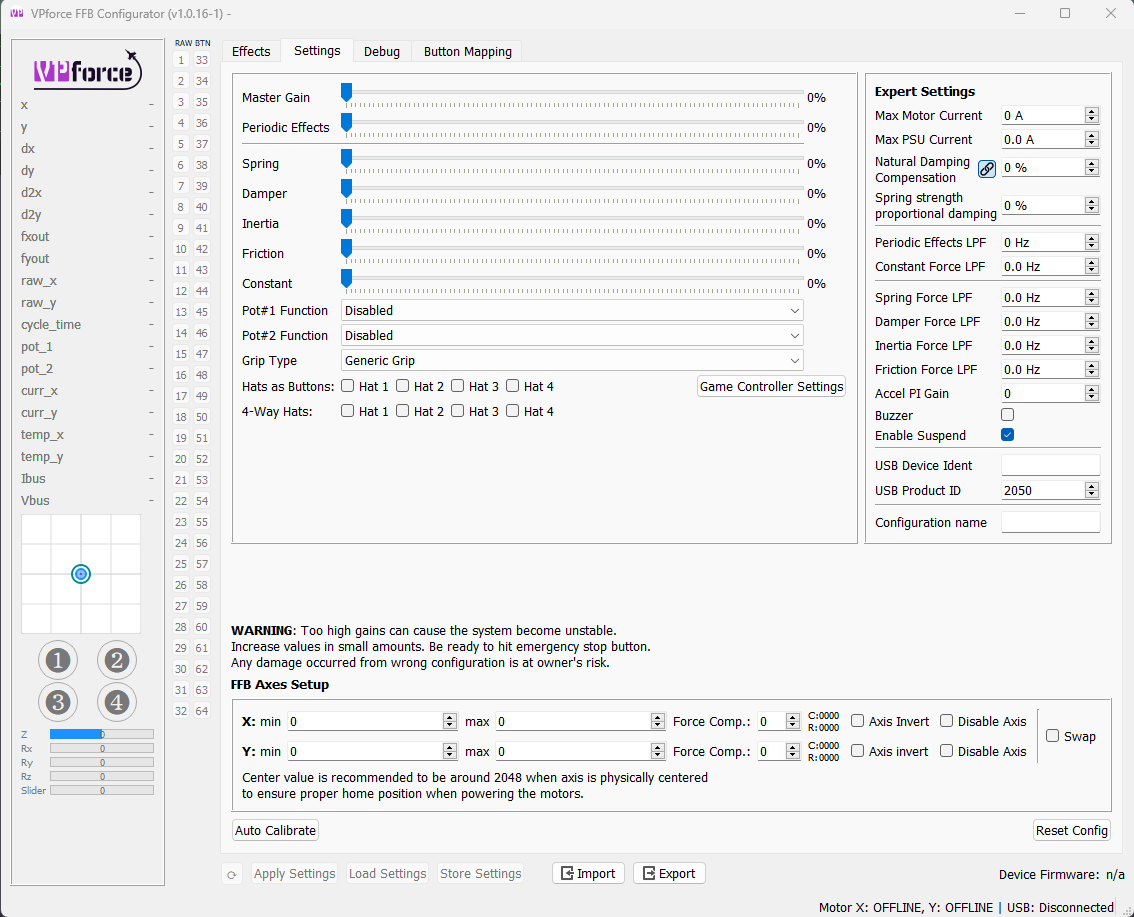
- Effects tab sets the limitations for the sliders on the settings tab
- Settings tab sliders set the limitations on what a game can command via DirectX FFB
Together they sort of define the maximum capabilities and characteristics of the device.
Example: A game will just say "set spring to %50". It has no idea what is set in configurator. The resulting force you feel will be the spring settings in
I recommend importing and starting with the default rhino configurator profile (in the configs directory in your configurator install).
WRT stick shake. Depends on the module. Some have stall buffeting built-in. However, that is the only "haptic" type effect that is part of the native FFB from DCS.
- Effects tab sets the limitations for the sliders on the settings tab
- Settings tab sliders set the limitations on what a game can command via DirectX FFB
Together they sort of define the maximum capabilities and characteristics of the device.
Example: A game will just say "set spring to %50". It has no idea what is set in configurator. The resulting force you feel will be the spring settings in
Effects Tab * Settings Tab * %50.I recommend importing and starting with the default rhino configurator profile (in the configs directory in your configurator install).
WRT stick shake. Depends on the module. Some have stall buffeting built-in. However, that is the only "haptic" type effect that is part of the native FFB from DCS.