
is workers are only who don't support or it whole serverless thing cause i saw some github repo who
is workers are only who don't support or it whole serverless thing cause i saw some github repo who is using aws lambda which support sharp

 HH
HH S
S BSH
BSH
 C
C W
W M
M--persist-towrangler.toml A
Awranglerjq E
ECLOUDFLARE_ACCOUNT_ID J
Jnpx wrangler d1 execute DB --local --file=./schema.sql.read ./data.sql.sql M
Mnpm run deploy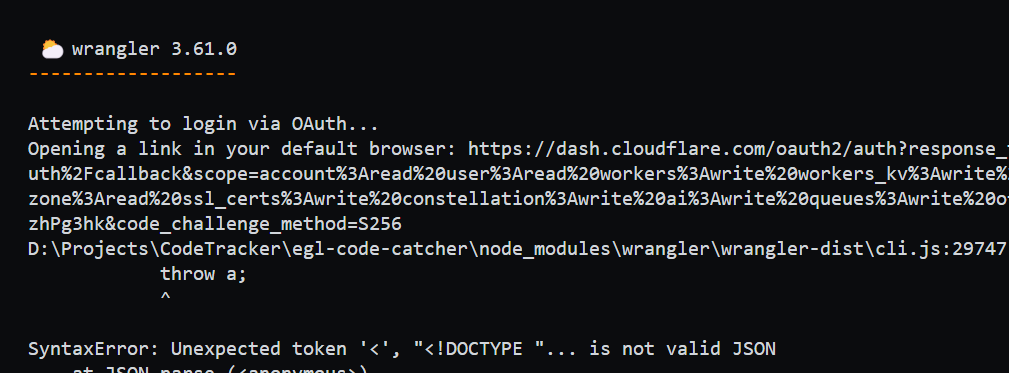
 JM
JMnpx wrangler loginnpx wrangler deploynpx wrangler login VV
VV K
Kitty-durable{ DurableObject } BB
BB DDDDD
DDDDD D
D B
Bwrangler tailworkers.api.error.script_not_found [code: 10007]SyntaxError: Unexpected token < in JSON at position 0--test_env=LLVM_SYMBOLIZER=<path> S
S
--experimental-dev-env flag (shorthand: --x-dev-env) on wrangler v3.62.0 or newer: ⃟
⃟ L
L M
M https://github.com/cloudflare/workers-sdk/issues/5339#issuecomment-2189587023
 N
N C
Cbun run build && wrangler pages dev dist would no longer work... LCL
LCL P
Pdev✘ [ERROR] Address already in use (127.0.0.1:60392). Please check that you are not already running a server on this address or specify a different port with --port. C
C Trying to figure out how to set up my local directory structure for a project with Pages and Workers which need to access D1.
 FAIL src/IttyDurable.spec.ts [ src/IttyDurable.spec.ts ]
Error: Failed to resolve import "cloudflare:workers" from "src/IttyDurable.spec.ts". Does the file exist?--experimental-dev-env--x-dev-env$ npx wrangler@latest dev --x-dev-env
# or
$ npx wrangler@latest dev --remote --x-dev-envbun run build && wrangler pages dev dist✘ [ERROR] Address already in use (127.0.0.1:60392). Please check that you are not already running a server on this address or specify a different port with --port.project
- pages_dir
- src/
...
- worker1
...
- wranger.tomllsof -i :60392
kill -9 <PID>


