
Ok, that is what I was thinking. Gonna dread doing the conversion since it is ALOT of files to modif
Ok, that is what I was thinking. Gonna dread doing the conversion since it is ALOT of files to modify, But in the end it should be well worth it.

 B
Bconst mapping = { [tenantId1] : env.DB_TENANT_1 and so on, but is there something better?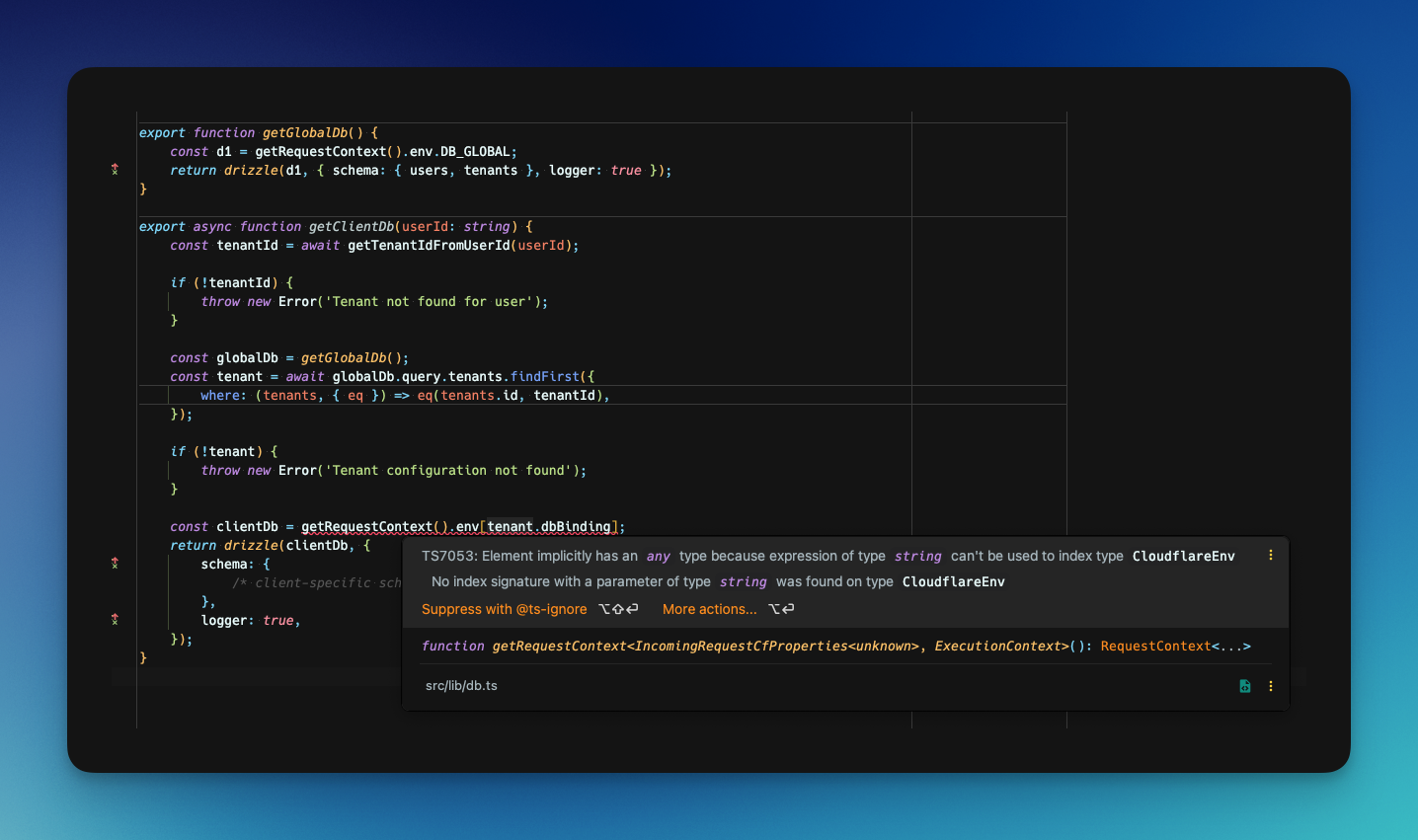 B
B
 J
J--remotewrangler d1 migrations create preview-say-my-name move-authentication-to-workos.wrangler d1 migrations apply preview-say-my-name, i get: Migration 0001_move-authentication-to-workos.sql failed with the following errors:
✘ [ERROR] no such table: customers
 HJJ
HJJwrangler.tomlwrangler d1 migrations create preview-say-my-name move-authentication-to-workos. M
Mhttps://developers.cloudflare.com/d1/build-with-d1/local-development/#miniflareMM
 T
T J
J S
S MMM
MMM O
O DDHDMM
 AA
AA A
A T
T//favicon.ico?  AA
AA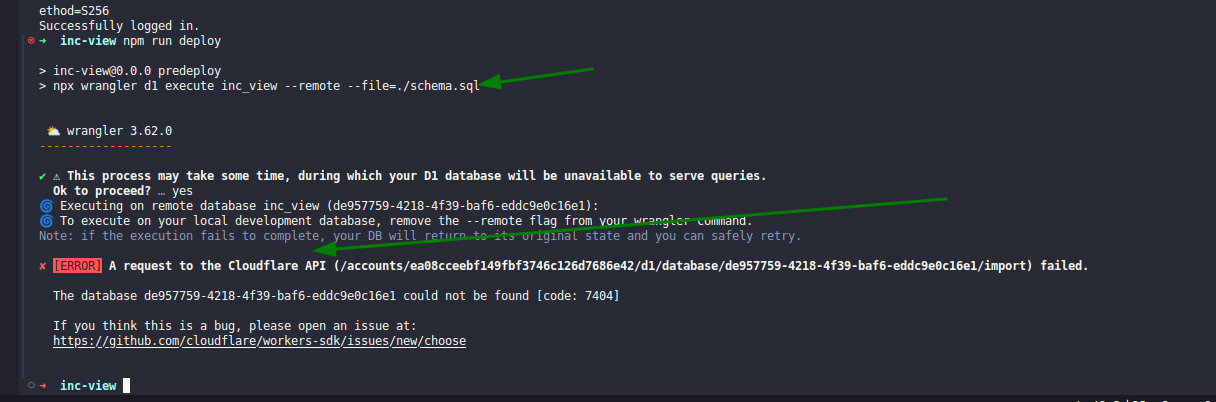 A
A G
G C
C--remotewrangler pages dev?pages doesn't seem to have that option  and I'd like to access my D1 while testing locally with my Pages project.C thank you so much for this
 F
F welcome-and-rules. It creates confusion for people trying to help you and doesn't get your issue or question solved any faster.O
 wrangler 3.62.0
 M
M—remote but get “couldn’t find DB” - that’s because you didn’t create it. What does wrangler d1 list show?execute operates on local databases first.MOMMMOOconst mapping = { [tenantId1] : env.DB_TENANT_1wrangler d1 migrations create preview-say-my-name move-authentication-to-workoswrangler d1 migrations create preview-say-my-name move-authentication-to-workosALTER TABLE customers ADD COLUMN auth_service_user_id TEXT;
DROP TABLE IF EXISTS `magiclinks`;
DROP TABLE IF EXISTS `sessions`;
DROP TABLE IF EXISTS `login_passcodes`;wrangler d1 migrations apply preview-say-my-namehttps://developers.cloudflare.com/d1/build-with-d1/local-development/#miniflare/favicon.ico/favicon.ico/wrangler pages devpages—remotewrangler d1 listexecute


