

 R
RNah pop off, the game is a nightmare :KEKW:
RYeah like it should be, but I am concious of the fact that it's an 8 year old GTX 1080
RIm gonna ask about this in the star citizen linux discord, too
 K
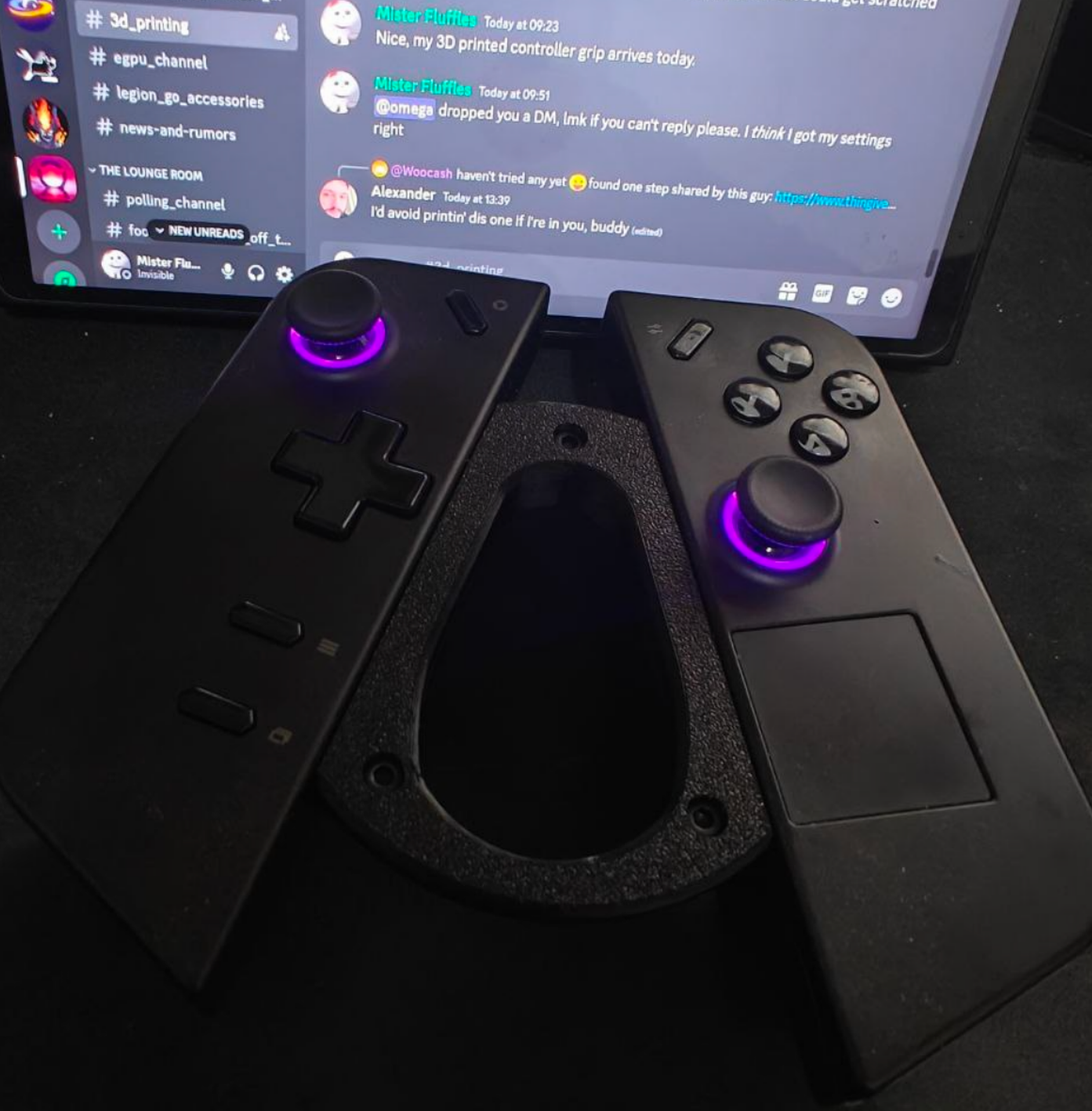
KNot Bazzite specific, but I'm hyped to be able to do this with my Legion Go now.

 V
VOh I think I saw models for this kinda thing on printables
VMakes me jealous of legion owners
Kit's small enough to fit in the Legion Go case with the Go in it.
Kwhich is super convenient
VThat's cool!
VI need to use my 3D printer more, just got it re-setup

 C
CYou'll also need a sink for the microphone server, for that do
You'll need to add the following lines before the
Save, log out and log back in, or reboot if that doesn't work. That'll create a dedicated device you can select in the AudioRelay menu to send your phone mic audio to, and you'll be able to select it on Discord and such.
mkdir ~/.config/pipewire && cp /usr/share/pipewire/pipewire-pulse.conf ~/.config/pipewire.configcontext.execYou'll need to add the following lines before the
]Save, log out and log back in, or reboot if that doesn't work. That'll create a dedicated device you can select in the AudioRelay menu to send your phone mic audio to, and you'll be able to select it on Discord and such.
CSorry for the wall of text everyone
 M
M:huh:

 P
PWas just a bout to say. I didn't want to say anything because I'm fairly new to linux
But wouldn't doubt if its the games problem
But wouldn't doubt if its the games problem
Mthe meme become real
PStar Citizens wild
Mlinux users to use smartphone like microphone : hack god pc's
Mwindows : 2 click
Mi will try , thanks !!
CIt's just editing a text file
CWindows uses virtual drivers and such which are very hacky and prone to shenanigans
PNgl windows did a make a good phone
CThe complicated bit is knowing which text file to edit, got the heads up from this guy on Reddit: https://libreddit.bus-hit.me/r/SteamDeck/comments/13ipmry/steamdeck_audiorelay_install_stream_your/
CHe's doing the exact opposite and sending his audio to his phone, same process for the sink
CUnfortunately the AudioRelay documentation is very outdated
CTheoretically someone could make a 1 click solution with PipeWire, no one's done it yet
 S
SDamn they werent kidding when they said the LGo recovery tool takes forever  i just want to play elden bling
i just want to play elden bling M
MYouTubeBrodie Robertson
Back during the Fedora 40 talks there was talks of doing out-out telemetry in Fedora Linux, and even though that change proposal fell through a new one is back on the table
==========Support The Channel==========
► Patreon: https://brodierobertson.xyz/patreon
► Paypal: https://brodierobertson.xyz/paypal
► Liberapay: https://brodierobertson.xyz/...
==========Support The Channel==========
► Patreon: https://brodierobertson.xyz/patreon
► Paypal: https://brodierobertson.xyz/paypal
► Liberapay: https://brodierobertson.xyz/...
C@Mario Sorry, got the sink instructions mixed up. Edited my original message
 C
Ctl;dw it's opt-in
CForgot a quote, fixed again
 H
Hlowkey telemetry is a net positive as long as it's of purely technical matter (which isnt hard to verify tbf)
Hbut linux paranoids be paranoiding
VWhat's up with arch distroboxes lately? I keep getting openssl errors trying to use pacman
 M
MBeen that was for months
 V
VYeah I know, quite annoying
 KV
KVChrist I'm going to need to make a script to "prep" arch distroboxes one of these days...
 C
CWorks on my machine : ^)
VMake a new one
Vapparently the
quay.io/toolbx/arch-toolbox:latestI'd use Bazzite arch but it's quite big
VI mean, this is still like 500mb...
Kdistrobox-arch builds off of that
Kwhich bazzite-arch in turns builds from
Kand arch-amdgpupro
CI'm using
arch-distrobox:latestWhere do you pull this from?
Cghcr.io/ublue-os/ F
FI was playing a heavy map on assetto corsa on my laptop
